%20(1).svg)
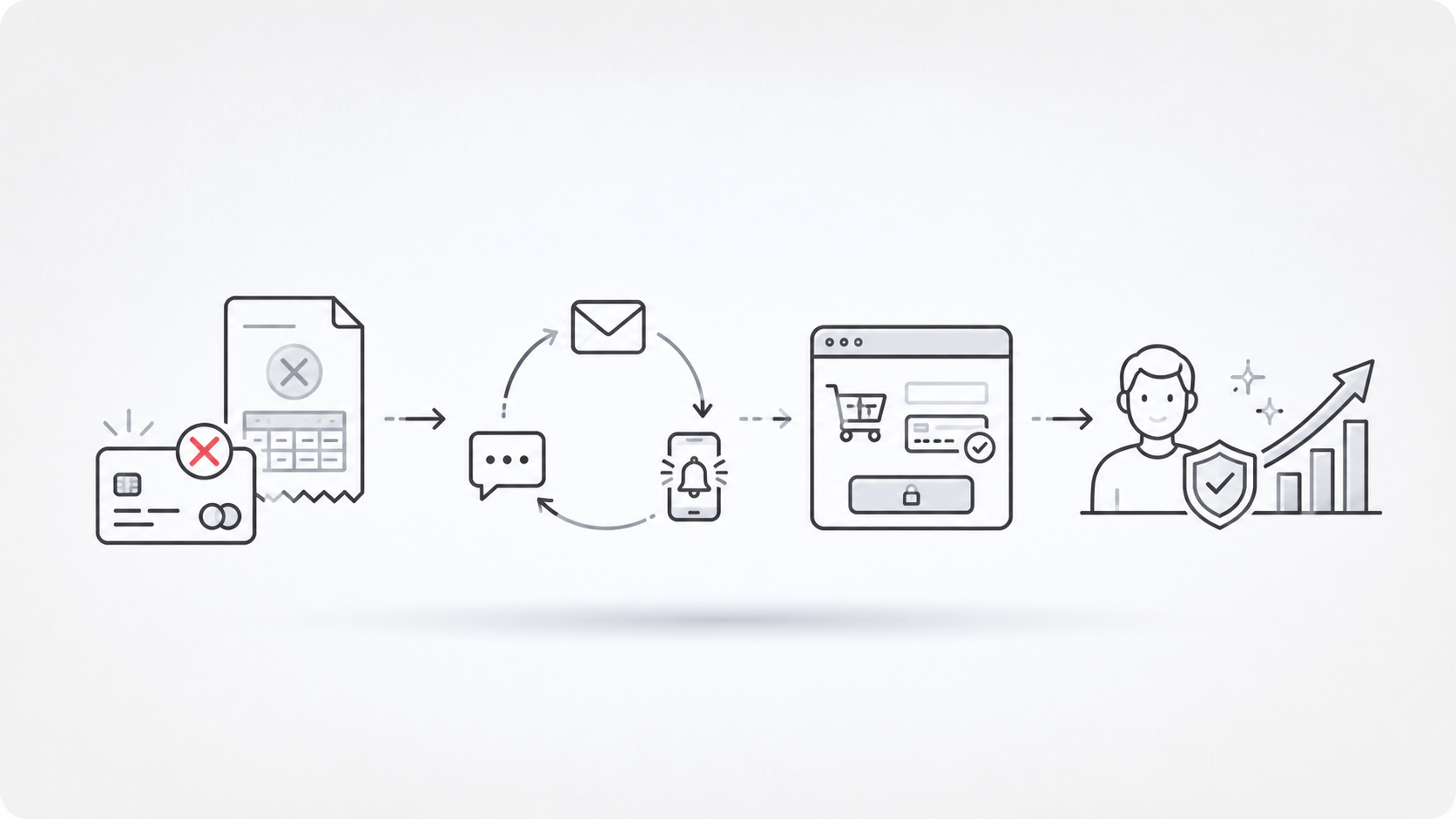
Slow inbound response is expensive because the lead is already warm.
Someone fills out a form, asks a pricing question, sends a WhatsApp message, or lands in web chat. If nobody qualifies that person fast, the next best action slips. The calendar stays empty. The rep gets poor context. The CRM fills with half-worked leads.
That is the problem SalesApe is trying to solve.
SalesApe positions itself as an AI sales assistant for inbound lead engagement, qualification, appointment booking, and CRM handoff. The public SalesApe reviews are mostly positive, especially around speed, setup support, after-hours coverage, and appointment booking.
But I would not buy SalesApe on star rating alone.
The stronger operator question is this: does SalesApe fit the exact revenue moment you need to fix, or do you need a broader AI Sales Team for Inbound Demand across calls, SMS, email, and WhatsApp?
That is where the SalesApe vs Outcraft AI decision becomes useful.
TL;DR - Is SalesApe Worth It?
Yes, SalesApe is worth shortlisting if your main problem is slow inbound lead response and you want a managed AI assistant to qualify leads and book appointments.
My rating: 4.0 out of 5.
Here is my breakdown:
|
Category |
My rating |
Why it matters |
|---|---|---|
|
User sentiment |
4.4/5 |
Trustpilot shows a 4.5 TrustScore from 29 reviews as of June 2, 2026, with mostly positive recent feedback. |
|
Inbound lead response |
4.5/5 |
Reviews repeatedly praise fast follow-up, appointment movement, and after-hours lead coverage. |
|
Setup and support |
4.2/5 |
Users mention responsive support and hands-on onboarding, but setup quality is still a key diligence point. |
|
Pricing clarity |
3.0/5 |
SalesApe uses tailored pricing, so you need a demo before you can model ROI. |
|
Workflow breadth |
3.6/5 |
Strong fit for inbound qualification; less complete if you need lifecycle recovery, retention, and reactivation across more revenue moments. |
My concise view:
-
Choose SalesApe if inbound leads are going cold before a rep can respond.
-
Choose SalesApe if appointment booking is the main outcome.
-
Be careful if you need transparent pricing before the demo.
-
Be careful if your workflow includes abandoned checkout recovery, failed payments, churn signals, missed calls, or reactivation.
-
Compare Outcraft AI if you need one revenue engine across calls, SMS, email, and WhatsApp.
The Trustpilot signal is useful. Trustpilot lists SalesAPE.ai at 4.5/5 from 29 reviews, with 86% of reviews marked 5-star and 10% marked 1-star.
That is encouraging. It is not conclusive.
For a sales-critical system, 29 public Trustpilot reviews and thin G2 coverage are enough to justify a demo, not enough to skip due diligence.
What is SalesApe?
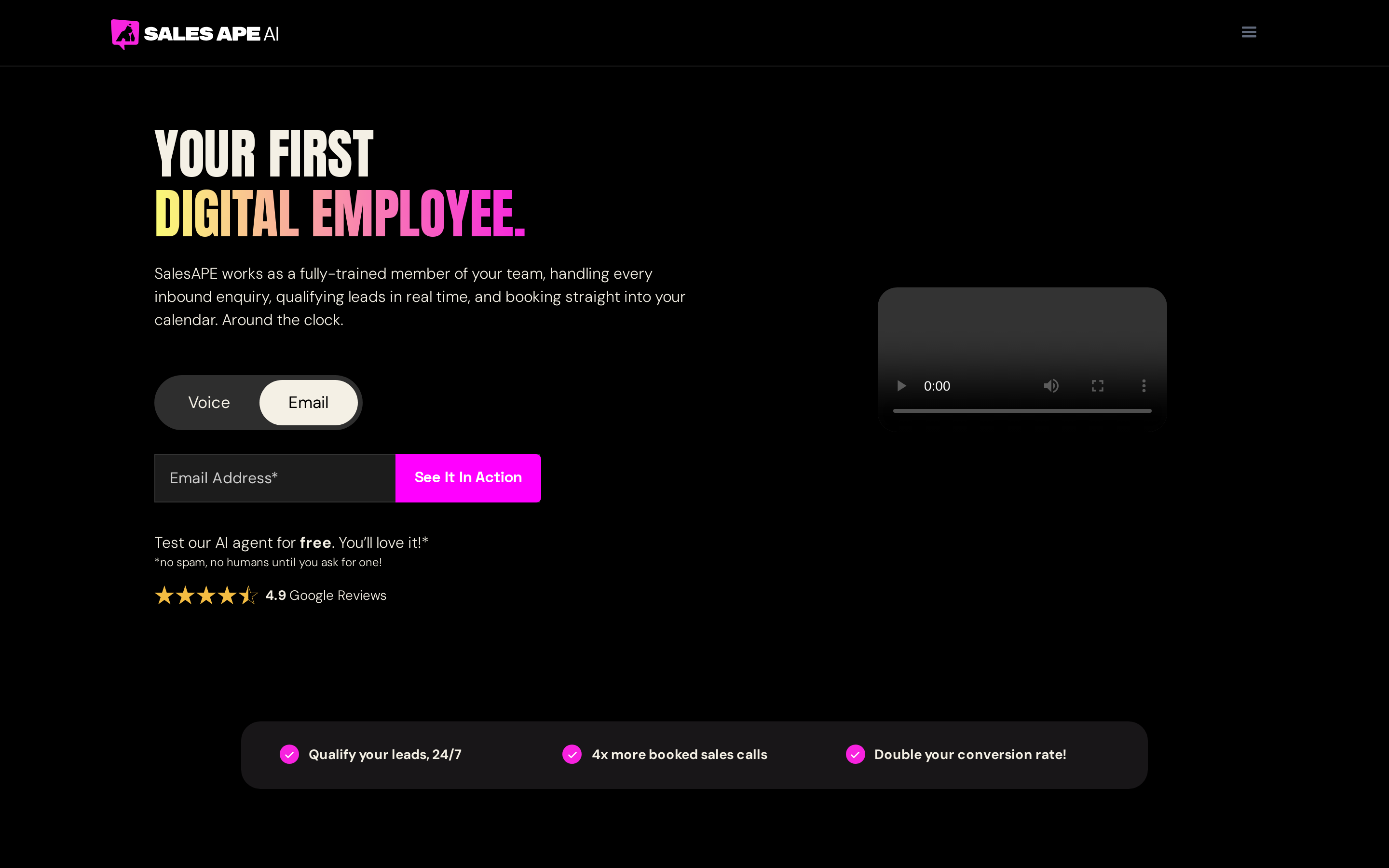
SalesApe is an AI sales assistant built to engage inbound leads, qualify them, answer common questions, and move qualified prospects to the next step.
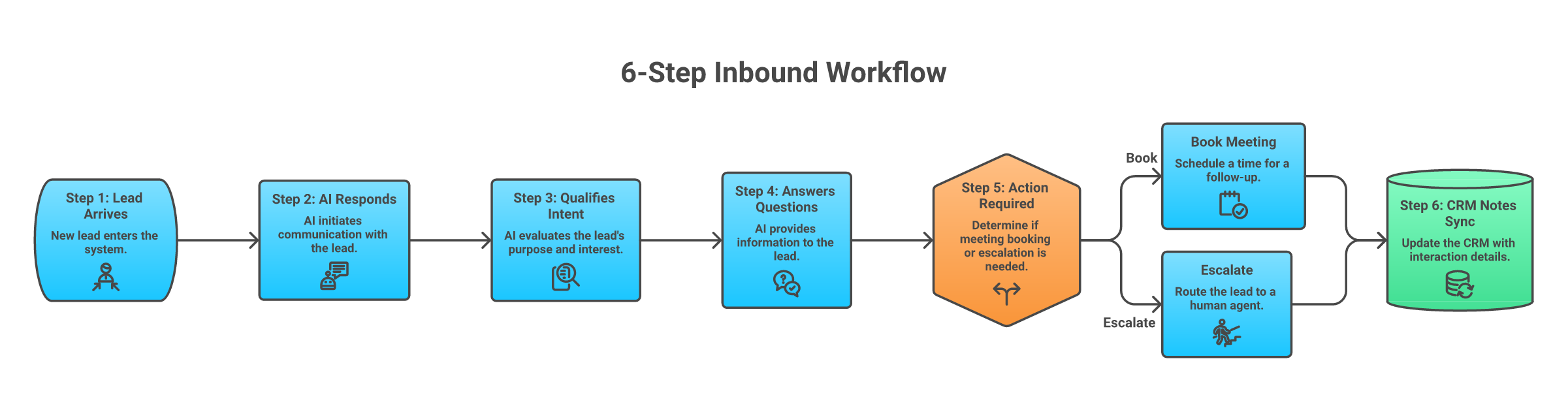
In practical terms, SalesApe sits near the top of the revenue funnel:
-
A lead comes through email, web form, SMS, WhatsApp, Facebook Messenger, or web chat.
-
The AI agent responds quickly.
-
It asks qualification questions.
-
It answers common objections or product questions.
-
It books a meeting or hands the lead to a human.
-
It records conversation notes and qualification context in the CRM.
SalesAPE describes the agent workflow as inbound lead handling for small and midsize teams, with CRM integrations for systems like HubSpot, Salesforce, Zoho, Zapier, and custom CRMs.
The product is not a simple chatbot widget. It is closer to a managed AI SDR for inbound response.
That distinction matters.
A chatbot can answer questions. An inbound AI sales assistant needs to qualify intent, protect handoff quality, preserve CRM hygiene, and move the lead toward a booked meeting without annoying the prospect.
Features
SalesApe's feature set is strongest around inbound qualification and appointment movement.
1. Fast inbound response
SalesApe is built for speed to lead. The agent can respond when a prospect reaches out through supported channels instead of waiting for a human rep.
That matters most when the lead is high-intent:
-
Demo request
-
Pricing question
-
Callback request
-
Website chat
-
WhatsApp inquiry
-
Service quote request
The operational value is simple. The faster the first useful response, the less revenue gets lost to silence.
2. Lead qualification
The agent asks questions, collects context, and separates good-fit leads from low-fit inquiries.
This is the feature I would inspect most carefully in a demo. Qualification is not just asking five scripted questions. It has to adapt when the lead gives a partial answer, asks a pricing question, pushes back, or needs a human.
3. Appointment booking
SalesApe is designed to move qualified leads into calendars.
This is one of the clearer review-backed strengths. Users talk about appointments, callbacks, calendar movement, and better follow-up context. For inbound-heavy teams, that is the right outcome to measure.
4. CRM integration
SalesApe supports CRM handoff across HubSpot, Salesforce, Zoho, Zapier, and 100+ other tools.
The public positioning also says SalesApe can summarize conversations, transfer notes, and update records in real time.
Do not treat that as a checkbox. Ask which fields get updated, how duplicates are handled, how lead owner routing works, and what happens when the AI cannot qualify the lead cleanly.
5. Channel coverage
SalesApe mentions email, web form, SMS, WhatsApp, Facebook Messenger, and web chat in its lead workflow.
That is useful for inbound response. It gives the agent more surfaces to catch a lead before the moment cools.
The caveat: channel coverage is not the same as lifecycle revenue orchestration. Responding to inbound leads is one job. Recovering abandoned carts, failed payments, churn risk, missed calls, post-purchase upsells, and reactivation is a wider job.
6. Managed setup
SalesApe says setup takes approximately four to five weeks, with work around business learning, technical setup, CRM connection, sending permissions, simulated conversations, and tone tuning.
I see this as both a feature and a risk.
It is a feature if you want a vendor to help configure the agent properly. It is a risk if you expect a fast, self-serve launch or if your CRM and handoff rules are messy.
What Users Liked About SalesApe
The positive SalesApe reviews cluster around a few practical themes.
1. Speed to lead
The clearest praise is fast response.
A March 19, 2026 Trustpilot reviewer described an AI agent responding to website leads within five minutes, answering questions, learning company context, and moving prospects to sales appointments.
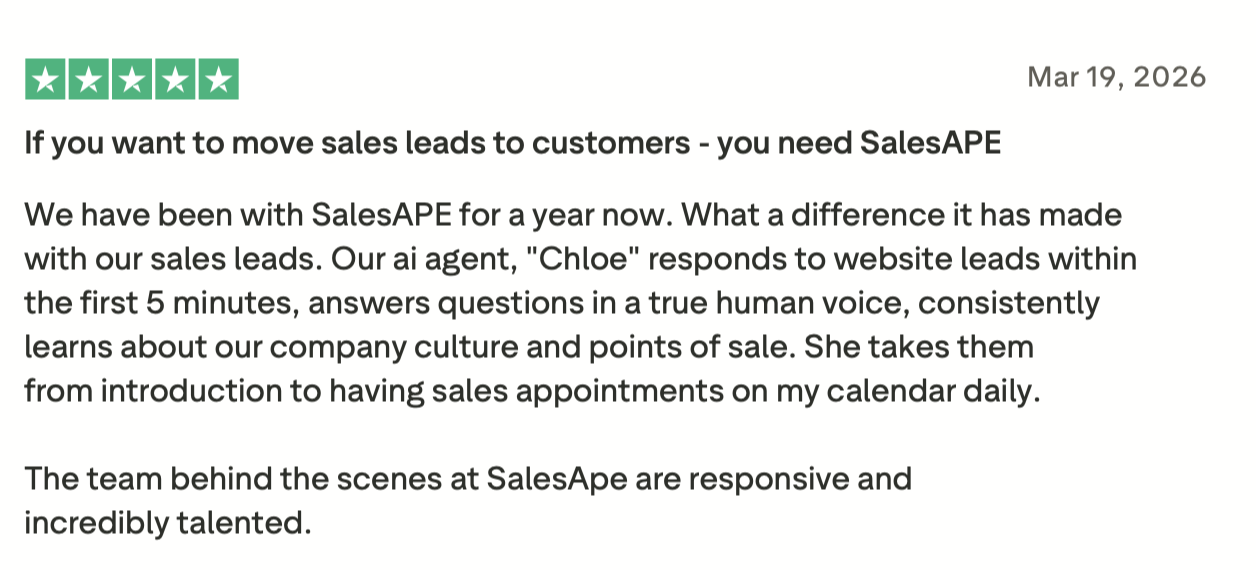
That is the kind of review signal I take seriously because it connects the feature to a revenue outcome: faster contact, better qualification, more meetings.
2. Appointment booking
Several reviews point toward calendar movement rather than vague automation.
That is important. If SalesApe only created more conversations, the value would be weaker. The stronger signal is that users connect the tool with booked callbacks, appointments, and productive follow-up.
3. After-hours coverage
An August 5, 2025 Trustpilot reviewer described using SalesApe to engage website visitors and new leads after hours and on weekends.
This is a real use case for lean teams.
Most inbound teams do not lose leads because they lack intent. They lose leads because the moment happens at 8:43 p.m., on a weekend, or while the team is busy with current customers.
4. Hands-on onboarding
Recent reviews repeatedly mention the SalesApe team as responsive, helpful, and involved during setup.
That is a positive signal because AI sales assistants are not plug-and-play when revenue is on the line. The agent needs product context, qualification logic, CRM rules, calendar routing, fallback paths, and tone control.
5. Agent improvement over time
Some users mention correcting responses, improving the agent, and using conversation visibility to tune performance.
That matters because the first version of an AI agent is rarely the final version. The tool needs a review loop. If the agent misunderstands an objection, overqualifies, underqualifies, or gives weak context to a human rep, you need a way to fix it fast.
What Users Disliked About SalesApe
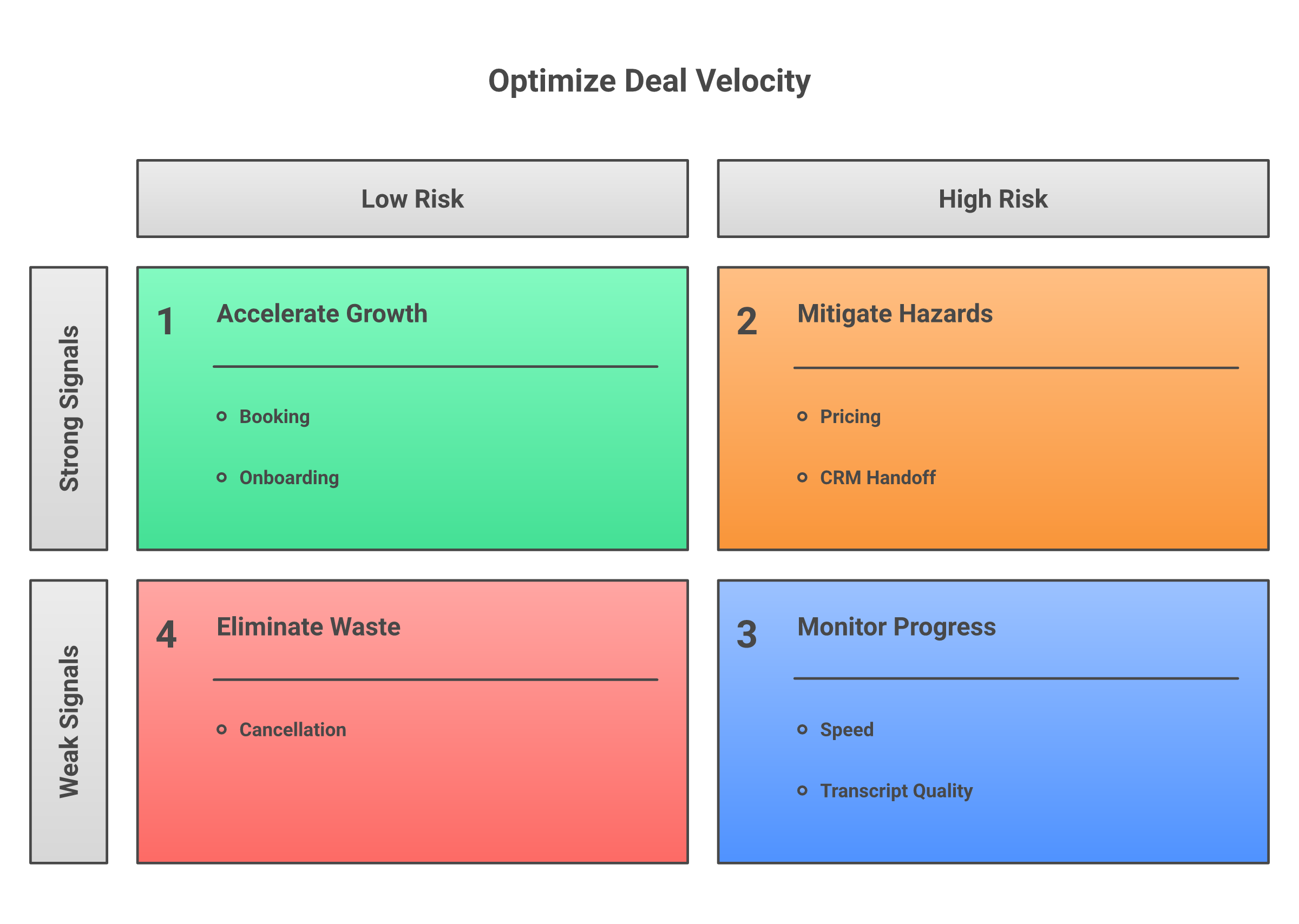
The negative signal is smaller, but I would still take it seriously.
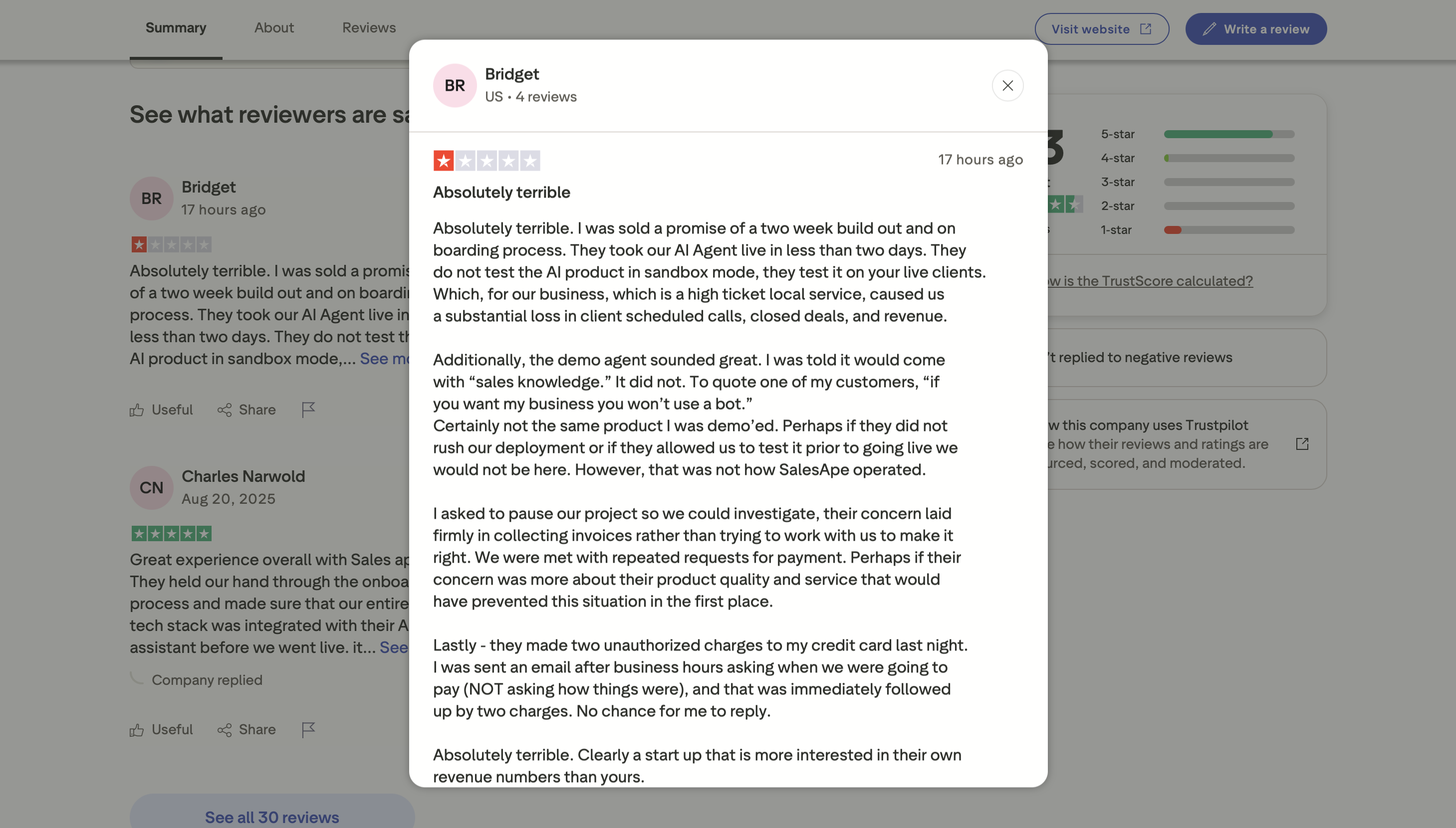
Trustpilot shows 10% 1-star reviews as of June, 2026. That is not a reason to reject SalesApe by itself, but it is a reason to ask sharper questions before signing.
The common risk areas are these.
1. Cancellation and support friction
One visible negative review references difficulty cancelling, though it also notes that SalesApe later made an effort to put the issue right.
My take: ask for cancellation terms in writing. Do it before the demo excitement takes over.
You want to know:
-
Minimum contract term
-
Notice period
-
Data export process
-
Phone number or channel ownership
-
CRM cleanup process
-
What happens if implementation misses expectations
2. Setup timeline uncertainty
SalesApe publicly references a four-to-five-week setup window. One review also described a fast launch path under specific conditions, including HubSpot native integration.
That tells me setup time can vary.
This is not automatically bad. A revenue agent should take time to configure. But if your team needs a live workflow next week, ask what has to be true for a faster launch.
3. Pricing opacity
SalesApe does not publish simple plan tiers.
That creates a real evaluation gap. You cannot calculate cost per qualified lead, cost per booked meeting, or payback period until pricing is scoped.
Custom pricing can be fair. It can also hide the unit economics until late in the sales process.
4. Limited peer-review depth
Trustpilot is positive, but public peer-review coverage is still thin. G2 shows there are not enough SalesAPE.ai reviews for buying insight, based on the public seller listing available in search.
That does not mean SalesApe is weak. It means the evidence base is narrower than I would want for a sales-critical purchase.
5. Unknown transcript quality across edge cases
Reviews rarely show hard moments:
-
An angry lead
-
A pricing objection
-
A prospect asking for a custom integration
-
A lead who wants a human immediately
-
A bad-fit inquiry
-
A compliance-sensitive question
Those edge cases decide whether the AI creates value or cleanup work.
SalesApe Pricing
SalesApe pricing is tailored.
That is the most accurate way to describe it.
SalesAPE explains its tailored pricing model by tying the investment to the customer's needs and sales process.
I would not invent a monthly price here. I would model SalesApe pricing like a custom revenue workflow, not a self-serve SaaS plan.
Here is how I would evaluate the cost.
What the quote should include
Ask SalesApe to separate these items:
-
Setup cost: agent training, CRM setup, calendar setup, channel configuration, knowledge base ingestion, testing, and launch support.
-
Monthly platform fee: base access to the SalesApe agent and management layer.
-
Usage cost: conversations, messages, leads, channels, locations, or support volume.
-
Support scope: ongoing tuning, transcript review, prompt updates, workflow changes, and reporting.
-
Channel scope: email, SMS, WhatsApp, Messenger, web chat, and any channel-specific costs.
-
Contract terms: minimum term, cancellation window, renewal structure, and data export.
Example pricing model
Here is a simple example.
Say you receive 1,000 inbound leads per month.
If SalesApe costs $3,000 per month after setup, and it creates 60 additional booked appointments, your cost per incremental booked appointment is $50.
That can be a strong result if one booked appointment is worth $300, $800, or $2,000 in expected revenue.
But if the agent only creates 10 extra qualified appointments, the cost becomes $300 per incremental appointment. That may still work in high-ticket sales, but it will not work for every business.
Use this calculation in the demo:
-
Monthly SalesApe cost
-
Additional qualified appointments
-
Show rate
-
Close rate
-
Average deal value
-
Gross margin
-
Rep cleanup time
The rep cleanup time matters. If the AI books meetings but creates poor context, the cost is not just software. It is operational drag.
Is SalesApe Worth It?
SalesApe is worth it when the problem is clear: inbound leads are arriving, but humans are too slow, too inconsistent, or too unavailable to qualify and book them.
I would choose SalesApe when:
-
The team has steady inbound lead volume.
-
The next best outcome is a booked meeting or callback.
-
CRM ownership is clear.
-
Qualification criteria are documented.
-
Calendar routing is simple enough to automate.
-
The team wants a managed setup.
-
Pricing works against expected appointment value.
I would avoid SalesApe when:
-
Inbound volume is too low to justify a custom AI agent.
-
The sales process is still unclear.
-
The CRM is messy.
-
The team needs public pricing before evaluation.
-
The main revenue leak is not inbound response.
-
The workflow needs phone-led recovery, failed-payment follow-up, abandoned checkout recovery, churn prevention, or reactivation.
My expert POV: SalesApe looks strongest as an inbound sales-assistant layer. It can be a good fit when missed response time is the leak. It is less obviously the right fit when the revenue moments are spread across the customer lifecycle.
That is where I would compare Outcraft AI.
Outcraft AI: SalesApe Best Alternative
Outcraft AI is the best SalesApe alternative when the job is bigger than inbound lead qualification.
SalesApe is built around responding to inbound leads and moving them toward appointments. Outcraft AI is built around revenue moments across the full customer lifecycle.
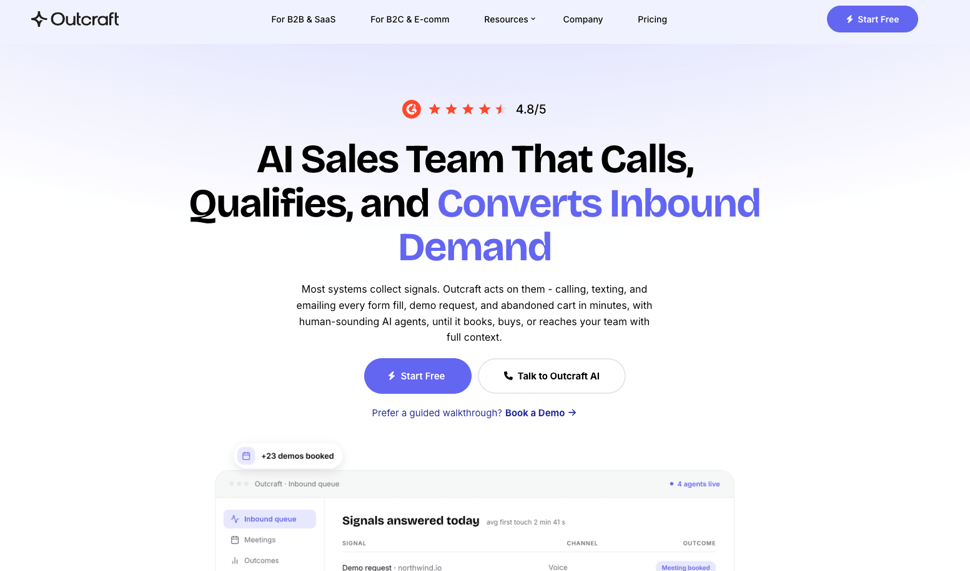
That means:
-
A SaaS user signs up and needs activation.
-
A demo request needs an instant call.
-
A shopper abandons checkout.
-
A customer misses a payment.
-
A high-value customer asks a question.
-
A churn signal appears.
-
A missed call needs follow-up.
-
An inactive customer needs reactivation.
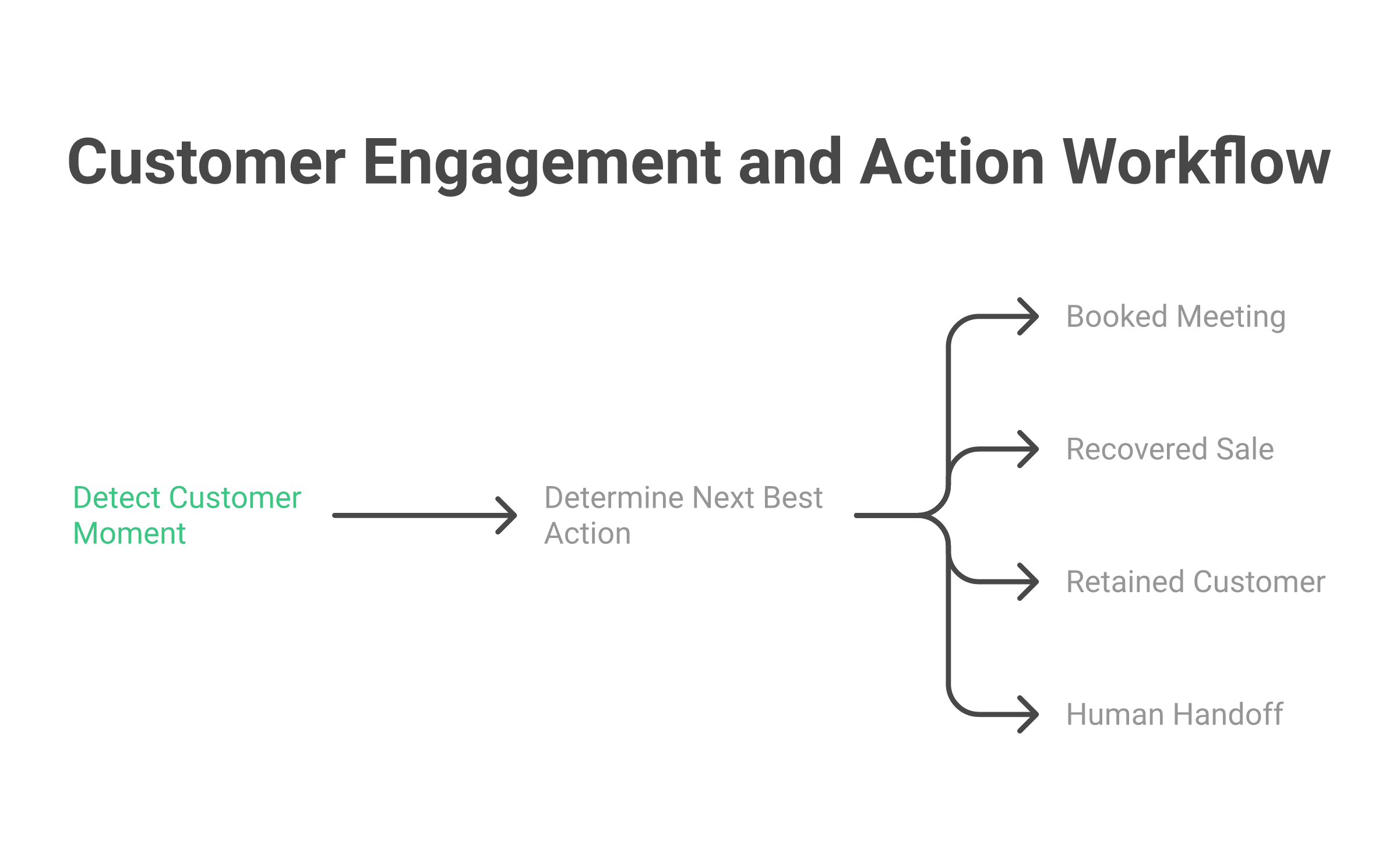
Outcraft AI acts across calls, SMS, email, and WhatsApp to drive a next best outcome: booked meetings, recovered sales, retained customers, faster activation, or cleaner routing.
It is an AI Sales Team for Inbound Demand with real-time voice AI and omnichannel follow-up across calls, SMS, email, and WhatsApp. It covers inbound lead conversion, activation, churn prevention, failed payment recovery, abandoned checkout recovery, post-purchase upsells, and inbound call handling.
Debriefing reported in April 2026 that Outcraft AI raised EUR 2 million in pre-seed funding to build AI sales agents for lead qualification, demo booking, onboarding, payment recovery, and churn prevention across voice, SMS, email, and WhatsApp.
Outcraft AI features
-
Real-time voice AI: Useful when the revenue moment needs a phone conversation, not just a text reply.
-
Omnichannel follow-up: Calls, SMS, email, and WhatsApp work together instead of sitting in separate tools.
-
Revenue-moment triggers: Outcraft can act when someone signs up, abandons checkout, misses a payment, stops using the product, or needs follow-up.
-
Lifecycle coverage: Activation, engagement, recovery, retention, and reactivation sit in one operating model.
-
Outcome focus: The platform is designed around booked meetings, recovered sales, retained customers, and LTV movement.
Outcraft AI is not the right pick if you only need a basic inbound chat assistant. SalesApe can be a cleaner fit for that narrower job.
Outcraft AI is the stronger fit when the revenue moment requires a call, a follow-up message, a retry path, and a measurable outcome across the lifecycle.
Outcraft vs SalesApe
|
Category |
SalesApe |
Outcraft AI |
|---|---|---|
|
Best fit |
Inbound lead qualification and appointment booking |
Full-lifecycle revenue execution across activation, engagement, recovery, retention, and reactivation |
|
Core moment |
New inbound lead arrives |
Lead, trial signup, abandoned checkout, failed payment, churn risk, missed call, support request, or reactivation |
|
Channels |
Email, SMS, WhatsApp, Messenger, web chat; verify current voice coverage in demo |
Calls, SMS, email, WhatsApp |
|
Voice AI |
Not the clearest public strength; confirm live call capability before buying |
Core part of the platform |
|
CRM and stack fit |
CRM sync, notes, custom fields, HubSpot/Salesforce/Zoho/Zapier/custom CRM support |
Connects to CRM and commerce stack to trigger revenue workflows |
|
Pricing |
Tailored/custom |
Custom/demo-led |
Here is the practical decision.
Choose SalesApe if the problem is narrow and urgent: inbound leads are not getting qualified fast enough, and the team wants a managed AI assistant to respond, qualify, and book appointments.
Choose Outcraft AI if the revenue leak is broader: leads need calls, trial users need activation, customers need failed-payment recovery, shoppers need abandoned checkout follow-up, and churn-risk accounts need a next best action across calls, SMS, email, and WhatsApp.
SalesApe wins on a narrower inbound booking motion.
Outcraft wins when the team needs one AI Sales Team for Inbound Demand for more than one moment.
Summary
SalesApe reviews are positive enough to take seriously.
The strongest signals are fast inbound response, appointment booking, after-hours coverage, hands-on onboarding, and a product that can improve through tuning. A 4.5 TrustScore from 29 Trustpilot reviews is a good start.
But I would still run a careful demo.
Ask for transcript examples. Ask for CRM field mapping. Ask for calendar routing. Ask for cancellation terms. Ask for pricing by setup, usage, channel, and support scope. Then calculate cost per incremental qualified appointment, not just monthly software cost.
My final call:
-
SalesApe is a good shortlist option for inbound lead response and appointment booking.
-
SalesApe is weaker if pricing transparency is mandatory before a demo.
-
SalesApe needs diligence around setup time, cancellation, CRM handoff, and transcript quality.
-
Outcraft AI is the best alternative when the revenue workflow spans calls, SMS, email, WhatsApp, activation, recovery, retention, and reactivation.
If all you need is faster inbound qualification, test SalesApe.
If every missed revenue moment needs a next best action across channels, start with Outcraft AI.
Further Reading

Summarize with AI