.webp?width=7088&height=1300&name=outcraft.ai-....%20(1).webp "Outcraft AI | Best AI Sales Tool for E-Commerce Brands")
If you’re searching for AI Voice Agents, you probably care less about a flashy demo voice and more about what happens when a real prospect, customer, or overdue account picks up the phone.
Maybe a demo request lands and your rep calls twenty minutes later, after the buyer has already moved on. A missed inbound call might be going to voicemail when it should become a booked callback with context attached. Or, you’re tired of voice tools that can hold a conversation but still leave SMS, email, WhatsApp, and CRM follow-up sitting in a manual queue.
In 2026, AI voice has split into 4 buying motions: developer infrastructure, no-code builders, enterprise contact-center AI, and the AI Sales Team for Inbound Demand. That distinction changes which vendors actually solve your problem. Outcraft AI belongs in the last category: the AI Sales Team for Inbound Demand, built around the right revenue moment through the right channel, moment, and outcome.
There’s a bigger thing worth flagging before we get into the list. A useful AI voice agent has to understand the revenue moment, decide whether a call, SMS, email, or WhatsApp follow-up should happen next, and drive the next outcome. Manual follow-up does not scale, and more channels do not fix a broken workflow.
We build Outcraft AI, so we include ourselves first and hold the rest of the list to the same buying lens. We’ll let you decide after you see what we bring to the table.
In this post, we’ll cover the shortlist first, then the evaluation criteria I would use as a RevOps owner, then a detailed comparison table, and then the 11 tools with features, pricing, pros, cons, and summary notes. By the end, you’ll know which AI voice agent fits your revenue motion and where Outcraft is the practical next step.
Let’s get started.
TL;DR - Best AI Voice Agents Based on Use Case
- Outcraft AI - Best for revenue teams that need calls tied to SMS, email, WhatsApp, CRM context, and measurable follow-up.
- Retell AI - Best for developers building production phone agents with clear per-minute economics.
- Vapi - Best for engineering teams that want voice-agent infrastructure with provider control.
- Bland AI - Best for high-volume programmable outbound and inbound calling.
- Synthflow - Best for no-code voice-agent pilots and appointment workflows.
- ElevenLabs - Best for teams that care most about voice quality and conversational audio.
- CloudTalk - Best for phone system buyers adding AI reception and specialist call handling.
- Lindy - Best for operators who want a general AI assistant that can also place calls.
- PolyAI - Best for enterprise service call automation with managed delivery.
- NiCE Cognigy - Best for global contact centers needing enterprise AI-agent infrastructure.
- Kore.ai - Best for enterprise assistant programs that span service, agent AI, and voice gateway use cases.
My short rule: pick the tool that owns the revenue moment, the channel decision, and the next outcome.
How I evaluated these AI voice agents
I evaluated these like a RevOps owner who has to defend the rollout after the demo ends. Voice quality matters, but it is only one part of the buying decision. The harder question is whether the agent can move revenue work forward without creating a second operations job for your team.
Here is what I looked for:
- Live-call latency and interruption handling. A revenue call breaks when the agent pauses too long, talks over the buyer, or cannot recover from a messy answer.
- Inbound and outbound readiness. Some tools are great for outbound campaigns but weaker for live inbound calls, missed-call handling, or transfers.
- Revenue-moment detection. The tool should know whether the call came from a demo request, payment failure, cart abandonment, usage drop, renewal risk, or after-hours inbound call.
- Follow up on ownership after the call. The best system updates the CRM, routes the exception, and triggers the next step instead of only storing a transcript.
- Human handoff quality. Transfers, escalation notes, owner assignment, and call summaries matter when the agent reaches a boundary.
- Channel fallback. Voice is often the first action, but SMS, email, and WhatsApp determine whether the outcome actually happens.
- Concurrency and rate limits. RevOps needs to know whether the tool can handle spikes from campaigns, webinars, product launches, renewal pushes, and billing events.
- Script control and guardrails. You need control over what the agent can say, when it must stop, and which statements need compliance review.
- Transcript, analytics, and outcome reporting. A voice agent has to report booked meetings, recovered payments, qualified leads, transfers, no-answers, and failed paths.
- Deployment ownership. A developer API, no-code builder, and managed enterprise platform all work, but each one puts the work on a different owner.
These are the parameters behind the table and the tool summaries below.
11 Best AI Voice Agents (Detailed Comparison)
|
Tool |
Live inbound |
Outbound |
Low latency focus |
Human transfer |
CRM action |
SMS fallback |
Email fallback |
WhatsApp fallback |
Transcript analytics |
Compliance controls |
Concurrency controls |
No-code builder |
Developer API |
|---|---|---|---|---|---|---|---|---|---|---|---|---|---|
|
Outcraft AI |
Yes |
Yes |
Yes |
Yes |
Yes |
Yes |
Yes |
Yes |
Yes |
Yes |
Yes |
Yes |
No |
|
Retell AI |
Yes |
Yes |
Yes |
Yes |
Yes |
Yes |
Yes |
No |
Yes |
Yes |
Yes |
Yes |
Yes |
|
Vapi |
Yes |
Yes |
Yes |
Yes |
Yes |
Yes |
Yes |
No |
Yes |
Yes |
Yes |
No |
Yes |
|
Bland AI |
Yes |
Yes |
Yes |
Yes |
Yes |
Yes |
Yes |
No |
Yes |
Yes |
Yes |
Yes |
Yes |
|
Synthflow |
Yes |
Yes |
Yes |
Yes |
Yes |
Yes |
Yes |
Yes |
Yes |
Yes |
Yes |
Yes |
Yes |
|
ElevenLabs |
Yes |
Yes |
Yes |
Yes |
Yes |
No |
No |
No |
Yes |
Yes |
Yes |
Yes |
Yes |
|
CloudTalk |
Yes |
Yes |
Yes |
Yes |
Yes |
No |
No |
No |
Yes |
Yes |
Yes |
Yes |
No |
|
Lindy |
Yes |
Yes |
No |
Yes |
Yes |
Yes |
Yes |
No |
Yes |
Yes |
No |
Yes |
No |
|
PolyAI |
Yes |
Yes |
Yes |
Yes |
Yes |
No |
No |
No |
Yes |
Yes |
Yes |
No |
Yes |
|
NiCE Cognigy |
Yes |
Yes |
Yes |
Yes |
Yes |
Yes |
Yes |
Yes |
Yes |
Yes |
Yes |
Yes |
Yes |
|
Kore.ai |
Yes |
Yes |
Yes |
Yes |
Yes |
Yes |
Yes |
Yes |
Yes |
Yes |
Yes |
Yes |
Yes |
1. Outcraft AI: the AI Sales Team for Inbound Demand, for calls, SMS, email, and WhatsApp
Outcraft AI: Best for AI voice agent for revenue moments across calls, SMS, email, and WhatsApp
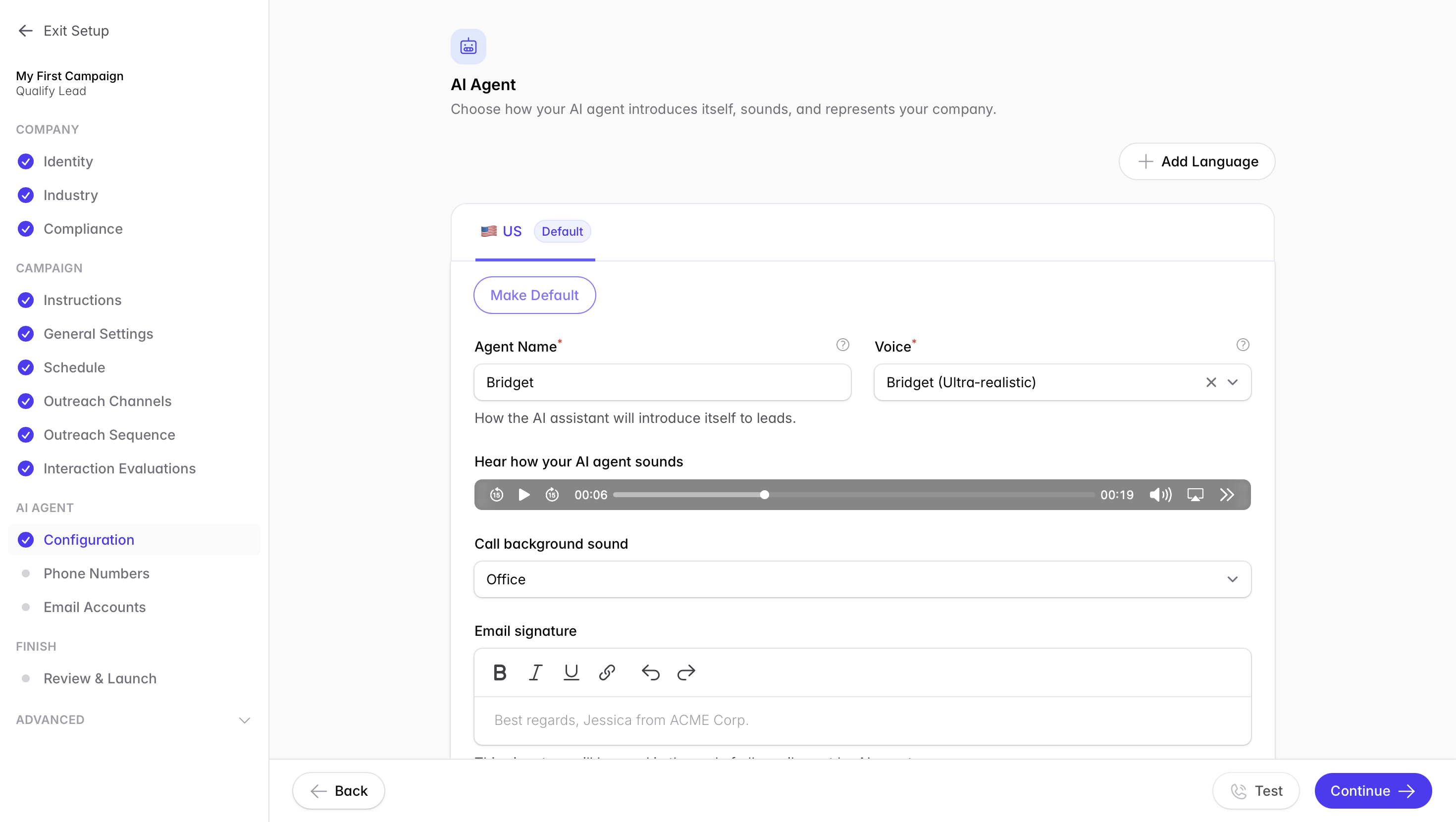
Outcraft AI is the AI Sales Team for Inbound Demand. We built it for the moments where a call is useful, but the business outcome depends on what happens before and after the call.
A demo request lands. That is the highest-intent moment in the funnel. Outcraft can call within five minutes, fall back to SMS with a booking link, update the CRM, and keep the workflow tied to the meeting outcome. A payment fails. This is involuntary churn, not a decision to leave. Outcraft can email the card-update link, follow up with WhatsApp at twenty-four hours, and call at seventy-two.
That is the category difference. Outcraft is not a single-channel sequencer or a dialer. It is the AI Sales Team for Inbound Demand, built around the right revenue moment through the right channel.
Disclosure: We build Outcraft AI, and it earns the top slot because this article is about AI voice agents that can drive revenue outcomes rather than run isolated phone demos.
Who should not choose Outcraft: Retell or Vapi will suit you better when your engineering team wants raw voice infrastructure. Synthflow is simpler when the job is a no-code receptionist, and you do not need connected revenue workflows.
Features
- AI voice calls for inbound lead conversion, demo booking, failed-payment recovery, abandoned-cart recovery, activation, churn prevention, post-purchase upsell, and inbound call handling.
- SMS, email, and WhatsApp follow-up tied to the same customer state, so the call does not become an isolated transcript.
- CRM context, owner routing, call outcomes, and feedback loops for revenue teams that need measurement.
- Trigger logic for signals such as demo requests, billing failures, cart events, activation milestones, usage drops, and after-hours calls.
- Human handoff when the agent reaches a compliance, routing, value, or relationship boundary.
Pricing
- Contact sales / demo-based.
- Pricing is scoped around the revenue workflows, channels, volume, routing rules, and implementation depth.
- Outcraft does not publish self-serve pricing, and I would not invent a number for it.
- A pilot usually starts with one contained revenue moment, one owner, one channel plan, and one measurable outcome.
- Example plan: start with inbound demo requests, call back within five minutes, send an SMS fallback with a booking link, update the CRM, and route exceptions to the right owner.
Pros
- Owns the revenue moment before, during, and after the call.
- Connects calls with SMS, email, WhatsApp, CRM context, and owner routing.
- Gives RevOps one workflow to inspect instead of separate call, message, and CRM logs.
- Works well when response speed, fallback, and outcome tracking matter more than a standalone voice demo.
- Covers revenue recovery and conversion motions that sit outside normal contact-center scripts.
Cons
- Public pricing is not available.
- It is heavier than a single-channel voice tool when the only job is a basic phone prototype.
- Engineering teams that want raw API control may prefer Retell or Vapi.
- Small teams that need only a no-code receptionist may move faster with Synthflow or CloudTalk.
Summary
Pick Outcraft when the real job is the moment, channel, and outcome. The phone call matters, but the outcome depends on the follow-up across calls, SMS, email, and WhatsApp.
2. Retell AI: usage-based phone-agent infrastructure
Retell AI: Best for developer-friendly phone agents with clear per-minute pricing
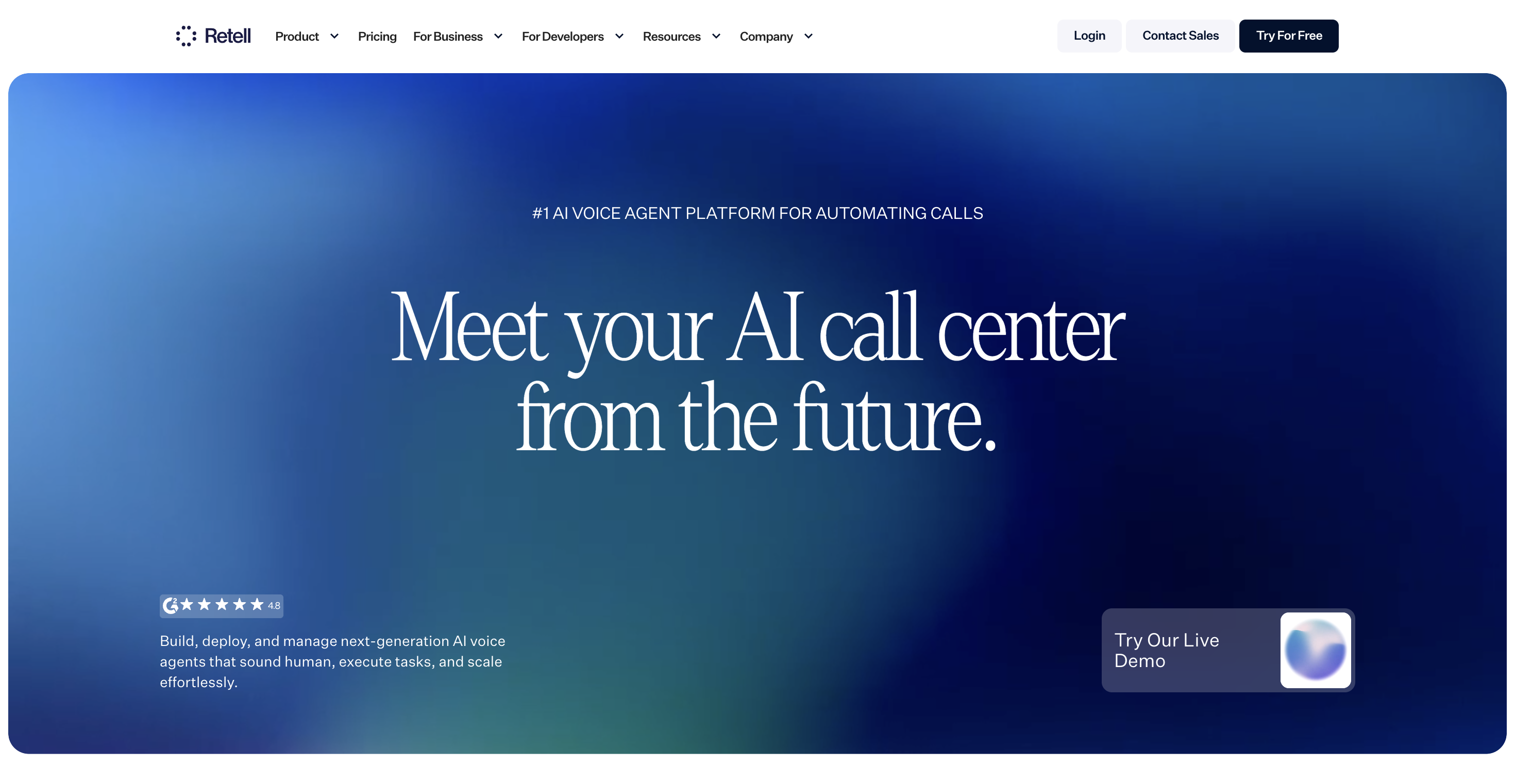
Retell AI is one of the cleanest infrastructure choices in the voice-agent market. It gives builders a fast way to create, test, monitor, and deploy phone agents with pay-as-you-go pricing and production controls.
I would look at Retell when engineering wants to own the call experience and RevOps is comfortable defining the workflow around it. The platform gives you the voice layer. Your team still has to decide what happens when the call ends, when the agent should text, when the CRM should update, and which owner takes over.
Features
- AI voice agents for inbound and outbound phone calls.
- Prebuilt agent templates, transcripts, analytics, webhooks, and API access.
- 20 concurrent calls included on pay-as-you-go, with extra capacity available.
- PII redaction, opt-out recording controls, custom retention options, and enterprise compliance paths.
- Dedicated server, SSO, custom BAA terms, RBAC, and support portal on enterprise.
Pricing
- Pay-as-you-go starts at $0.07 to $0.31 per minute for AI voice agents.
- Free start includes $10 in credits, full platform access, templates, analytics, transcripts, and API access.
- Extra concurrency costs $8 per concurrent call per month after the included 20 concurrent calls.
- Enterprise is custom and adds no cap on concurrent calls, a dedicated stable server, custom SSO, custom BAA, custom DPA, custom MSA, RBAC, and 24/7 support.
Pros
- Pricing is easy to model for connected-call volume.
- The included 20 concurrent calls are useful for early production tests.
- Developers get API access, webhooks, templates, transcripts, and analytics without starting on enterprise.
- Enterprise controls cover the needs that usually appear after the pilot works.
- The platform is focused on phone agents, so the product surface is not diluted by unrelated assistant use cases.
Cons
- Revenue logic after the call is still your responsibility.
- The minute range can move based on voice, model, and configuration choices.
- Nontechnical operators will usually need RevOps or engineering support.
- SMS, email, and WhatsApp follow-up require workflow design around the voice layer.
- Enterprise controls may be needed earlier than expected if compliance or concurrency spikes matter.
Summary
Retell is the right buy when the team wants flexible phone-agent infrastructure. Outcraft fits better when the call must also trigger follow-up across calls, SMS, email, and WhatsApp.
3. Vapi: voice API for custom agent builders
Vapi: flexible voice orchestration for engineering teams
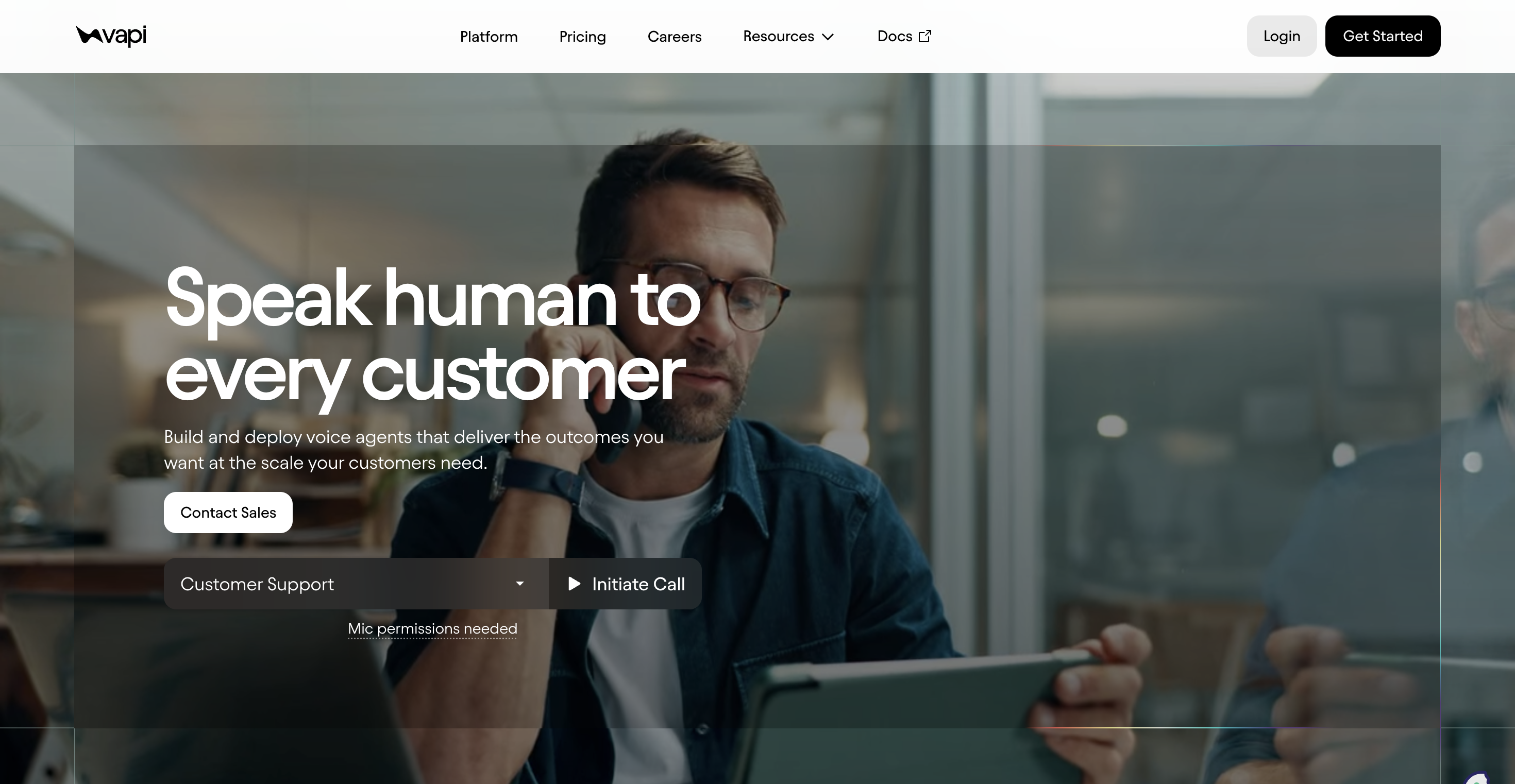
Vapi is built for teams that want to assemble their own voice stack. It gives developers orchestration, telephony paths, concurrency controls, provider choice, and support for custom voices and models.
This is a strong fit when engineering wants control over latency, data retention, model selection, and the provider stack. The tradeoff is operational. RevOps still has to define the revenue moment, fallback logic, CRM updates, and owner handoff.
Features
- Voice-agent API for calls, SMS, and chat workflows.
- 10 call concurrency included on the Build plan, with extra lines available.
- Provider choice across model, voice, STT, TTS, and telephony components.
- Call history retention, chat history retention, and enterprise data residency options.
- SOC 2, HIPAA, PCI, SSO, RBAC, support SLA, and dedicated account team on Scale.
Pricing
- Build uses usage-based pricing with Vapi hosting at $0.05 per minute for calls, plus provider costs.
- The Build plan includes 60+ call minutes and 10 call concurrency.
- Extra concurrency costs $10 per line per month.
- HIPAA is a $2,000 per month add-on, and zero data retention is a $1,000 per month add-on.
- Scale is annual-contract pricing with fixed platform fee, committed volume, volume-based minute pricing, data residency, priority provider access, support SLA, and dedicated account team.
Pros
- Developers get strong control over model, voice, telephony, and provider economics.
- The $ 0.05-per-minute hosting line makes the platform fee easy to understand.
- Extra concurrency is clearly priced.
- Scale covers the enterprise controls that regulated teams ask for.
- The API-first model is a good fit for teams that already have workflow engineering capacity.
Cons
- Provider costs sit on top of the hosting fee.
- HIPAA and zero data retention add meaningful monthly cost.
- Business users cannot treat it as a ready-made RevOps workflow.
- Revenue reporting depends on how your team wires call outcomes into the CRM.
- Channel fallback across SMS, email, and WhatsApp needs extra design.
Summary
Vapi is the safer buy when engineering control matters most. Outcraft is the better starting point when the buyer wants the revenue moment, the channel decision, and the next outcome handled inside one operating system.
4. Bland AI: programmable calling for high-volume teams
Bland AI: high-volume AI calling with bundled voice costs
Bland AI focuses on programmable calling at volume. It bundles LLM, speech-to-text, text-to-speech, and voice costs into the talk-time rate, which makes the first pass at call economics simpler than a stack with separate provider bills.
I would consider Bland when the motion is call-heavy, and the team needs caps, concurrency, daily volume, and developer control. The product is still call-first, so RevOps needs to own what happens after the call.
Features
- AI calling for inbound and outbound phone workflows.
- Built-in telephony through Twilio or bring-your-own telephony.
- Plan-level daily caps, hourly caps, concurrency, voice clones, and knowledge bases.
- Transfer minutes, call limits, uptime SLA, and enterprise deployment options.
- On-prem or VPC deployment, custom voice actor, BAA, SSO, and data residency on enterprise.
Pricing
- Start costs $0.14 per talk-time minute, $0.05 per transfer minute, and $0 platform fee.
- Start includes two credits, an inbound number, 10 concurrent calls, 100 calls per day, one voice clone, and 10 knowledge bases.
- Build costs $0.12 per talk-time minute, $0.04 per transfer minute, and a $299 per month platform fee; it includes 50 concurrent calls, 2,000 calls per day, five voice clones, and 50 knowledge bases.
- Scale costs $0.11 per talk-time minute, $0.03 per transfer minute, and a $499 per month platform fee; it includes 100 concurrent calls, 5,000 calls per day, 15 voice clones, and 100 knowledge bases.
- Enterprise is custom and adds volume-sized concurrency, on-prem or VPC deployment, forward-deployed engineering, BAA, SSO, and data residency.
- Example plan: use Build for a sales-assist call motion where 50 concurrent calls and 2,000 calls per day are enough before moving to Scale.
Pros
- Per-minute rates include the core voice-stack costs.
- Call caps, hourly caps, and concurrency are visible before a sales call.
- The Start plan is usable for a real developer test.
- Build and Scale reduce per-minute cost as volume rises.
- Enterprise has serious deployment options for regulated or high-volume programs.
Cons
- More advanced workflows still need technical setup.
- Start-tier caps are too small for large outbound spikes.
- The platform is strongest around calls, not full lifecycle revenue automation.
- Teams need to design CRM updates, exception routing, and cross-channel follow-up.
- The platform fee appears once you move beyond the Start plan.
Summary
Bland is a good fit when high-volume programmable calling sits at the center of the plan. Outcraft fits when the call must trigger CRM updates and follow-up across SMS, email, and WhatsApp.
5. Synthflow: no-code voice agents for fast deployment
Synthflow: no-code voice AI builder for pilots and service workflows
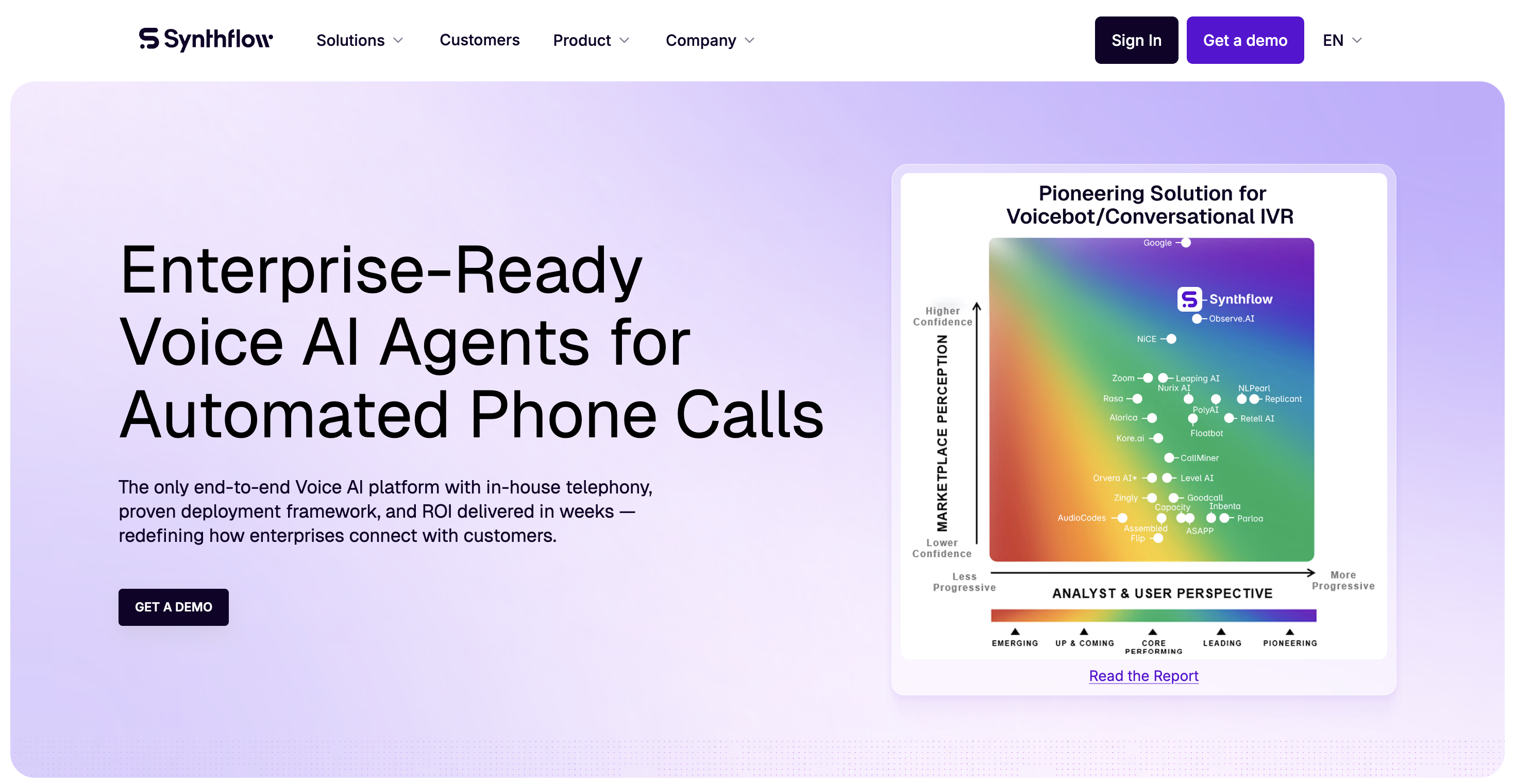
Synthflow is a practical no-code voice-agent builder. It fits teams that want to build, test, and launch agents without starting from raw infrastructure.
The product works well for appointment booking, inbound handling, service workflows, and early production pilots. The RevOps question is whether the no-code build can stay clean when routing, qualification, channel fallback, and owner assignment get more complex.
Features
- No-code voice-agent builder with free build and test flow.
- Pay-as-you-go deployment with usage-based billing after launch.
- Five concurrency units included on PAYG, with extra units available.
- Telephony options through Synthflow-managed Twilio or bring-your-own Twilio.
- SMS, WhatsApp, API, widget, simulation, compliance controls, and enterprise hosting options.
Pricing
- Pay-as-you-go starts at $0 and becomes usage-based after launch.
- Teams can build and test agents for free; production requires payment details.
- LLM rates include GPT-4.1 mini at $0.02 per minute, GPT-4.1 at $0.05 per minute, GPT-5 at $0.04 per minute, GPT-5.1 at $0.04 per minute, and GPT-5.2 at $0.04 per minute.
- Synthflow-managed Twilio costs $0.02 per minute, bring-your-own Twilio costs $0.00 per minute inside Synthflow, and phone numbers cost $1.50.
- Extra concurrency costs $20 per concurrency unit per month; Performance Routing and Global Low Latency Edge each cost $0.04 per minute.
- Enterprise is custom for 10,000+ minutes per month and adds unlimited concurrency, native telephony, custom hosting, and white-label features.
Pros
- Nontechnical operators can build and test quickly.
- Free testing helps teams shape the script before production calls.
- PAYG avoids a large platform fee at the start.
- Concurrency add-ons are easy to understand.
- SMS and WhatsApp support help when the call should not be the only action.
Cons
- Production cost depends on LLM, telephony, routing, and concurrency choices.
- No-code builders can become hard to govern when flows multiply.
- Enterprise features may be needed once minutes or compliance needs rise.
- Revenue reporting still depends on clean CRM and outcome wiring.
- Complex owner rules can outgrow a simple voice-builder setup.
Summary
Synthflow works best when speed-to-launch and no-code editing drive the decision. When the revenue moment should decide whether to call, text, email, or use WhatsApp next, Outcraft fits better.
Also Check - 5 Best Synthflow AI Alternatives for AI Voice Agents in 2026
6. ElevenLabs: high-quality voice and conversational audio tooling
ElevenLabs: a voice quality platform with conversational AI agents
ElevenLabs is best known for voice quality, text-to-speech, dubbing, and audio models. Its conversational AI product gives builders a way to create voice agents on top of that audio layer.
This is where I would look when the voice experience itself is the buying reason. If the RevOps problem is routing, recovery, channel fallback, or CRM ownership, ElevenLabs needs to be part of a larger workflow.
Features
- Text-to-speech, speech-to-text, voice changer, voice isolator, dubbing, and conversational AI.
- Free, Starter, Creator, Pro, Scale, Business, and Enterprise plans.
- Professional voice clones and workspace seats on higher plans.
- Conversational AI minutes available across paid plans.
- Enterprise support for custom terms, DPA and SLA assurance, HIPAA BAA, SSO, more seats, elevated concurrency, discounts, and priority support.
Pricing
- Free includes roughly 10 minutes of text-to-speech usage.
- Starter costs $5 per month and includes roughly 30 minutes.
- Creator, Pro, Scale, and Business increase credit volume, workspace seats, and voice-clone access; Scale costs $299 per month, and Business costs $990 per month.
- Conversational AI calls are priced per minute on paid plans, with published examples around $0.10 per minute on Creator and Pro and $0.08 per minute on annual Business.
- Enterprise is custom and adds custom terms, BAAs for HIPAA customers, SSO, more seats and voices, elevated concurrency, scale discounts, and priority support.
Pros
- Voice quality is one of the clearest strengths.
- Low-cost entry makes audio experimentation easy.
- The product has a broad audio stack around the agent.
- Business and Enterprise plans support team use cases.
- HIPAA BAA, SSO, and elevated concurrency are available at enterprise depth.
Cons
- It is not a revenue-workflow system by itself.
- Teams still need telephony, CRM state, routing, owner logic, and fallback channels.
- The product surface spans many audio use cases, so RevOps scoping matters.
- Usage credits can be harder to translate into a revenue pilot than plain call minutes.
- SMS, email, and WhatsApp follow-up need another workflow layer.
Summary
ElevenLabs wins when voice quality is the main buying reason. Outcraft wins when voice quality has to sit inside connected revenue workflows.
7. CloudTalk: phone system with AI voice-agent add-ons
CloudTalk: call-center software with AI Receptionist and AI Specialist options
CloudTalk is a business phone system for sales and support teams. Its AI Voice Agents add-on makes sense when you already need a calling platform and want AI reception, call handling, and specialist workflows inside that phone environment.
This is a phone system decision first. The AI agent matters, but the base platform, seat count, bundles, call routing, numbers, and support model are part of the purchase.
Features
- Business calling platform with inbound, outbound, number management, routing, and call-center features.
- AI Receptionist for front-door call handling.
- AI Specialist for larger call-handling bundles.
- Calling bundles, support options, and plan-based call-center controls.
- Integrations and reporting that fit teams already running phone operations.
Pricing
- Lite starts at EUR 27 per user per month billed monthly, with a minimum license.
- Higher phone-system plans include larger calling bundles and call-center capabilities; one common tier lists EUR 39 per user per month billed monthly, and another lists EUR 69 per user per month billed monthly.
- AI Receptionist starts at $99 per month for 200 minutes.
- AI Specialist starts at $349 per month for 1,000 minutes.
- CloudTalk publishes a free trial, but the trial cap is not published.
- Higher plans and custom tiers unlock larger bundles, advanced routing, enterprise support, and controls.
- Example plan: use Lite plus AI Receptionist when the need is after-hours call capture and basic front-door routing before adding AI Specialist minutes.
Pros
- Combines phone-system needs with AI voice-agent add-ons.
- Useful when you need seats, numbers, routing, and calling operations in one place.
- AI Receptionist has a clear monthly entry point.
- AI Specialist gives a larger bundled minute option.
- The product fits teams that want to improve call coverage without buying a separate voice stack.
Cons
- AI Voice Agents sit on top of the phone system plan.
- Teams comparing only voice-agent minutes need to include base seats.
- The strongest fit is call-center coverage, not broader lifecycle revenue automation.
- SMS, email, and WhatsApp recovery workflows require extra setup or other systems.
- Seat minimums and calling bundles can make a small AI-only pilot feel heavier.
Summary
CloudTalk suits buyers who want AI inside a phone system they can run every day. Outcraft is stronger when the call is only one part of a revenue recovery or conversion workflow.
8. Lindy: general AI assistant with phone-call capability
Lindy: AI assistant for inbox, meetings, follow-up, and calls
Lindy is a general AI assistant for inboxes, meetings, calendars, follow-up, and workflows. Phone calls are part of the assistant surface rather than the whole product.
This matters for fit. Lindy can help an operator move faster across personal and team workflows, but a RevOps manager buying a dedicated AI voice agent should inspect call limits, owner controls, routing depth, and reporting before treating it as a revenue-call platform.
Features
- AI assistant for inbox management, meeting scheduling, follow-up, meeting notes, and workflow tasks.
- Chat through iMessage and SMS on the Plus plan.
- Phone-call capability on higher plans.
- Enterprise controls for visibility, security, onboarding, enablement, and support.
- Integrations across sales, marketing, operations, support, recruiting, meetings, and voice use cases.
Pricing
- Plus costs $49.99 per month and includes a seven-day free trial.
- The Plus trial includes inbox management, meeting scheduling and follow-up, meeting recording and notes, and 24/7 texting with the assistant.
- Plus includes standard usage, up to two inboxes, iMessage/SMS chat, email drafting, meeting scheduling, and meeting note taking.
- Pro has been reported at $99.99 per month, with phone calls available on Pro, Business, and Enterprise plans.
- Enterprise is custom and adds stronger controls, visibility, security, onboarding, enablement sessions, and support.
- Example plan: start with Plus to test assistant workflows, then evaluate Pro or Enterprise only if phone calls and team controls are required.
Pros
- Strong fit for individual operators who want one assistant across inbox, meetings, and follow-up.
- The seven-day trial lowers the barrier to a real test.
- iMessage and SMS access make the assistant easy to use during the workday.
- Enterprise adds the controls needed for larger rollouts.
- It can help with follow-up tasks around calls, meetings, and email.
Cons
- Voice is one capability inside a broader assistant product.
- Dedicated AI voice-agent buyers may find the call controls too narrow.
- Phone-call availability depends on higher plans.
- Revenue teams may outgrow it when CRM state, routing, and channel switching get complex.
- Concurrency and call-volume planning are less central than in voice-first platforms.
Summary
Lindy is a good fit when you want a personal or team assistant who can also make calls. Outcraft is the better choice when voice follow-up must be governed by revenue moments and routed to measurable outcomes.
9. PolyAI: managed enterprise voice AI for service calls
PolyAI: enterprise voice agents for high-volume customer service
PolyAI is an enterprise voice AI platform for large contact centers. It focuses on service conversations, multilingual support, managed operations, enterprise security, and phone-line reliability.
This is not a lightweight self-serve voice tool. It is a managed enterprise purchase for organizations that need a vendor to help operate voice automation at scale.
Features
- Enterprise voice agents for customer-service conversations.
- Ongoing maintenance, proactive performance improvement, monitoring, and upgrades.
- Support portal plus 24/7/365 emergency support phone line.
- Security standards, compliance certificates, audits, testing, and data infrastructure.
- 99.9% SLA for uptime on phone lines.
Pricing
- Ongoing use is priced per minute, but the public page does not publish the per-minute figure.
- Reported market pricing places PolyAI around $100,000+ per year for enterprise contracts.
- No free plan or trial is published.
- All plans include support, security, SLA coverage, monitoring, upgrades, and the managed tech stack.
- The top enterprise scope gates managed support depth, enterprise security, SLA coverage, monitoring, and deployment complexity.
Pros
- Built around enterprise service calls and large contact centers.
- Managed delivery reduces the internal burden of operating the agent.
- Support, monitoring, upgrades, and SLA coverage are part of the model.
- Security and compliance depth suit regulated service operations.
- It is a serious option when phone-line reliability is a board-level requirement.
Cons
- No self-serve price is published.
- The buying cycle and implementation motion are built for enterprise contact centers.
- Reported contract sizes are too large for many revenue-call pilots.
- Cross-channel revenue follow-up is not the center of the platform.
- RevOps teams that need fast iteration may find the managed model slower.
Summary
PolyAI belongs on the shortlist for enterprise service leaders with large call volumes and a managed-delivery budget. Outcraft fits revenue teams that need calls, SMS, email, and WhatsApp tied to pipeline, retention, and lifecycle outcomes.
10. NiCE Cognigy: enterprise AI agents for global contact centers
NiCE Cognigy: enterprise contact-center agents across voice and digital channels
NiCE Cognigy is an enterprise AI-agent platform for contact centers. It fits organizations that need voice and digital agents, integrations, governance, multilingual support, and contact-center scale.
The AWS Marketplace listing gives a rare public look at enterprise pricing. That is useful for budgeting, but the platform still points to an enterprise implementation motion.
Features
- AI agents for enterprise contact centers.
- Voice and digital agent support through the Cognigy platform and Voice Gateway options.
- Standard support on the Basic packages shown in AWS Marketplace.
- Enterprise license options for large annual conversation entitlements.
- Procurement through AWS Marketplace with 12-month contract options.
Pricing
- Basic 5K monthly package costs $43,080 for 12 months and includes platform and setup fee, 60,000 conversations per year, and Standard Support.
- Basic 5K monthly plus Voice Gateway costs $53,916 for 12 months and includes five Voice Gateways.
- ELA Ramp costs $200,000 for ramp-up toward an enterprise license agreement.
- ELA PrivateSaaS costs $1,000,000 for up to 10 million conversations per year.
- No free plan or trial is published on the AWS listing.
Pros
- Public AWS Marketplace pricing makes enterprise budgeting easier.
- Voice Gateway options are visible in the purchase menu.
- The platform supports broad contact-center agent programs.
- ELA options fit very large annual conversation volumes.
- AWS Marketplace procurement can simplify vendor onboarding for some enterprises.
Cons
- Pricing and deployment shape point to enterprise programs, not lightweight pilots.
- Teams usually need contact-center operations and implementation capacity.
- Revenue follow-up outside the contact-center model still requires separate ownership.
- The 12-month contract shape is a heavier starting point than usage-based voice tools.
- It can be too broad when the use case is demo booking, recovery, or renewal-risk calls.
Summary
Cognigy fits global contact centers with large implementation teams and enterprise procurement. Outcraft fits when the buyer is solving revenue conversion, recovery, and retention moments instead of replacing a broad contact-center platform.
11. Kore.ai: enterprise conversational AI with voice and contact-center billing
Kore.ai: enterprise assistant platform with session and seat billing
Kore.ai is an enterprise conversational AI platform used for automation, contact-center AI, agent AI, search, and voice gateway use cases. It is broad and built for organizations that need governance across many assistant programs.
The platform can support voice, but the buying model is wider than a single AI voice agent. RevOps should look closely at billing meters, seats, add-ons, and how outcomes get reported back into the revenue system.
Features
- Essential, Advanced, and Enterprise plan structure.
- Automation AI is billed by 15-minute user-conversation sessions.
- Contact Center AI and Agent AI are billed by named or concurrent agent seat.
- Search AI is included in Automation AI usage.
- Voice Gateway and other add-ons are billed separately from the base plan.
Pricing
- Automation AI is billed per 15-minute session.
- Reported pricing places Automation AI around $0.20 per 15-minute session, with $500 starter credits reported.
- Contact Center AI and Agent AI are billed by named or concurrent agent seat.
- Enterprise is custom and adds the highest limits, enterprise features, contact-center seats, voice services, and add-ons.
- No free plan or trial is published in the billing material used for this draft.
Pros
- Broad platform for enterprise assistant programs.
- Session billing is clear in concept once conversation volume is known.
- Contact-center and agent-assist billing can match existing service operations.
- Enterprise plan covers higher limits and governance needs.
- Useful when customer service, employee service, search, and contact-center automation need one program.
Cons
- The pricing model has several metrics: sessions, seats, voice, support, and add-ons.
- Clean plan totals are hard to model before scoping.
- Teams focused on revenue moments may not need the full enterprise assistant platform.
- Voice-specific rollout depends on how Voice Gateway and contact-center components are configured.
- RevOps reporting needs careful setup when the platform spans many assistant programs.
Summary
Kore.ai makes sense when enterprise governance across many assistant programs matters most. Outcraft is the sharper fit when calls have to drive demo booking, recovery, activation, upsell, and churn prevention workflows.
Which AI voice agent should you pick?
Use this as the final fit map:
- Pick Outcraft AI when revenue follow-up across calls, SMS, email, and WhatsApp is the job.
- Pick Retell AI when developers want clear per-minute phone-agent infrastructure.
- Pick Vapi when engineering control over the voice stack matters most.
- Pick Bland AI when high-volume programmable calling is the center of the plan.
- Pick Synthflow when no-code speed matters more than deep revenue orchestration.
- Pick ElevenLabs when audio quality is the buying reason.
- Pick CloudTalk when you need a phone system and AI voice add-ons together.
- Pick Lindy when an assistant workflow matters more than a dedicated voice platform.
- Pick PolyAI when a large service contact center wants managed enterprise voice AI.
- Pick NiCE Cognigy when a global contact center needs enterprise agent infrastructure.
- Pick Kore.ai when enterprise assistant governance matters across many use cases.
The common mistake is buying a voice agent for call handling, then discovering that the expensive part was the follow-up. A live conversation can still fail if the next step is buried in a transcript, delayed in a CRM queue, or sent through the wrong channel.
We wrote a full guide on RevOps automation tools with AI for teams, comparing this against routing, scoring, and workflow automation.
What I would test before trusting an AI voice agent
Once you have a shortlist, test the operating motion instead of only testing the voice.
Which signal starts the workflow? Which record supplies the customer's state? Which channel comes after a missed call? Which failures require a human owner? Which outcome updates the CRM? Which call types should never be automated?
For ecommerce revenue, the answer often starts with abandoned carts, failed payments, post-purchase offers, and missed inbound calls. We have a separate guide on WhatsApp business automation tools for teams that need WhatsApp to work alongside calls.
The pilot should include one contained workflow, one owner, one revenue outcome, and one feedback loop. A demo request is a clean place to start. A failed payment sequence is another. Usage drop for fourteen days on a paying account is a good customer-success test because the renewal is at risk before anyone has said so.
AI voice is growing fast enough that the market will keep producing more tools, more categories, and more pricing models. That does not make the buying decision clearer. The winner is the one that can own the revenue moment without leaving the rest of the workflow for humans to patch together.
Use Outcraft to turn voice calls into revenue workflows
Retell, Vapi, Bland, Synthflow, ElevenLabs, CloudTalk, Lindy, PolyAI, Cognigy, and Kore.ai all solve real problems. Some have excellent infrastructure. Some are good no-code builders. Others belong in enterprise contact centers with large teams and long implementation cycles.
What most of them will not do is own the full moment, channel, and outcome loop for revenue teams.
You get calls tied to CRM context and owner rules, SMS, email, and WhatsApp follow-up when voice is not the right next step, and revenue workflows for demo booking, recovery, activation, churn prevention, upsell, and missed-call handling.
If your team is still stitching this together manually across calls, SMS, email, and WhatsApp, Outcraft can help you turn the revenue moment into an autonomous follow-up workflow your team can measure and improve.

Summarize with AI