%20(1).svg)
The hard part of WhatsApp automation is not sending messages. It is sending the right message without spammy flows, broken CRM context, awkward support handoffs, or sales cleanup.
The pattern is familiar: an e-commerce team buys a WhatsApp campaign tool, then realizes cart recovery also needs product data, opt-in discipline, human escalation, and stop rules. A SaaS team adds WhatsApp reminders, then realizes the real leak is speed-to-lead, qualification, calling, CRM routing, and multi-channel follow-up.
So my recommendation is simple: do not pick the “best WhatsApp tool” in the abstract. Pick the tool that owns the revenue moment.
If your leak is cart recovery, COD confirmation, post-purchase offers, or campaign sending, I would start with Zoko, QuickReply.ai, Interakt, or AiSensy. If your leak is demo follow-up, trial activation, missed-call recovery, renewal nudges, or qualification across calls, SMS, email, and WhatsApp, Outcraft AI is the better category fit. If your team wants raw API control, choose Twilio or Gupshup and accept the engineering work that comes with it.
WhatsApp is not one category. It can be a marketing channel, commerce layer, support inbox, API pipe, or one touchpoint inside an omnichannel revenue engine. Treat those as different buying decisions.
Quick Answer: Which WhatsApp Business Automation Tool Should You Choose?
|
Buyer type |
Best starting point |
Why |
|---|---|---|
|
SaaS revenue team chasing inbound leads, trials, and demos |
It covers revenue follow-up across calls, SMS, email, and WhatsApp, not just WhatsApp messages. |
|
|
Shopify or DTC brand focused on WhatsApp commerce |
Zoko or QuickReply.ai |
Both are built around commerce moments like carts, COD, product journeys, and repeat purchase. |
|
SMB that wants a WhatsApp shared inbox and simple campaigns |
WATI |
It is WhatsApp-first, approachable, and built around team inbox, campaigns, and no-code automation. |
|
India-focused WhatsApp marketing team |
AiSensy or Interakt |
Both have strong India-market pricing visibility and WhatsApp campaign workflows. |
|
Messaging operations team with many channels |
Respond.io or SleekFlow |
Both suit teams managing WhatsApp plus other customer messaging channels. |
|
Enterprise or developer-led team |
Gupshup or Twilio |
They fit teams that need API scale, custom logic, and technical control. |
|
Creator or small business already using DM automation |
ManyChat |
It is strongest when WhatsApp is one channel alongside Instagram, Messenger, TikTok, SMS, and email. |
Use the table as a shortlist, not a universal ranking. Look for the revenue moment first, then the operating model: campaign tool, commerce workflow, support inbox, developer API, or wider revenue follow-up.
How I Judged These WhatsApp Business Automation Tools
I judged these tools the way I would shortlist them before committing budget: workflow ownership, operating team, channel coverage, pricing unit, and likely failure modes.
This is not a claim that I ran a full hands-on trial of every platform. It is a practitioner recommendation built from category experience, current product and pricing evidence, Meta’s WhatsApp Business Platform rules, and public customer-review patterns available in 2026.
The lens:
-
Official WhatsApp Business Platform/API support
-
Automation depth
-
E-commerce fit: carts, order updates, COD, catalog, repeat purchase, returns
-
SaaS fit: lead qualification, demo booking, trial activation, CRM routing, retention
-
AI surface: chatbot, AI agent, copilot, qualification, routing, analytics, or message generation
-
Integrations
-
Pricing clarity, message-fee caveats, and setup effort
-
Public review signals from G2, Capterra, Shopify App Store, and vendor customer pages where available
WhatsApp Automation Is Not One Buying Category
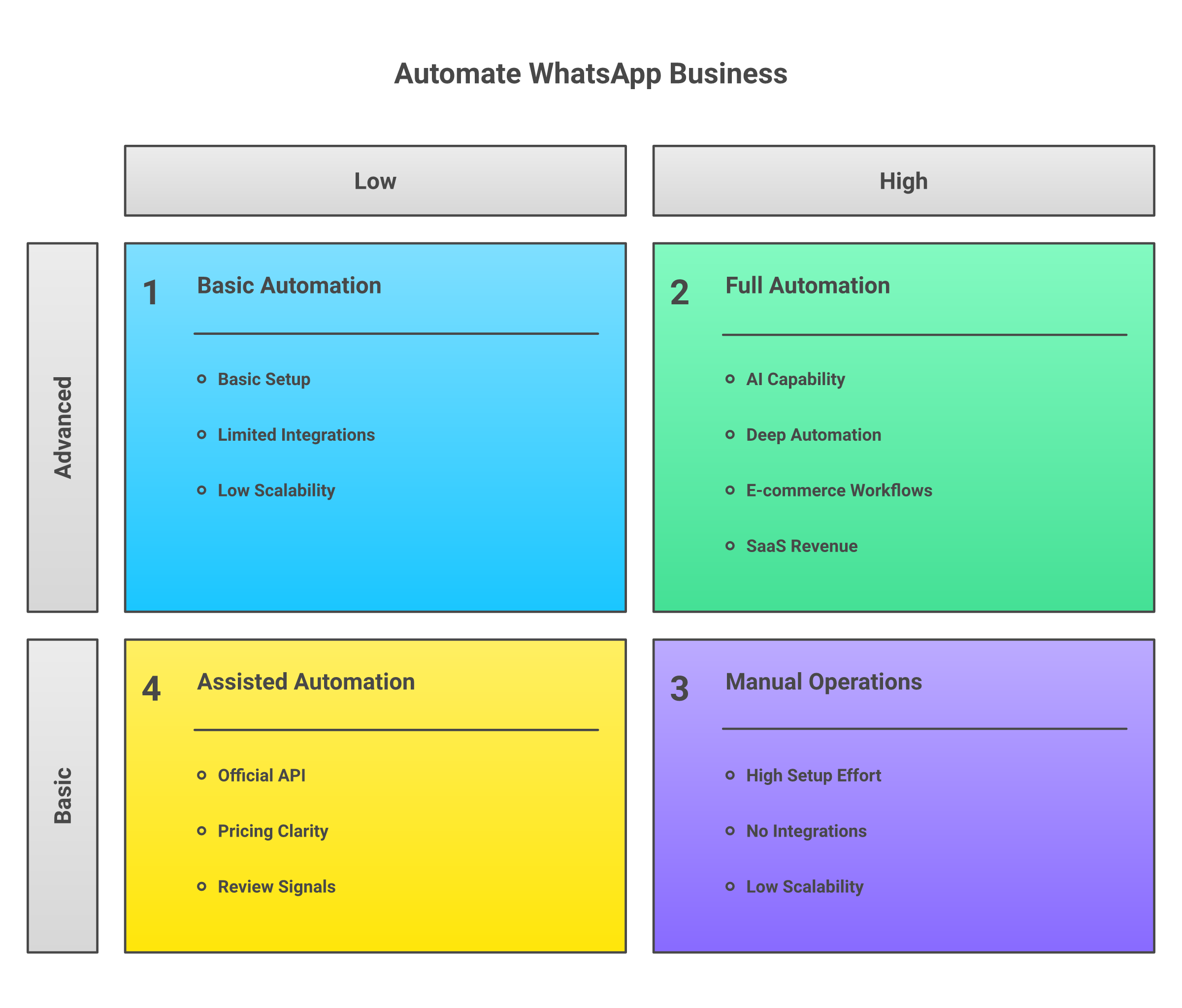
WhatsApp-only marketing tools help you send templates, broadcasts, abandoned cart nudges, and campaign flows. Commerce tools go deeper into Shopify, catalog, payment, and order events. Shared inbox tools help support and sales teams assign conversations. API platforms let engineers build custom messaging. Omnichannel revenue tools use WhatsApp as one channel in a broader sequence across calls, SMS, email, and WhatsApp.
For e-commerce, WhatsApp usually starts with cart recovery, COD confirmation, delivery updates, support, and repeat purchase. For SaaS, it is more often part of lead response, demo booking, trial nudges, renewal risk, and sales routing. The mistake is buying a WhatsApp sender, then expecting it to behave like a revenue system.
Comparison Table: 11 WhatsApp Business Automation Tools
|
Tool |
Best for |
Channels |
Strongest workflow |
AI capability |
Pricing posture |
Avoid if |
|---|---|---|---|---|---|---|
|
Outcraft AI |
SaaS and e-commerce revenue follow-up |
Calls, SMS, email, WhatsApp |
Lead response, cart recovery, meetings, upsell |
AI voice agent and omnichannel follow-up |
Scales with lead volume; public page does not list fixed plans |
You only need a cheap WhatsApp broadcast sender |
|
WATI |
SMB WhatsApp inbox and campaigns |
WhatsApp, Instagram additions |
Shared inbox, campaigns, no-code bots |
WATI AI, copilots, agents |
Public plans plus message fees |
You need deep API-first engineering control |
|
AiSensy |
WhatsApp marketing and broadcasts |
|
Broadcasts, Click-to-WhatsApp ads, chatbots |
AI chatbot and ad/flow automation |
Free and paid plans; India message pricing visible |
You need broader voice or email follow-up |
|
Interakt |
India e-commerce WhatsApp CRM |
WhatsApp, Instagram |
Campaigns, catalog, payments, inbox |
AI employee positioning, chatbot flows |
Growth and Advanced plans in INR; message costs extra |
You want non-India pricing clarity |
|
Zoko |
Shopify WhatsApp commerce |
|
Catalog, broadcasts, Shopify sales and support |
Flow builder; less AI-agent-led than newer tools |
Public pricing is harder to verify from official pages |
You are not on Shopify or commerce-led |
|
QuickReply.ai |
DTC WhatsApp retention |
WhatsApp, SMS, RCS, web chat, other messaging |
Drips, cart recovery, broadcasts, retention |
No-code AI chatbot |
Official pricing page; template fees apply |
You need SaaS sales routing or voice |
|
Respond.io |
Omnichannel messaging ops |
WhatsApp plus popular messaging channels |
Team inbox, workflows, routing |
AI agent/support features |
Monthly active contact pricing |
You want WhatsApp-only low-cost campaigns |
|
Gupshup |
Enterprise conversational messaging |
WhatsApp and other messaging APIs |
API scale, bots, commerce, support |
Conversational AI and agents |
Usually sales-led or wallet/pay-as-you-go by use case |
You lack technical or enterprise operations support |
|
Twilio |
Developer-led WhatsApp API |
WhatsApp, SMS, voice, email via Twilio stack |
Custom API automation |
Depends on what you build |
Pay-as-you-go messaging fees |
You need marketer-friendly no-code setup |
|
ManyChat |
Creator and SMB chat automation |
Instagram, Messenger, WhatsApp, SMS, email, TikTok |
DM flows, simple WhatsApp journeys |
AI features on paid plans |
Free, Essential, Pro, Business, Advanced; WhatsApp fees separate |
You need deep commerce or enterprise API logic |
|
SleekFlow |
Conversational commerce teams |
WhatsApp, Messenger, SMS, live chat, more |
Inbox, AI agents, catalog, payments |
AgentFlow and AI inbox copilot |
Free, Pro AI, Premium AI, Enterprise |
You only need a simple WhatsApp Business App replacement |
The quick read: WhatsApp-first tools fit broadcasts and inboxes. Commerce tools fit Shopify and order moments. API tools fit builders. Outcraft AI fits wider revenue sequences. I would not compare all 11 as if they solve the same job. They do not.
1. Outcraft AI
Outcraft AI is the tool I would evaluate when WhatsApp is only one part of the revenue follow-up motion, not the whole motion. It is built for teams that need to activate, engage, recover, and retain customers across calls, SMS, email, and WhatsApp.
Its public site centers on fast lead response, qualification, follow-up, and booked meetings. It also shows e-commerce recovery and post-purchase upsell examples, including 14% abandoned carts recovered for Goth N Rock and 5x more weekly sales meetings for Warmy on the Outcraft AI homepage.
Features
-
AI sales agent for inbound lead response and qualification
-
Follow-up across calls, SMS, email, and WhatsApp
-
Meeting booking and routing into sales workflows
-
E-commerce use cases such as abandoned checkout recovery and post-purchase upsell
-
Integrations shown for Shopify, HubSpot, Klaviyo, Salesforce, Slack, Gmail, Microsoft 365, and custom API
AI Specific Aspects
Outcraft’s AI surface is more agentic than a standard WhatsApp chatbot. It is built to call, qualify, handle objections, follow up, and route the next best action.
That makes it useful when the problem is not “send one WhatsApp message,” but “keep a high-intent lead or shopper from going cold.”
Pricing
Outcraft does not publish fixed self-serve plans. The homepage says pricing scales with lead volume, so teams should treat this as a demo-led buying motion rather than a low-cost WhatsApp app.
That is fair for booked meetings, recovered sales, and retained customers across channels. It is overbuilt for simple WhatsApp broadcasts.
Pros & Cons
Pros:
-
Strong fit for revenue moments where phone calls and follow-up matter
-
Works across calls, SMS, email, and WhatsApp
-
Better SaaS fit than most WhatsApp-only commerce tools
-
Public customer examples cover both e-commerce and SaaS-style lead response
Cons:
-
Not the cheapest route for WhatsApp-only marketing
-
Public pricing is not self-serve
-
Buyers wanting pure API control may prefer Twilio or Gupshup
Summary
Choose Outcraft AI if WhatsApp is one channel in a workflow that also needs calls, SMS, and email. I would skip it for low-cost WhatsApp templates to a small list, because you would be paying for a revenue engine when the job is really campaign sending.
2. WATI
WATI is a WhatsApp-first messaging platform built around the WhatsApp Business API, shared inbox, campaigns, broadcasts, and no-code chatbots.
Its current site highlights marketing, support, sales, team inbox, WhatsApp Business Calling, and WATI AI, plus a customer base across many countries on the WATI homepage.
Features
-
WhatsApp shared team inbox
-
Broadcast and campaign tools
-
No-code chatbot builder
-
WhatsApp Business API onboarding
-
Sales, support, marketing, and e-commerce use cases
-
Instagram automation and WhatsApp calling additions
AI Specific Aspects
WATI now markets WATI AI, AI-powered chatbots, support agents, and conversational intelligence. In practice, this is most useful for routing repeat questions, assisting agents, and creating simple automated flows.
It is not the same buying category as an AI voice agent or full revenue follow-up system.
Pricing
WATI has public pricing, but buyers should watch limits around automation triggers, chatbot sessions, users, and message fees. WhatsApp API charges are separate and vary by country and template type.
Pros & Cons
Pros:
-
Good WhatsApp-first interface for SMB teams
-
Shared inbox plus campaigns in one place
-
Easier for non-technical users than Twilio
-
Broad public adoption and visible review footprint
Cons:
-
Costs can rise with automation and message volume
-
Less suited to developer-heavy custom logic
-
SaaS revenue follow-up may need CRM and calling tools around it
Summary
WATI is a strong shortlist pick if you want campaigns, inbox, and automation without building on an API. I would avoid it when the workflow is bigger than WhatsApp or deeply custom.
3. AiSensy
AiSensy is a WhatsApp marketing platform built on official WhatsApp APIs. It focuses on broadcasts, automation, Click-to-WhatsApp ads, chatbots, catalog, payments, and live chat.
The strongest fit is a business that wants to run WhatsApp campaigns and automate customer engagement without engineering work, especially in India where pricing visibility is strong on the AiSensy pricing page.
Features
-
WhatsApp broadcasts and campaign sending
-
Click-to-WhatsApp ad workflows
-
Chatbot builder
-
Live chat and team inbox
-
Catalog and payments
-
Template and per-message pricing guidance
AI Specific Aspects
AiSensy’s AI appears mainly around chatbots, ad workflows, lead handling, and automation. It can help teams answer common questions and guide campaign flows, but it is still WhatsApp-centered.
Pricing
AiSensy publishes plan and message-fee information. Its pricing page describes a Free Forever option and paid plans, while its help content notes that from January 1, 2026 WhatsApp billing moved to per-template-message delivery, with India examples such as marketing and utility message rates in INR on the AiSensy WhatsApp Business API fee guide.
The caveat: your bill depends on template category, destination country, and campaign volume.
Pros & Cons
Pros:
-
Strong WhatsApp marketing orientation
-
Clear India-market message pricing examples
-
Useful for broadcasts, ads, and no-code campaigns
-
Good fit for SMBs and growing commerce teams
Cons:
-
Less useful for sales calls, email, and SMS sequences
-
Pricing may not translate cleanly for every non-India buyer
-
Advanced SaaS routing may require extra CRM work
Summary
Choose AiSensy for no-code WhatsApp campaigns with clear India-market pricing. I would skip it if you need voice, email, SMS, and CRM-led revenue orchestration, because that is a different operating model.
4. Interakt
Interakt is an India-focused WhatsApp and Instagram automation platform with shared inbox, campaigns, catalog, payments, chatbot flows, and sales CRM positioning.
Its official pricing page currently lists Growth and Advanced monthly plans in INR, WhatsApp and Instagram channel coverage, and template message costs by region on the Interakt pricing page.
Features
-
WhatsApp shared team inbox
-
Bulk campaigns and campaign triggers
-
FAQ automations and chatbot flows
-
Catalog, native payments, WhatsApp forms, carousel, and limited-time offers
-
Public APIs and webhooks on higher plans
-
Instagram DM/comment automations
AI Specific Aspects
Interakt promotes an AI employee on WhatsApp and supports chatbot flows. For buyers, the practical value is automating support and sales questions inside WhatsApp, not replacing a full sales team across channels.
Pricing
Interakt’s pricing is clear for India buyers: Growth at ₹2,499/month and Advanced at ₹3,499/month, plus taxes, with Enterprise on request. WhatsApp message costs are separate and depend on template type and region.
Pros & Cons
Pros:
-
Strong fit for India commerce teams
-
Good mix of inbox, campaigns, catalog, and payments
-
Public INR pricing makes budgeting easier
-
Enterprise plan removes some message markup concerns
Cons:
-
Less clear for global buyers outside its core market
-
Not a developer-first infrastructure layer
-
SaaS teams may find the commerce orientation too narrow
Summary
Interakt is a sensible pick for India-based e-commerce teams that want WhatsApp CRM, campaigns, and order workflows. The Interakt Shopify App Store listing shows mixed merchant feedback, so avoid annual terms until onboarding and support expectations are clear.
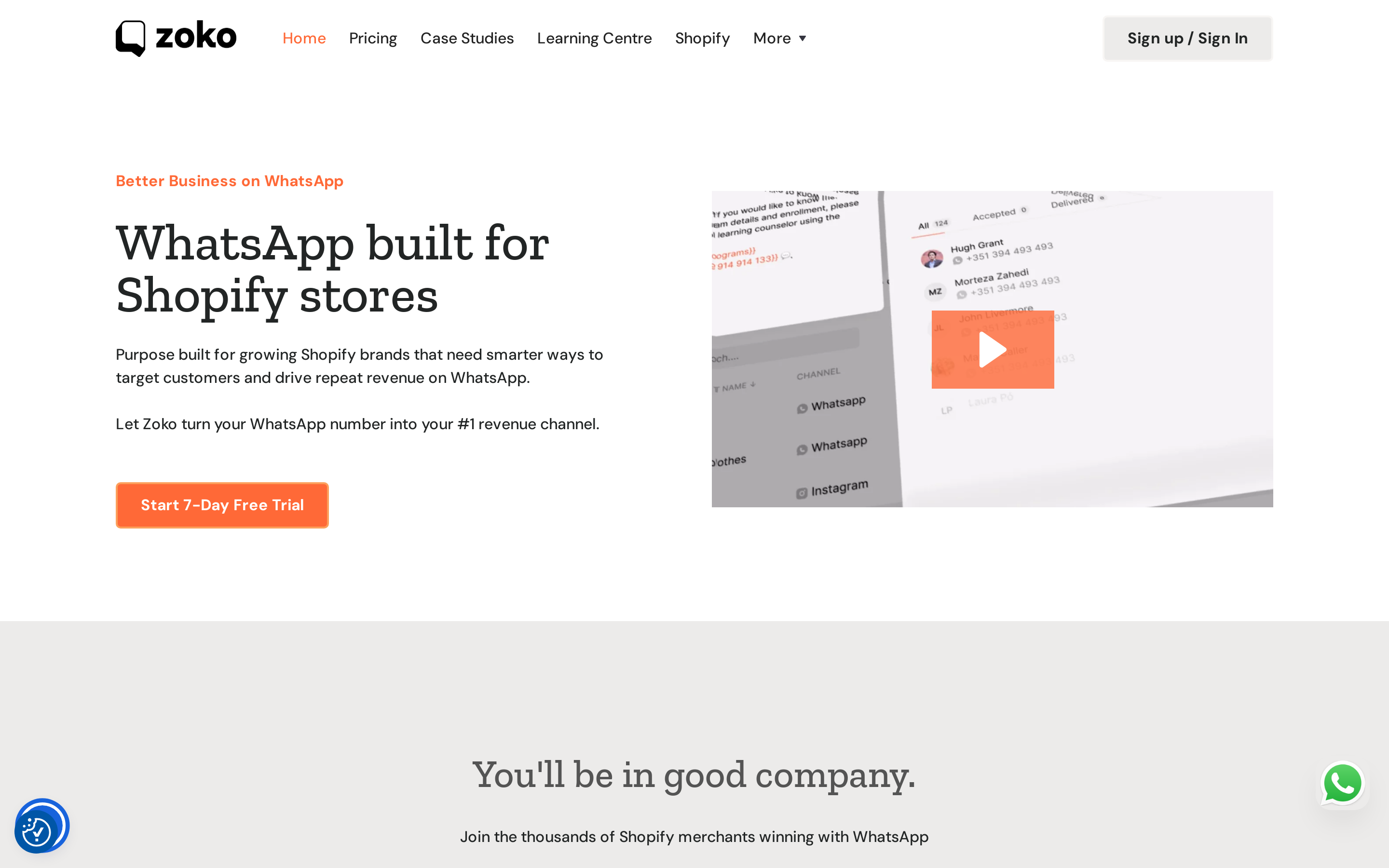
5. Zoko
Zoko is a WhatsApp commerce platform for Shopify stores. It positions itself around WhatsApp catalog, broadcasts, flow builder, support, and official Meta partnership.
Features
-
Shopify-focused WhatsApp commerce
-
WhatsApp catalog selling
-
Broadcasts and campaign flows
-
WhatsApp support workflows
-
Flow builder for commerce journeys
-
Official Meta Business Partner positioning
AI Specific Aspects
Zoko’s visible strength is commerce workflow design rather than broad AI agent functionality. The flow builder matters if cart, catalog, and order events must trigger the right WhatsApp action.
Pricing
Zoko pricing was harder to verify from current official public pages during drafting. Ask about platform fee, WhatsApp message fees, Shopify order volume, broadcast costs, and catalog limits.
Pros & Cons
Pros:
-
Purpose-built for Shopify merchants
-
Strong commerce focus compared with generic inbox tools
-
Good fit for catalog, cart, and repeat purchase moments
-
Less technical than API platforms
Cons:
-
Weak fit outside Shopify or commerce workflows
-
Public pricing clarity is limited
-
AI depth is less obvious than in AI-agent-first tools
Summary
Choose Zoko when Shopify is the center of your WhatsApp strategy. Do not choose it for SaaS lead follow-up or raw API work.
6. QuickReply.ai
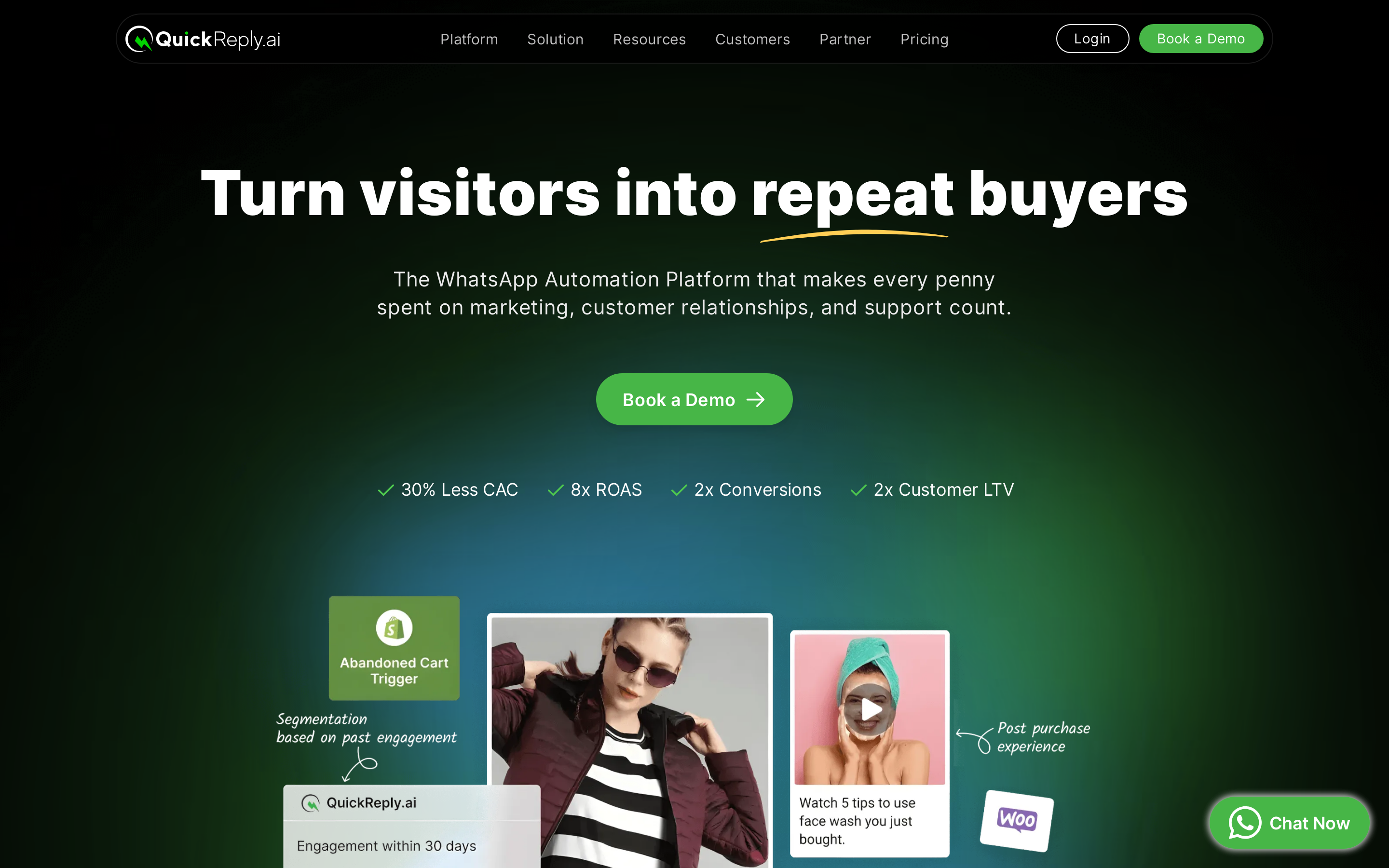
QuickReply.ai is a WhatsApp automation and retention platform for e-commerce brands. It focuses on broadcasts, drips, abandoned cart recovery, COD conversion, support, order alerts, upsells, and repeat purchase.
Its site also shows channels beyond WhatsApp, including SMS, RCS, Messenger, Instagram, and web chat.
Features
-
WhatsApp broadcasts and bulk campaigns
-
User journey builder and drip campaigns
-
Abandoned cart recovery and COD-to-prepaid flows
-
AI chatbot for pre-sales and post-sales questions
-
Omnichannel inbox and opt-in tools
-
Integrations for Shopify and commerce apps
AI Specific Aspects
QuickReply.ai’s AI value is tied to pre-sales and post-sales support inside commerce journeys. It can answer repeat questions, personalize journeys, and hand off to humans.
For DTC teams, that matters most when it connects to order and customer data.
Pricing
QuickReply.ai has an official pricing page, but buyers still need to separate platform subscription from WhatsApp template message fees. Its pricing content explains that businesses are charged per template message based on category and recipient country on the QuickReply.ai pricing page.
Ask for the starting plan based on monthly order volume, not just contact count.
Pros & Cons
Pros:
-
Strong DTC and retention fit
-
Better commerce use-case coverage than generic inbox tools
-
Supports carts, COD, winback, upsell, and broadcasts
-
Useful for teams that want campaigns without coding
Cons:
-
Less suitable for SaaS demo booking and lead qualification
-
WhatsApp fees can make high-volume campaigns expensive
-
Needs clean opt-in capture to work well
Summary
QuickReply.ai is strong for DTC WhatsApp retention. Choose Respond.io or Outcraft AI if the workflow is broader than commerce messaging.
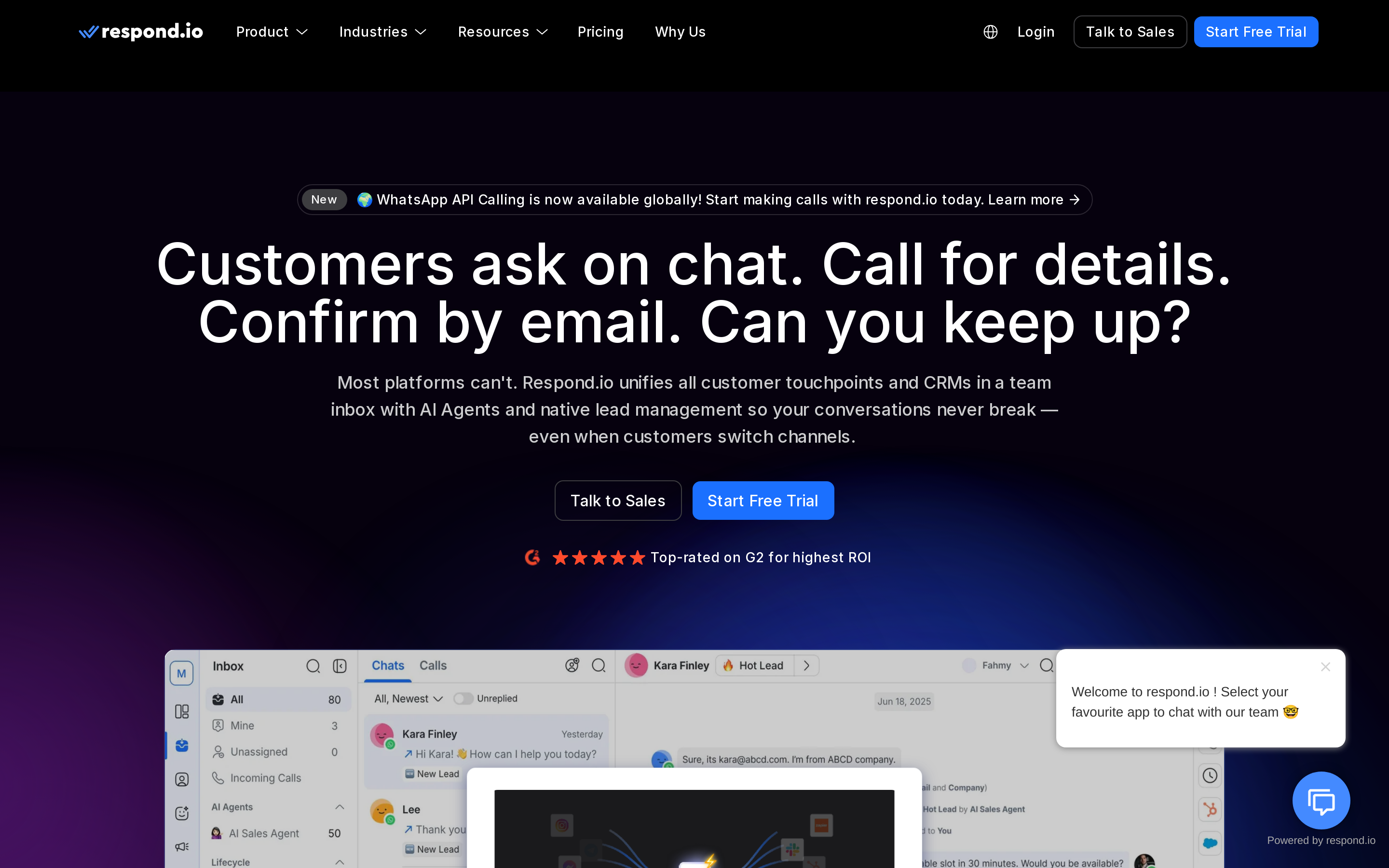
7. Respond.io
Respond.io is a customer conversation platform for teams handling WhatsApp and other messaging channels in one inbox. It fits sales and support teams that care about assignment, routing, workflows, and reporting.
Features
-
Omnichannel inbox for customer messaging
-
WhatsApp Business API management
-
Workflow automation and routing
-
AI support and 24/7 AI assistance
-
Contact management and lifecycle tracking
-
Integrations with CRM and business systems
AI Specific Aspects
Respond.io’s AI is useful in operations: assist agents, qualify conversations, summarize, route, and automate repetitive customer interactions. It is a good middle ground between WhatsApp-only marketing tools and raw API platforms.
Pricing
Respond.io prices around monthly active contacts. That is sensible if your team talks to a defined contact base, but it can become expensive when lots of low-value contacts enter the inbox.
Its 7-day trial gives access to Growth-plan features for limited users and contacts, but broadcasts are excluded.
Pros & Cons
Pros:
-
Strong for multi-channel messaging teams
-
Better workflow and routing depth than many SMB WhatsApp tools
-
Useful for sales and support operations
-
Good fit when WhatsApp is one of several messaging channels
Cons:
-
Not the cheapest WhatsApp marketing sender
-
Contact-based pricing needs volume modeling
-
Less commerce-native than Zoko or QuickReply.ai
Summary
Choose Respond.io for many customer conversations across channels. Choose a commerce tool if Shopify order events drive the work.
8. Gupshup
Gupshup is an enterprise conversational AI and messaging platform for marketing, commerce, and support. It is closer to infrastructure than a lightweight WhatsApp campaign app.
Features
-
Conversational messaging APIs
-
WhatsApp and multi-channel messaging
-
Bot and AI agent infrastructure
-
Commerce, marketing, and customer support automation
-
Developer documentation and enterprise services
-
Large-scale messaging operations
AI Specific Aspects
Gupshup’s AI surface spans conversational AI, agents, marketing automation, commerce flows, and support. It makes most sense with product, engineering, or enterprise operations support.
Pricing
Gupshup pricing is usually usage- and sales-led. Its support content describes a pay-as-you-go wallet model with per-message deductions and separate Gupshup and WhatsApp fees in the Gupshup pricing model guide.
For enterprise buyers, that can be efficient. For small teams, it is harder to forecast than a simple monthly plan.
Pros & Cons
Pros:
-
Strong enterprise and API fit
-
Handles large messaging scale
-
Useful when WhatsApp is one channel in a multi-market messaging strategy
-
Better for custom infrastructure than no-code SMB tools
Cons:
-
Setup is heavier
-
Pricing may need sales confirmation
-
Marketers without technical help may move faster with WATI, AiSensy, or QuickReply.ai
Summary
Gupshup is a good pick when scale and flexibility matter more than no-code simplicity. It is not the fastest path for quick cart recovery, so evaluation calls should focus on implementation ownership, support tier, SLAs, and regional pricing.
9. Twilio
Twilio is a communications API platform. For WhatsApp automation, it gives developers programmable access to send and receive WhatsApp messages.
Features
-
Programmable WhatsApp messaging
-
SMS, voice, email, and other communication APIs across the Twilio stack
-
Developer SDKs and documentation
-
Webhooks and custom automation
-
Scalable infrastructure for custom product workflows
AI Specific Aspects
Twilio is not a packaged WhatsApp AI chatbot by default. The AI depends on what your team builds or connects through Twilio’s broader products.
That is the tradeoff: Twilio is flexible, but workflow design and maintenance sit with your team.
Pricing
Twilio’s WhatsApp pricing is pay-as-you-go. You pay Twilio fees plus WhatsApp/Meta message fees, with rates varying by market and template category on the Twilio WhatsApp pricing page.
This is fair for developers who want control. It is not ideal for marketers who need ready campaigns, inbox, templates, and analytics.
Pros & Cons
Pros:
-
Best fit for developer-led automation
-
Strong API documentation and ecosystem
-
Good when WhatsApp must connect to custom product logic
-
Can sit beside SMS, voice, and email APIs
Cons:
-
Requires engineering ownership
-
No marketer-friendly campaign workflow out of the box
-
Total cost includes both platform and message fees
Summary
Choose Twilio if you want to build. I would avoid it if marketers need to configure WhatsApp without engineering, because Twilio gives you the pipes, not the finished campaign or revenue workflow.
10. ManyChat
ManyChat is a chat automation platform for creators, SMBs, and brands working across Instagram, Messenger, WhatsApp, SMS, email, and TikTok.
It is strongest when the team already thinks in DM flows, keywords, comments, and simple automation paths rather than deep commerce or enterprise routing.
Features
-
Visual automation flows
-
Instagram and Messenger automation
-
WhatsApp channel support
-
SMS and email options
-
Broadcasts, keywords, tags, and sequences on paid plans
-
AI features depending on plan
AI Specific Aspects
ManyChat’s AI is useful for faster flow creation, responses, and simple automation. It is not the fit for complex SaaS qualification, custom API infrastructure, or deep Shopify journeys.
Pricing
ManyChat’s live pricing page lists Free at $0, Essential from $14/month, Pro from $29/month, Business from $69/month, and Advanced from $139/month on the its page.
The practical WhatsApp starting point is Pro because the pricing comparison shows WhatsApp among the eligible channels from Pro upward; Free and Essential are limited to non-WhatsApp channel combinations.
The hidden cost is contact and message volume. ManyChat prices plans around monthly active contacts, charges overages beyond included contacts, and treats WhatsApp template messages separately. The ManyChat WhatsApp guide says businesses are charged for each delivered template message based on category and destination market, while non-template messages inside an open customer service window are free.
Pros & Cons
Pros:
-
Good entry point for creators and SMBs
-
Familiar visual flow builder
-
Useful when WhatsApp is one channel alongside Instagram and Messenger
-
Lower starting subscription than many B2B tools
Cons:
-
Not ideal for enterprise WhatsApp operations
-
WhatsApp pricing adds usage complexity
-
Commerce and SaaS workflows may outgrow it
Summary
ManyChat is good for simple chat automation and creator-led funnels. It is weak for serious Shopify commerce automation or SaaS revenue routing.
11. SleekFlow
SleekFlow is an omnichannel AI messaging platform for WhatsApp, Messenger, live chat, SMS, and other channels. It fits teams that want inbox, automation, AI agents, catalog, payment links, and customer profiles together.
Features
-
Shared team inbox
-
WhatsApp Business Platform support
-
Automation Flow Builder
-
Broadcast campaigns
-
Catalog and payment links
-
Social CRM and analytics
-
Shopify, HubSpot, Salesforce, Google Sheets, Zapier, and API integrations
AI Specific Aspects
SleekFlow’s AgentFlow and AI inbox copilot are meaningful if your team wants AI to qualify leads, assign contacts, use knowledge sources, and trigger actions like Shopify or API steps.
The buyer fit is conversational commerce and sales support, not pure developer infrastructure.
Pricing
SleekFlow publishes Free, Pro AI from US$99/month, Premium AI from US$299/month, and Enterprise custom pricing on the SleekFlow pricing page. The practical starting point is Pro AI if you need AI agents and basic automation: it starts with 500 monthly active contacts and 3 user accounts. Premium AI is the better fit once you need advanced automation, analytics, webhook and API calls, role-based access, 1,000 monthly active contacts, and 10 user accounts.
Model the add-ons before you commit. Pro can add monthly active contacts up to 2,000; Premium can add them up to 12,000. WhatsApp Business Platform and SMS each have monthly hosting and per-message fees. SleekFlow lists WhatsApp hosting at US$0/month on Free and US$15/month per hosted number after upgrading to a paid plan; SMS hosting is US$0 for the first number for one month, then US$2/month per hosted number. Broadcast message fees are also charged separately and vary by template, country, and volume.
That pricing is fair if messaging is a daily revenue channel and AI-assisted routing can protect sales time. It is expensive if you only need the free WhatsApp Business App plus saved replies.
Pros & Cons
Pros:
-
Good blend of inbox, AI agents, commerce, and CRM
-
Public pricing is clearer than many competitors
-
Useful for teams working across WhatsApp and other messaging channels
-
Stronger AI workflow story than basic WhatsApp inbox tools
Cons:
-
Monthly active contact pricing needs forecasting
-
Not as developer-native as Twilio
-
May be more than a small WhatsApp-only team needs
Summary
Choose SleekFlow when conversational commerce and AI-assisted inbox workflows matter. Avoid it for low-cost WhatsApp campaigns.
How to Choose the Right WhatsApp Automation Tool for E-commerce
E-commerce teams should start with the event, not the channel. For cart abandonment, the tool needs a fast Shopify trigger, personalization, checkout link, and stop condition after purchase. For COD confirmation, it needs to confirm intent and update order status. For repeat purchase, check segmentation, product history, and discount logic. If a vendor cannot show you this flow clearly, I would not treat its WhatsApp claims as commerce-ready.
Use this checklist:
-
Does it integrate cleanly with Shopify, WooCommerce, or your commerce backend?
-
Can it handle abandoned cart, order updates, shipping updates, returns, COD, and post-purchase upsell?
-
Can it capture WhatsApp opt-in before sending marketing templates?
-
Can it hand off angry or confused customers to a human quickly?
-
Does pricing still work at your order volume and campaign frequency?
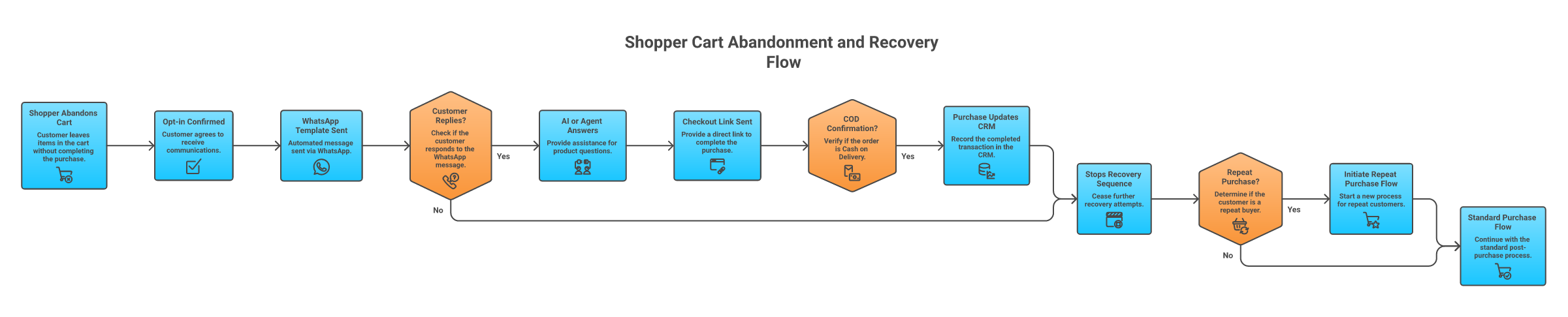
For Shopify-led teams, shortlist Zoko, QuickReply.ai, Interakt, AiSensy, and SleekFlow first. For high-value carts where a phone call can recover the sale, consider Outcraft AI because WhatsApp alone may not be enough.
How to Choose the Right WhatsApp Automation Tool for SaaS
SaaS teams should be more skeptical of WhatsApp-only tools. The key moments are speed-to-lead, demo booking, trial activation, qualification, no-show recovery, churn risk, and renewal follow-up. WhatsApp can help, but it often works best beside calls, SMS, and email.
Use this checklist:
-
Can the tool qualify leads, not just send messages?
-
Can it route to HubSpot, Salesforce, or your sales calendar?
-
Can it follow up after no reply across more than one channel?
-
Can it separate high-intent buyers from low-fit signups?
-
Can it escalate to a human when a deal is real?
If you only need WhatsApp reminders, Respond.io, WATI, or SleekFlow may work. If you need booked meetings, trial activation, and missed lead recovery across calls, SMS, email, and WhatsApp, AI Sales Team for Inbound Demand is the more relevant Outcraft category.
What I Would Check Before a Demo or Trial
Before you book demos, write down the exact moment you want the tool to own: "recover abandoned Shopify carts above $150," "confirm COD orders before fulfillment," "book demos from inbound form fills," or "route renewal-risk customers before churn." If you cannot name the moment, every vendor will look better than it is.
Use these questions to keep the evaluation honest:
-
What starts the workflow? A Shopify event, HubSpot form fill, ad click, WhatsApp opt-in, missed call, support ticket, or manual upload are different triggers.
-
What stops the workflow? A purchase, booked meeting, human handoff, unsubscribe, no-fit qualification, or no response should end or change the sequence.
-
Who owns exceptions? If the customer asks a pricing question, complains about delivery, or wants a sales call, you need a clear human route.
-
What is the real usage unit? Monthly active contacts, template messages, users, automations, AI actions, hosted numbers, and API calls all create different bills.
-
Which channel comes next after no reply? If the answer is always "send another WhatsApp message," the tool may be too narrow for high-value revenue moments.
Ask every vendor to show the same workflow in the product, not a generic dashboard. For e-commerce, ask for abandoned cart, COD confirmation, and post-purchase upsell. For SaaS, ask for speed-to-lead, qualification, calendar booking, no-show recovery, and CRM handoff.
WhatsApp Business API, Compliance, and Pricing Basics
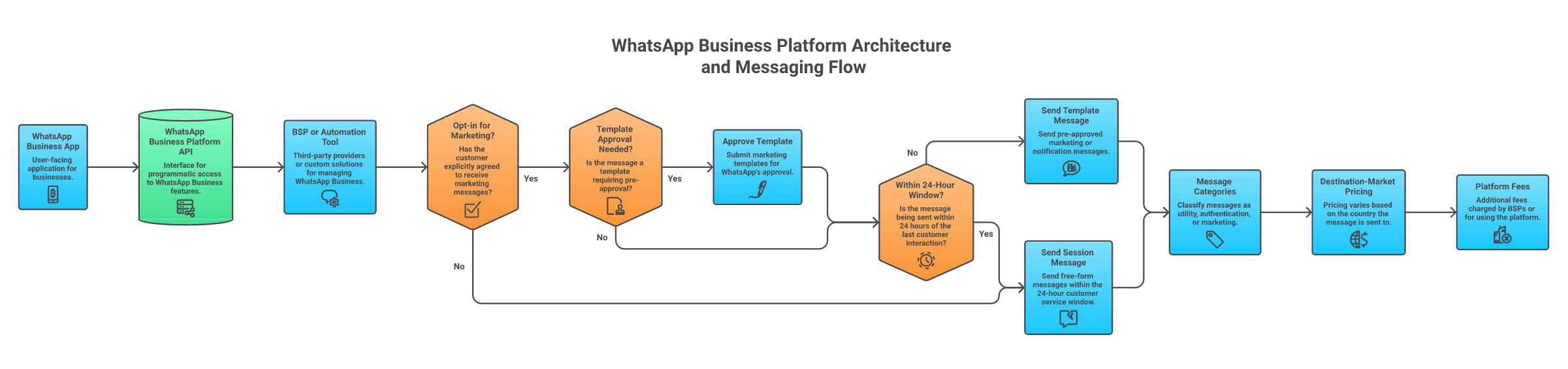
There are three common layers:
-
WhatsApp Business App: free app for small teams, limited automation, limited multi-user operations.
-
WhatsApp Business Platform/API: the scalable layer for templates, webhooks, automation, and multi-agent systems.
-
BSP or platform provider: a vendor that helps you access and operate the API, often with inbox, campaigns, workflows, and reporting.
Meta’s current pricing model charges businesses per delivered template message. Pricing varies by template category and destination market, and the official Meta pricing docs separate marketing, utility, authentication, and service-related concepts on the WhatsApp Business Platform pricing page.
Template messages matter because you usually need them outside the 24-hour customer service window. Meta’s template guidance explains that templates must be created and approved before use on the WhatsApp message templates documentation.
Opt-in matters too. Meta’s platform guidance says businesses should only message users who have opted in, and phone number quality and messaging limits can change based on behavior on the WhatsApp Business Platform overview.
This is not legal advice. It is a buying warning: never evaluate a WhatsApp tool by subscription price alone. Model platform fee, template fee, destination mix, broadcast volume, contact volume, and setup costs.
Final Recommendation
Here is the decision path I would use.
If you are a Shopify or DTC team and WhatsApp is mainly a commerce channel, start with Zoko and QuickReply.ai. Add Interakt or AiSensy if India-market campaigns, COD workflows, and visible INR pricing matter. Add SleekFlow if inbox operations and AI-assisted conversations are becoming the bottleneck. Bring in Outcraft AI only when calls or cross-channel follow-up can recover meaningful revenue, such as high-value carts, consultation-led purchases, or post-purchase upsell.
If you are a SaaS team, do not overbuy a WhatsApp marketing tool and force it into sales follow-up. WhatsApp can help, but the real revenue leak is usually response speed, qualification, routing, no-show recovery, and persistence after the first ignored message. Respond.io is good for messaging operations. Twilio is best if engineering owns the workflow. Outcraft AI is the strongest fit when the job is to convert high-intent leads, recover missed opportunities, and book meetings across calls, SMS, email, and WhatsApp.
Do not pick Outcraft AI for low-cost WhatsApp campaigns, Shopify-only commerce, or developer-owned API infrastructure. WATI, AiSensy, ManyChat, Zoko, QuickReply.ai, Twilio, or Gupshup will fit those cases better.
The best tool matches the moment where revenue is leaking. Start there, then compare price. A cheap WhatsApp tool that owns the wrong moment becomes expensive when your team has to untangle missed replies, duplicate follow-ups, or customers routed to the wrong place.
FAQs
Is WhatsApp automation allowed?
Yes, if you use the official WhatsApp Business Platform/API or an approved provider, respect opt-in, and use approved templates when messaging outside the customer service window. Do not use risky browser hacks or unofficial bulk senders.
What is the difference between the WhatsApp Business App and WhatsApp Business API?
The Business App is simpler and works for small teams. The Business API is built for scale: templates, automation, webhooks, multi-user inboxes, CRM connections, reporting, and higher-volume messaging.
What is the best WhatsApp automation tool for Shopify?
Zoko is the cleanest Shopify-first pick. QuickReply.ai is strong for DTC campaigns and retention. Interakt and AiSensy are useful if your market and pricing needs fit their India-focused strengths.
What is the best WhatsApp automation tool for SaaS?
For simple WhatsApp reminders, Respond.io, WATI, or SleekFlow can work. For SaaS revenue moments like lead response, demo booking, trial activation, and missed-call recovery across calls, SMS, email, and WhatsApp, Outcraft AI is the better-fit category.
Can I automate bulk WhatsApp messages?
Yes, but promotional bulk sending requires opt-in, approved templates, and attention to message quality. Your costs depend on message category, recipient country, and platform fees.
How much do WhatsApp automation tools cost?
Costs usually combine a monthly software plan, WhatsApp template message fees, setup/onboarding fees, support fees, and sometimes contact-based or usage-based charges. A cheap plan can become expensive if you send high-volume marketing templates to many countries.

Summarize with AI