.webp?width=7088&height=1300&name=outcraft.ai-....%20(1).webp "Outcraft AI | Best AI Sales Tool for E-Commerce Brands")
A new user signs up at 10:14 a.m. They open the dashboard, click around twice, maybe invite nobody, and leave. By the time someone on your team notices the account in the CRM, the user has already compared you with two other products and forgotten why they started the trial.
I am writing this as the Marketing Head of Outcraft AI, so my bias is obvious: I care about the onboarding moments where revenue is won or lost because the follow-up happens too late. But that bias comes from watching the same pattern repeat across SaaS teams. Product owns the tooltip. Marketing owns the email. Sales owns the demo request. Support owns the confused user. Customer success owns the account after it pays.
The user does not care about any of those org charts.
They care whether the product helps them get to the next useful action before their intent drops. If 1,000 users start a trial and 600 never hit the first activation event, the problem is not that you need 14 more popups. The problem is that your onboarding system does not know when to guide, when to message, when to call, when to route to a human, and when to leave the user alone.
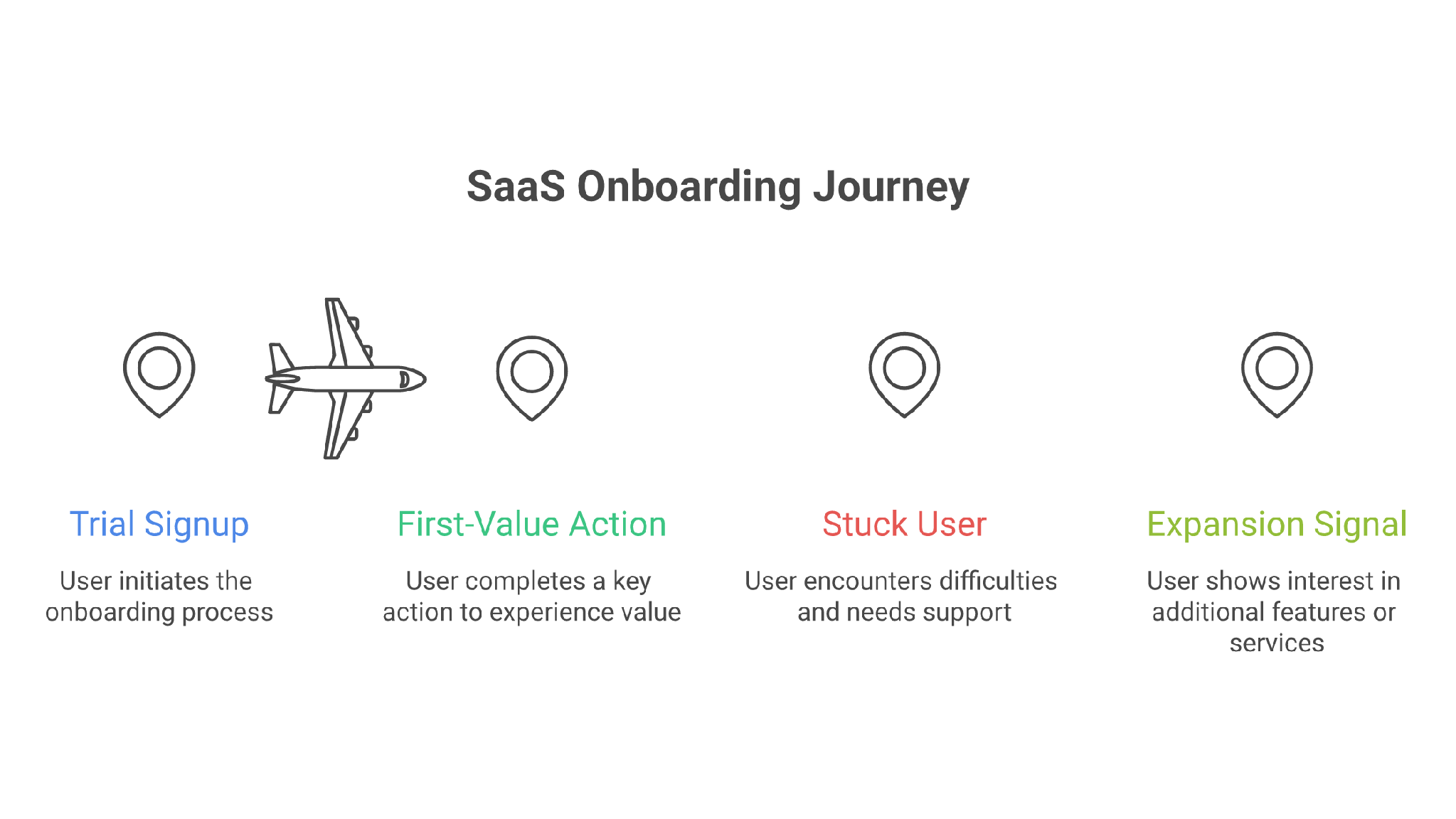
So my answer to “best SaaS onboarding tools” is not a neat list of tour builders. It is a buying map for the real situation you are probably in: some users need in-app guidance, some need lifecycle nudges, some need support, and your highest-intent users may need an actual conversation across calls, SMS, email, or WhatsApp.
That is why Outcraft AI is my #1 suggestion when onboarding is tied to pipeline, activation, retention, or expansion. If your onboarding problem is only a missing checklist, choose a checklist tool. If your onboarding problem is missed revenue moments, you need a system that acts when the moment happens.
TL;DR
- Outcraft AI - Best for omnichannel onboarding follow-up: Best when onboarding needs human-like follow-up across calls, SMS, email, and WhatsApp after a signup, stalled setup, or high-intent moment.
- Appcues - Best for in-app product onboarding: Best when the first-value moment happens inside the product, and your team needs web or mobile onboarding flows.
- Userpilot - Best for product growth teams: Best when you want in-app guidance, analytics, feedback, and session replay in one product-growth workspace.
- Pendo - Best for analytics-led onboarding: Best when product data, adoption reporting, NPS, and enterprise visibility shape the onboarding plan.
- Intercom - Best for support-led onboarding: Best when new users need chat, help-center content, ticketing, AI answers, and human handoff.
- Customer.io - Best for lifecycle onboarding messages: Best when onboarding depends on email, push, in-app messages, SMS, WhatsApp, and event-triggered journeys.
- Chameleon - Best for native-looking in-app experiences: Best when product teams need targeted tours, launchers, surveys, and experimentation inside the app.
- Userflow - Best for fast no-code onboarding flows: Best when a SaaS team wants checklists, flows, surveys, and in-app messages without a heavy setup.
- UserGuiding - Best for affordable onboarding widgets: Best when you want tours, checklists, a resource center, updates, surveys, and self-service content in one place.
- Vitally - Best for customer-success onboarding: Best when onboarding continues after purchase through playbooks, account health, docs, and CS ownership.
- Whatfix - Best for enterprise digital adoption: Best when onboarding means training users across complex internal or customer-facing applications.
See How Outcraft Can Increase Your Sales Pipeline Within Months
How I Evaluated These SaaS Onboarding Tools
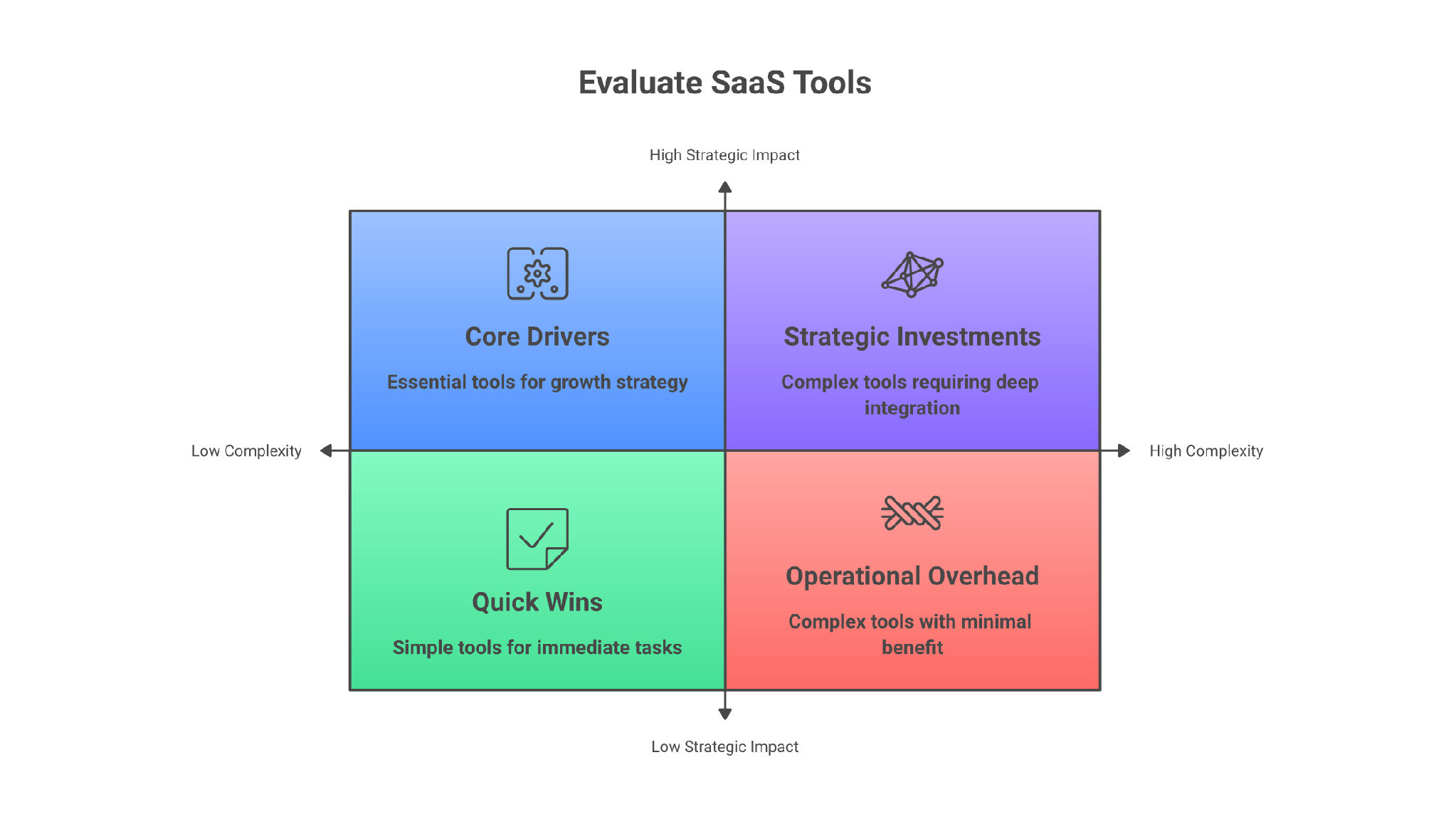
I judged these tools the way I would judge them inside my own funnel: what breaks at 20 signups a week, what breaks at 2,000 signups a week, and what breaks when the same onboarding journey has product, sales, support, and success all touching it.
Here is what most teams get wrong. They buy the tool for the visible symptom. Low activation becomes a tour tool. Too many setup questions become chat. Silent trials become another email sequence. Those can all help, but only if they match the actual failure point. The better question is: when a user shows intent, gets stuck, or drops off, can this tool trigger the right next action through the right channel without creating more manual work?
- Activation moment: Does the tool help with signup, setup, first action, stalled onboarding, expansion, or retention?
- Channel coverage: Does it support in-app guidance only, or can it also handle email, chat, calls, SMS, and WhatsApp?
- Targeting depth: Can teams trigger flows by user behavior, account data, lifecycle stage, product events, or health signals?
- Team ownership: Can product, growth, support, marketing, sales, or CS teams operate it without waiting on engineering every time?
- Pricing clarity: Is pricing public, MAU-based, seat-based, usage-based, quote-based, or dependent on add-ons?
11 Best SaaS Onboarding Tools: Detailed Comparison Table
|
Tool |
Best for |
Main onboarding channel |
Pricing posture |
Watch-out |
|---|---|---|---|---|
|
Omnichannel onboarding follow-up |
Calls, SMS, email, WhatsApp |
Contact sales / demo-based |
Heavier than a simple tour tool |
|
|
Appcues |
Product-led in-app onboarding |
In-app, email, push |
Quote-based by MAU |
No public dollar tiers |
|
Userpilot |
Product growth and analytics |
In-app, analytics, feedback |
Starts from $299/mo |
Advanced tiers require sales |
|
Pendo |
Analytics-led adoption |
In-app, analytics, NPS |
Free plan, then custom |
Can be too much for small teams |
|
Intercom |
Support-led onboarding |
Chat, help center, inbox |
From $29/seat/mo + usage |
Add-ons can change total cost |
|
Customer.io |
Lifecycle onboarding journeys |
Email, push, in-app, SMS, WhatsApp |
From $100/mo |
Not a product tour builder |
|
Chameleon |
Native-looking in-app onboarding |
In-app tours, launchers, surveys |
Startup from $279/mo |
Growth and Enterprise are demo-led |
|
Userflow |
Fast no-code onboarding |
In-app flows, checklists, surveys |
MAU-based, trial available |
Confirm live calculator pricing |
|
UserGuiding |
Affordable onboarding widgets |
Tours, resource center, surveys |
Free support path + MAU plans |
Native mobile is limited |
|
Vitally |
Customer-success onboarding |
CS workspace, playbooks, health |
Request pricing |
Not an in-app tour builder |
|
Whatfix |
Enterprise digital adoption |
In-app guidance, training, analytics |
Quote-based |
Heavy for small SaaS teams |
1. Outcraft AI
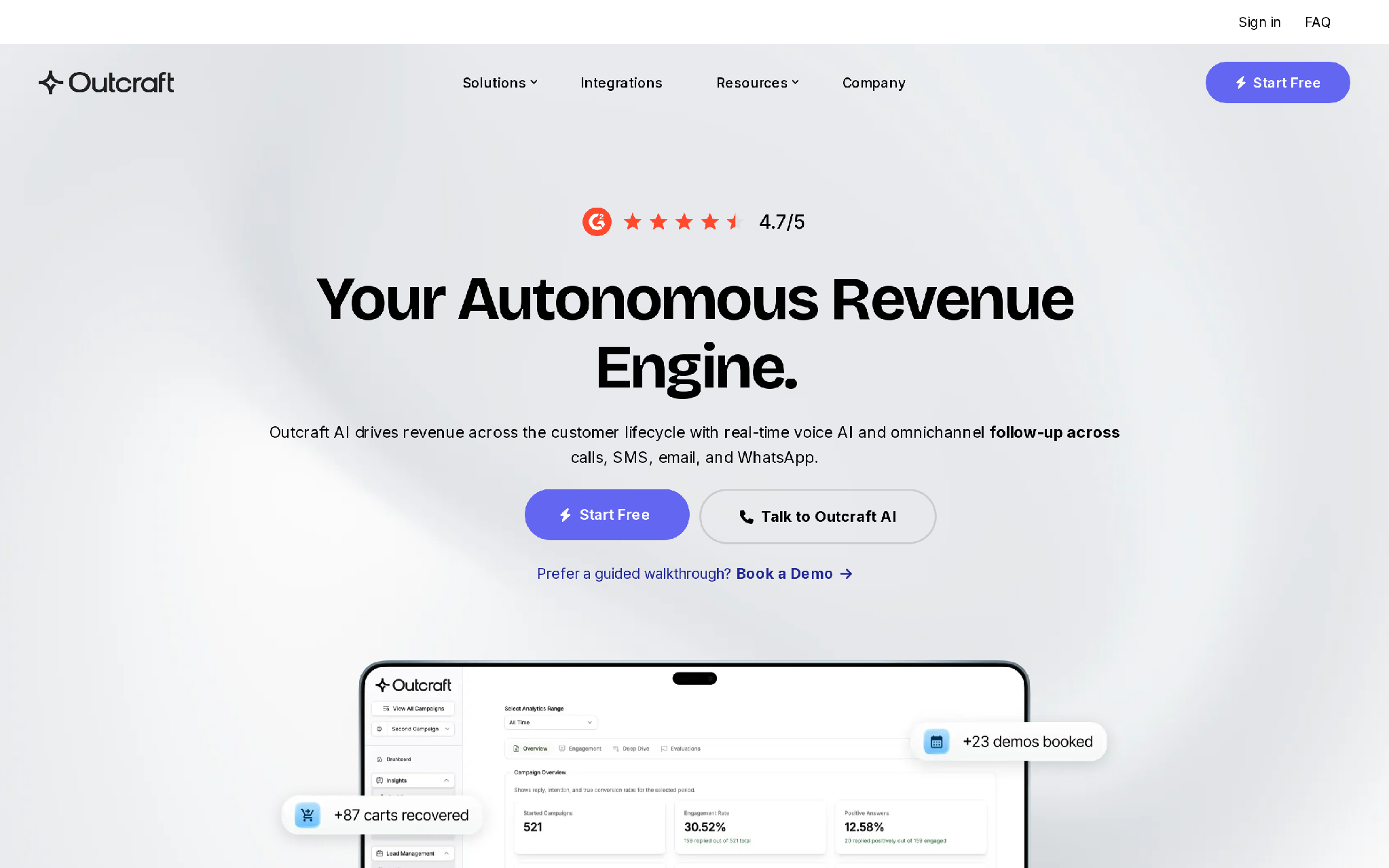
Outcraft AI is my #1 suggestion because we built it for the part of onboarding that most tools politely ignore: the moment after the user leaves the app.
You know the situation. A good-fit account signs up. The founder or VP clicks the product page, starts setup, then stalls because one field is confusing or the value is not obvious yet. The CRM still looks fine. The product analytics event is buried. The welcome email goes out on schedule. Nobody calls. Nobody sends the right SMS. Nobody uses WhatsApp where that buyer actually replies.
That is not a product-tour problem. It is a revenue-moment problem.
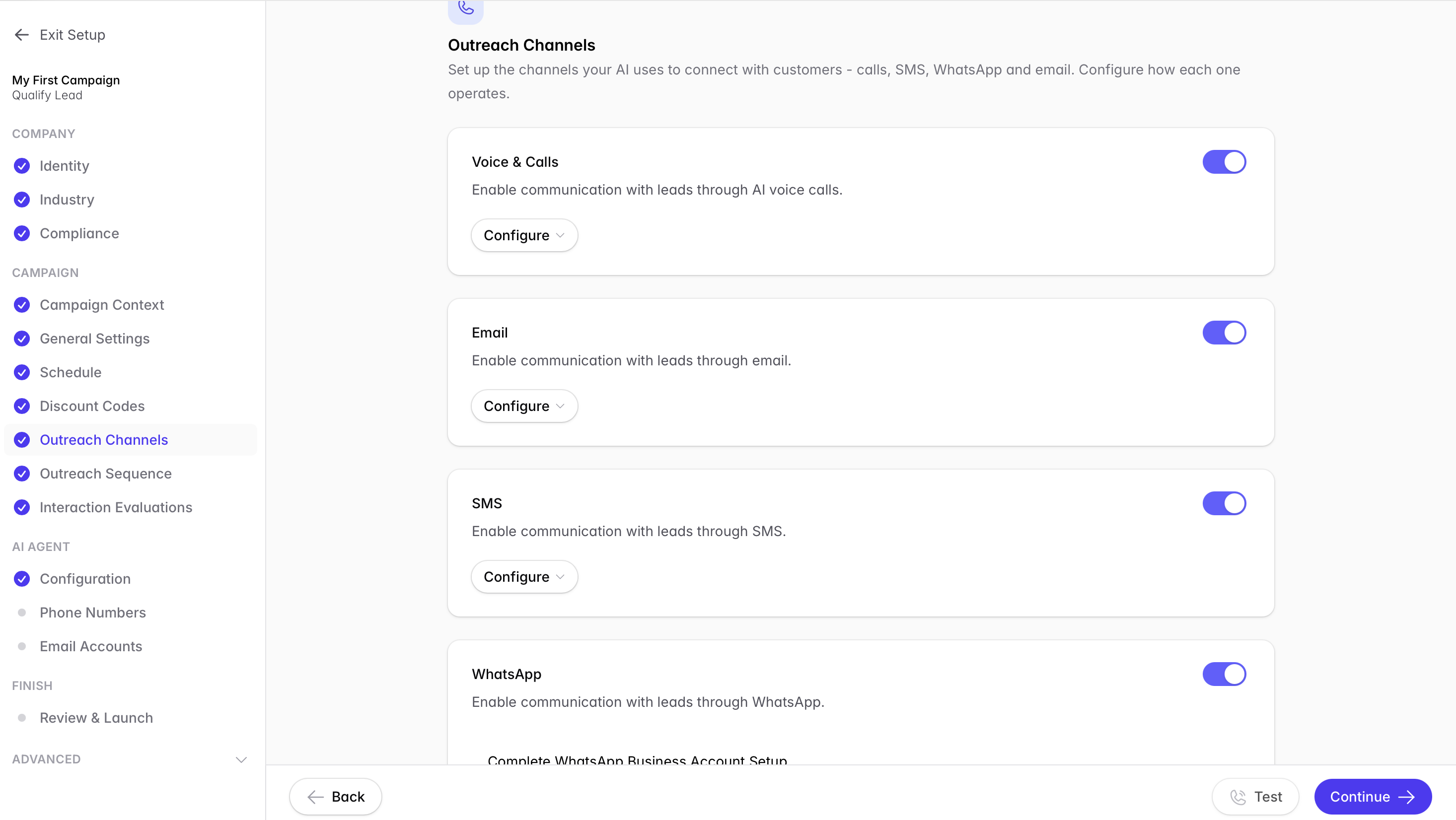
Outcraft can engage across calls, SMS, email, and WhatsApp when a user signs up, misses a setup, asks a question, goes quiet, or shows buying intent. The goal is not to spam every trial. The goal is to recognize the moment, choose the channel, and move the user toward the next outcome: activated account, booked demo, recovered payment, retained customer, or clean human handoff.
Features
- Voice AI for human-like phone conversations.
- Omnichannel follow-up across calls, SMS, email, and WhatsApp.
- Autonomous decisions about when to act and which channel to use.
- Inbound lead conversion and demo-booking workflows.
- User activation and onboarding re-engagement workflows.
- Churn prevention, failed-payment recovery, and retention workflows.
- CRM or commerce-stack connection for triggered outreach.
- Outcome tracking around booked meetings, recovered sales, and retained customers.
Pricing
Outcraft pricing is not publicly listed. Let us know you use case for a quote.
- Contact sales / demo-based
- Built for teams that need autonomous revenue workflows across calls, SMS, email, and WhatsApp.
- Useful when onboarding touches lead qualification, activation, retention, or revenue recovery.
- Budget depends on workflow scope, channels, volume, and implementation needs.
Pros
- Strong fit when onboarding requires follow-up outside the product.
- Covers calls, SMS, email, and WhatsApp from one engagement motion.
- Useful for sales-assisted SaaS onboarding where demo booking and qualification matter.
- Works well for revenue moments that need timing, not just content.
- Gives teams a way to act on stalled users before the account goes cold.
Cons
- Pricing is demo-gated, so budget validation takes an extra step.
- It is heavier than a simple tooltip or checklist product.
- It is not the best fit if you only need self-serve in-app tours.
Summary
Choose Outcraft AI if your onboarding problem is not only inside the product. I would not use it to replace a simple tooltip tool. I would use it when the missed follow-up has real cost: lost demos, silent trials, stalled activation, failed payments, churn risk, or high-intent users who needed a conversation and got a drip email instead.
2. Appcues
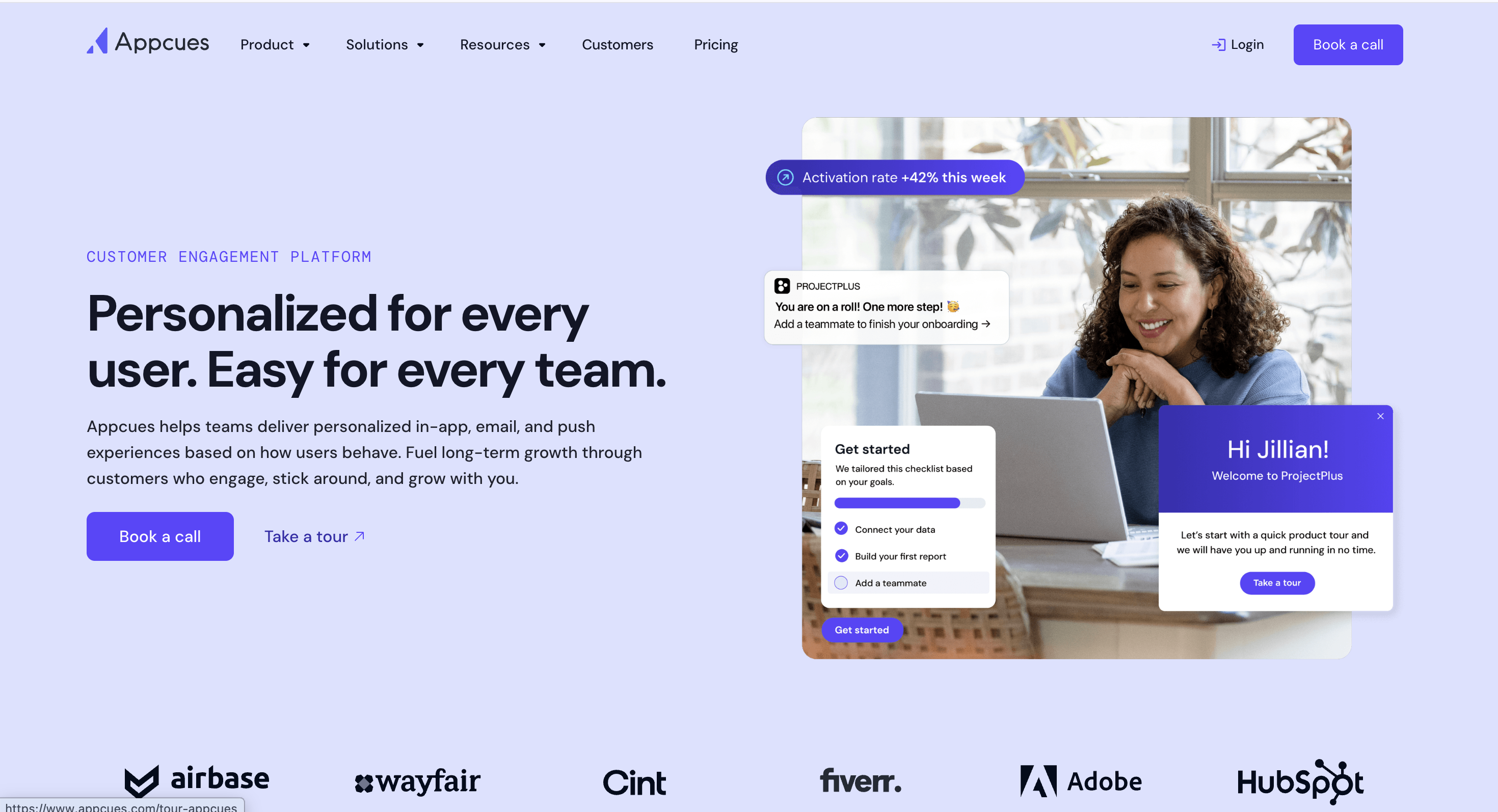
Appcues helps product teams create in-app onboarding experiences across web and mobile. You can use it for tours, messages, product adoption flows, behavioral email, push notifications, and user guidance tied to product activity.
I would use Appcues when the user’s first-value action happens inside the product and the team wants to ship onboarding improvements without turning every small change into an engineering project.
Features
- In-app messaging for onboarding, adoption, and engagement.
- Behavioral email for follow-up after product actions.
- Push notifications for mobile reactivation.
- Web and mobile app onboarding support.
- Appcues AI for planning, building, and improving experiences.
- Data integrations for targeting and measurement.
- Reporting history by plan.
- Dedicated customer-success support on listed plans.
Pricing
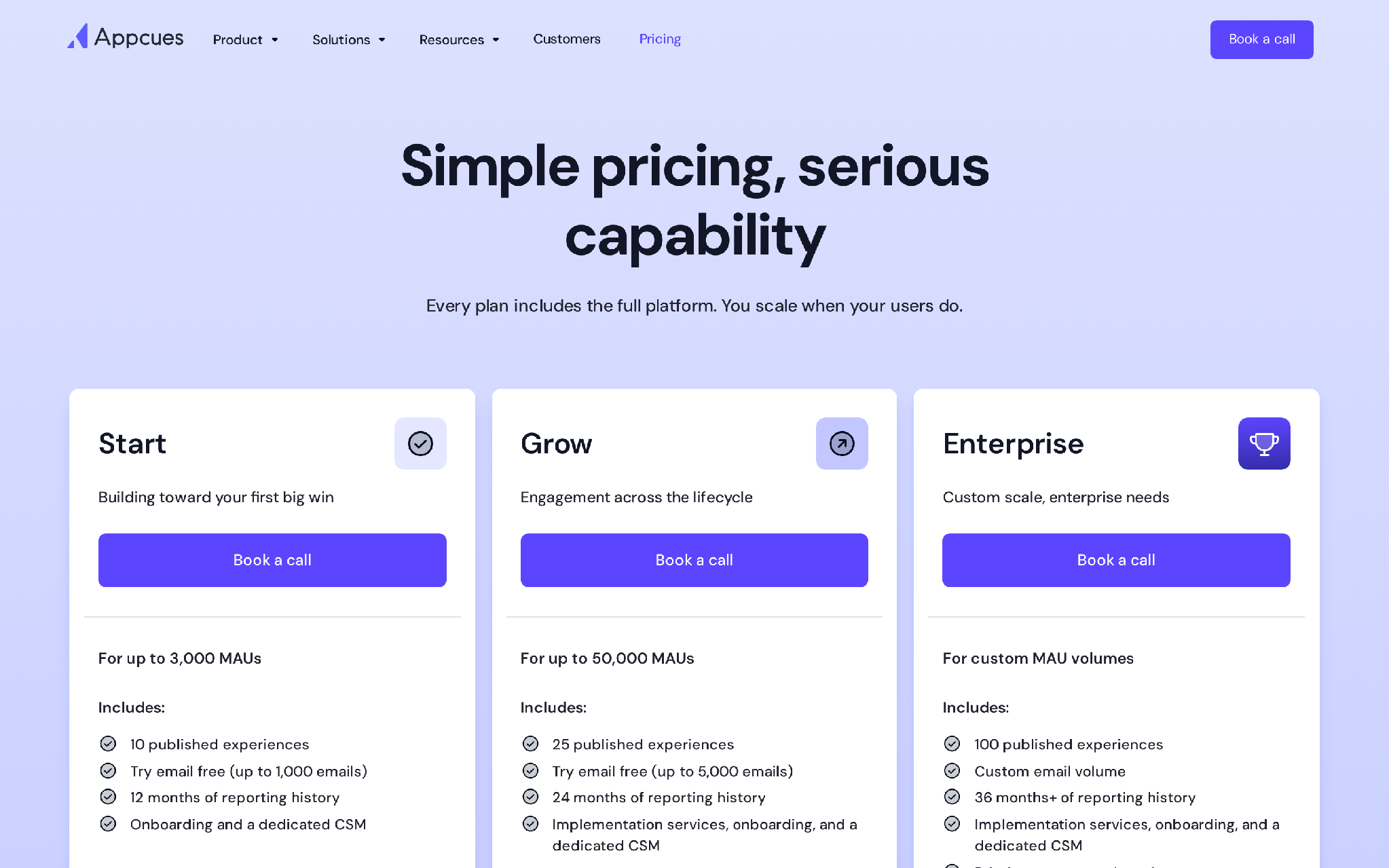
- For up to 3,000 MAUs.
- Includes 10 published experiences.
- Includes email trial volume up to 1,000 emails.
- Includes 12 months of reporting history, onboarding, and a dedicated CSM.
- For up to 50,000 MAUs.
- Includes 25 published experiences.
- Includes email trial volume up to 5,000 emails.
- Includes 24 months of reporting history, implementation services, onboarding, and a dedicated CSM.
- For custom MAU volumes.
- Includes 100 published experiences.
- Includes custom email volume, extended reporting history, priority services, custom security, compliance, and SLAs.
Pros
- Strong web and mobile onboarding coverage.
- Useful for product teams that want ownership over onboarding changes.
- Behavioral email and push help extend onboarding beyond one product session.
- Plan structure maps to MAU growth and experience volume.
- Good fit for polished product-led onboarding journeys.
Cons
- The Start plan limits published experiences.
- Teams may still need a separate layer for calls, SMS, and WhatsApp.
- Small teams with one basic checklist may find the setup more than they need.
- Onboarding quality still depends on clear product events and thoughtful segmentation.
Summary
Choose Appcues when you want to improve the in-app onboarding path and keep product managers close to the work. It is especially useful when activation depends on the user completing key actions inside the product.
3. Userpilot
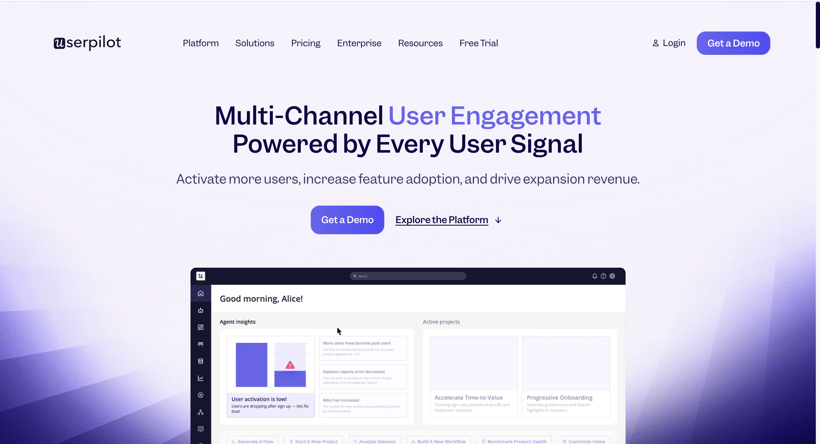
Userpilot brings onboarding flows, product analytics, user feedback, and session replay into one product-growth workspace. It helps teams create in-app experiences, understand where users stall, collect feedback, and adjust onboarding based on behavior.
I would use Userpilot when you and I need more than a tour builder but still want the work to stay close to the product experience.
Features
- User engagement flows for onboarding and adoption.
- Product analytics, reports, and dashboards.
- User feedback and NPS.
- Session replay.
- Mobile engagement.
- Advanced targeting and personalization.
- Integrations and account-level controls.
- AI agent features for product growth insights and in-app fixes.
Pricing
Here's its pricing as of June, 2026.
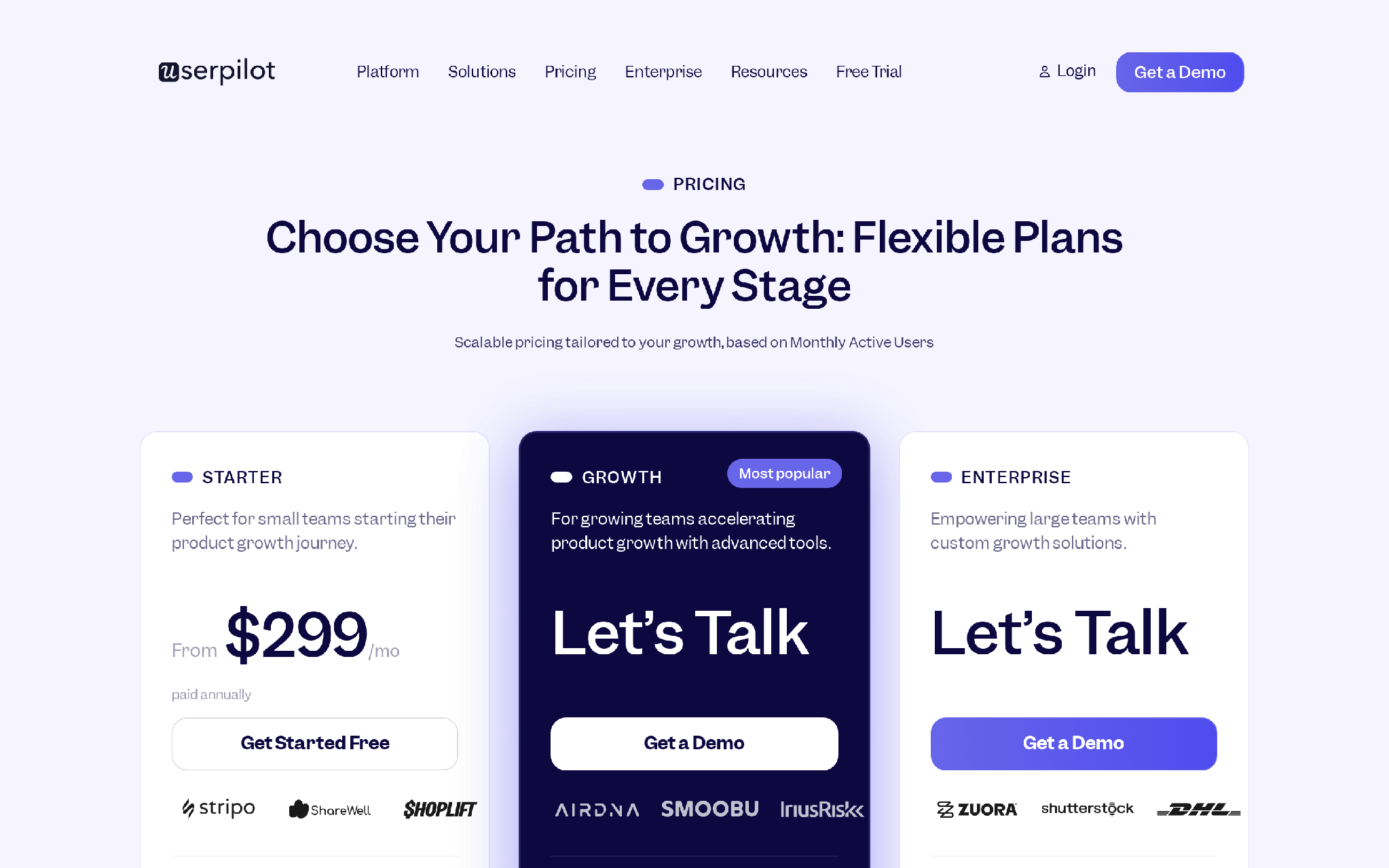
- Built for small teams starting product growth work.
- Includes core product-growth features.
- Best for teams that need guided onboarding and analytics without enterprise procurement.
- Built for growing teams.
- Adds more advanced targeting, reporting, mobile engagement, and scale options.
- Best when the onboarding program has multiple segments or teams involved.
- Built for larger organizations.
- Adds custom growth support, security, governance, and enterprise controls.
Pros
- Combines guidance, analytics, feedback, and replay in one place.
- Starter pricing gives smaller teams a visible entry point.
- Useful for diagnosing friction inside the product experience.
- Good fit when growth and product share onboarding ownership.
- Strong option for teams that want to improve flows based on observed behavior.
Cons
- Starter begins at $299/mo, which may be high for very early products.
- It does not center calls or WhatsApp-style onboarding conversations.
- Teams with existing analytics may duplicate parts of their stack.
- Poor event instrumentation can weaken targeting and reporting.
Summary
Choose Userpilot when you want in-app onboarding and product insight together. It is a practical fit for teams that want to find friction, update flows, and measure adoption from one workspace.
4. Pendo
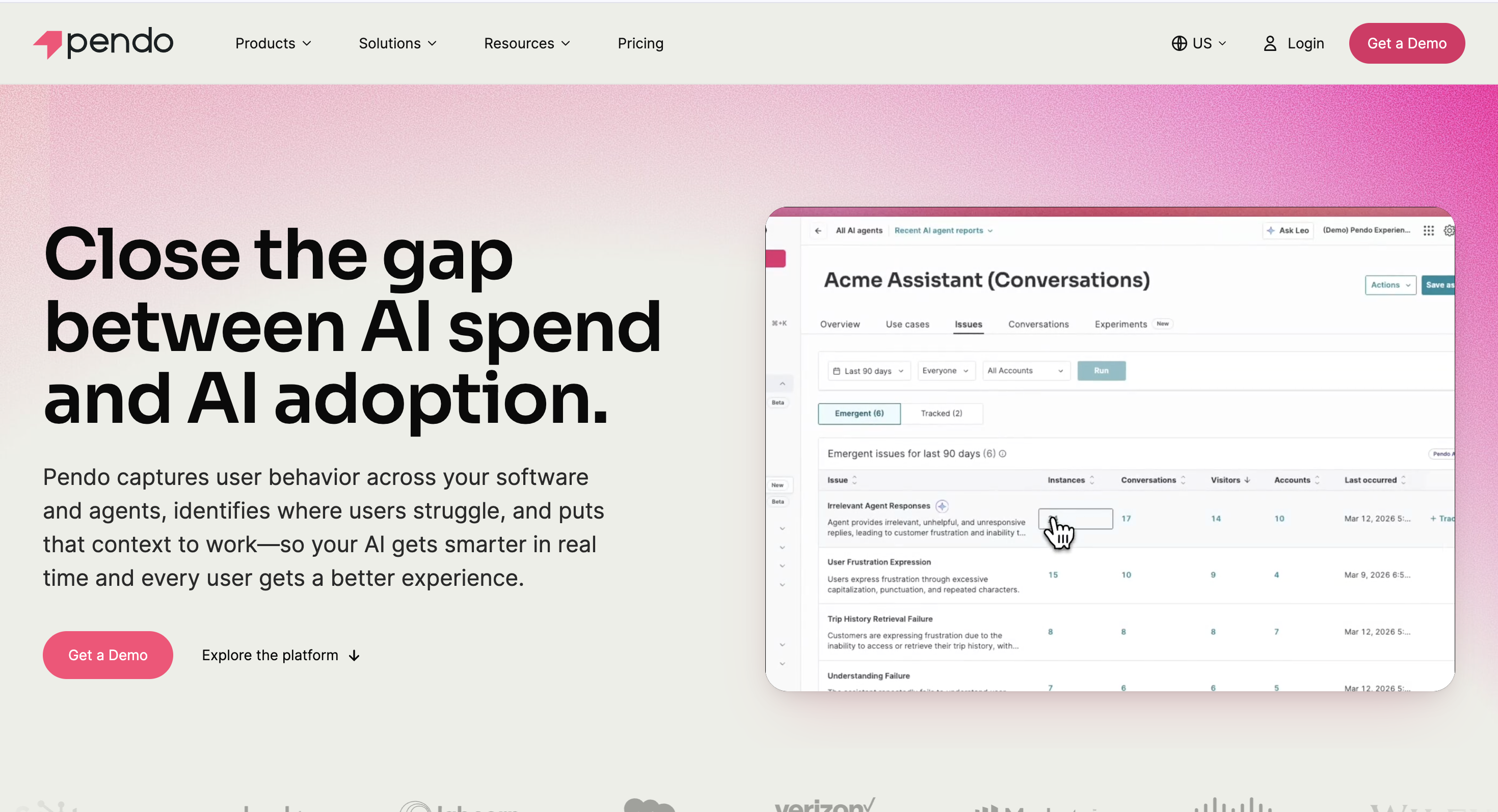
Pendo is built for teams that want onboarding decisions to start with product usage data. It combines analytics, in-app guides, NPS, sentiment, replay on higher plans, and product discovery features so teams can see where users struggle and guide them more deliberately.
I would put Pendo on the shortlist when the product has multiple roles, complex workflows, or enterprise adoption needs.
Features
- Product analytics.
- In-app guides.
- NPS and sentiment features.
- Session Replay on higher bundles.
- Retroactive analytics from installation onward.
- Pendo Leo for natural-language product questions.
- Pendo Predict for churn and upsell signals.
- Integrations across CRM, support, marketing automation, collaboration, and analytics.
Pricing
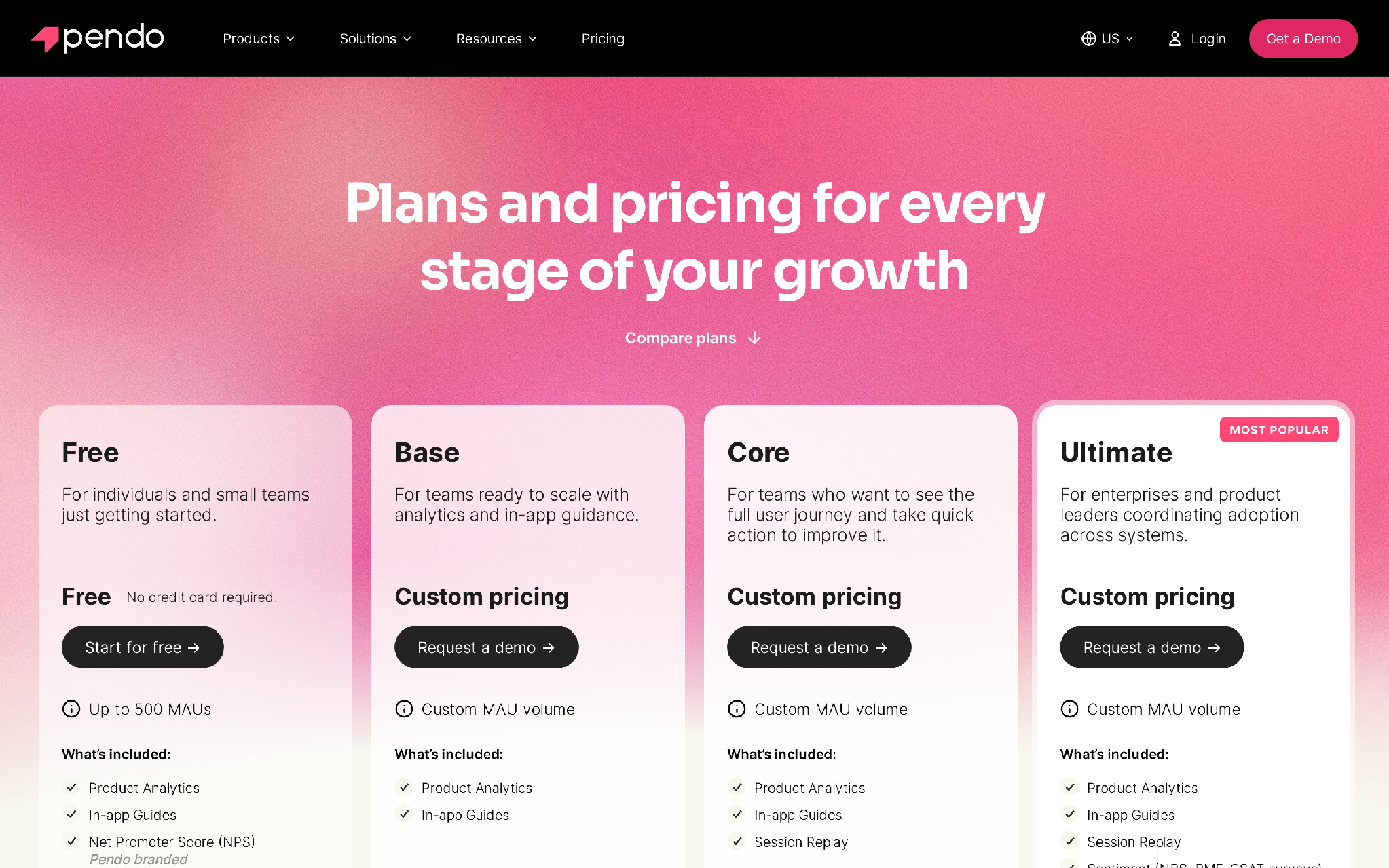
- Free for up to 500 MAUs.
- Includes product analytics, in-app guides, Pendo-branded roadmaps, and Pendo-branded NPS surveys.
- Built for teams scaling analytics and in-app guidance.
- Uses custom MAU volume.
- Adds a fuller user-journey view and action layer.
- Includes Session Replay.
- Built for enterprises coordinating adoption across systems.
- Includes Session Replay, sentiment, Orchestrate, Listen, and Data Sync.
Pros
- Strong product analytics foundation for onboarding decisions.
- Free plan gives small teams a way to start learning usage patterns.
- Useful for complex products with multiple journeys.
- Good fit for product, CS, and leadership visibility.
- Predictive and sentiment features help teams spot risk earlier.
Cons
- Paid pricing is custom, so budget planning can take time.
- The platform can feel large if you only need a few tours.
- Free-plan branding and MAU limits can constrain serious use.
- Implementation depends on clean tracking and a shared data model.
Summary
Choose Pendo when onboarding needs analytics depth. It works best when you want to understand user behavior first, then guide, segment, and measure the adoption path with more confidence.
5. Intercom
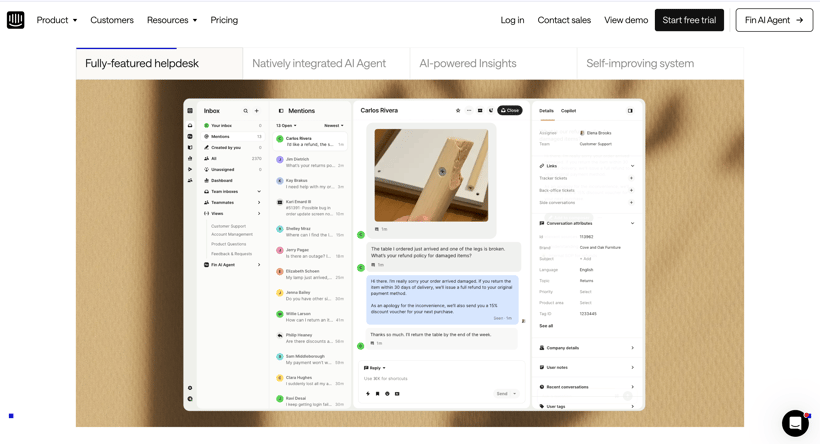
Intercom is strongest when onboarding turns into a conversation. New users can ask questions through Messenger, find help-center content, trigger tickets, receive AI answers, and move to a human when the issue needs judgment.
I would use Intercom when support is part of activation. If the user needs help to finish setup, the onboarding tool cannot stop at a tooltip.
Features
- Messenger, shared inbox, and ticketing.
- Fin AI Agent for service, sales, and ecommerce.
- Public, private, and multilingual Help Center options by plan.
- Workflows automation builder on Advanced.
- In-app chats, banners, and tooltips.
- Proactive Support Plus add-on for product tours, surveys, messages, and campaigns.
- Pay-as-you-go email campaigns, SMS, WhatsApp, and phone.
- Copilot add-on for inbox assistance.
Pricing
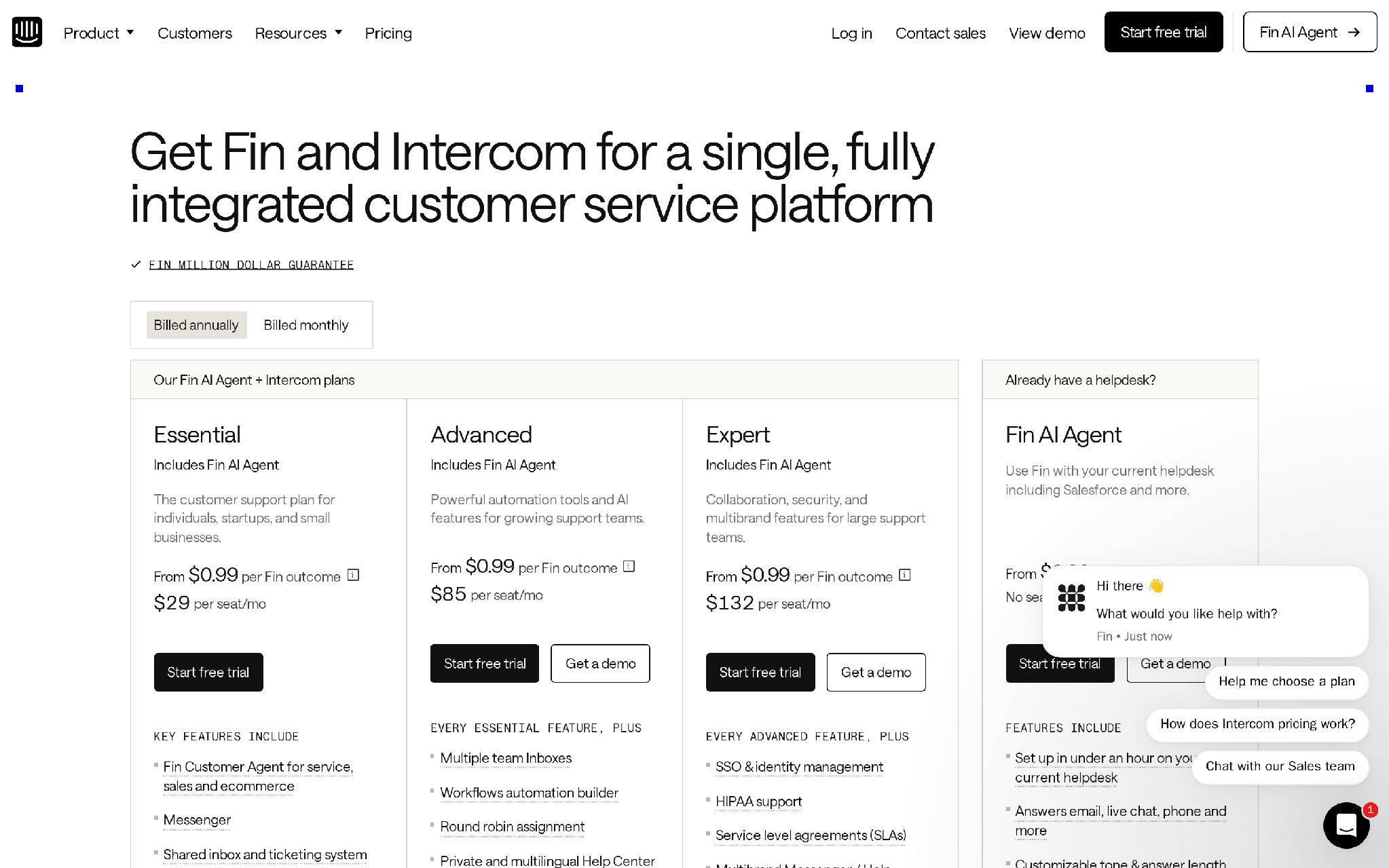
- For individuals, startups, and small businesses.
- Includes Messenger, shared inbox, ticketing, pre-built reports, public Help Center, and Fin.
- Adds multiple team inboxes, workflows automation, round-robin assignment, private and multilingual Help Center, and 20 free Lite seats.
- Adds SSO, HIPAA support, SLAs, multibrand Messenger and Help Center, and 50 free Lite seats.
- Works with an existing helpdesk.
- Does not require seats, though minimum monthly commitments may apply.
- Proactive Support Plus: $99/mo with 500 messages.
- Copilot: $29 per agent/mo billed annually.
- Pro add-on: $99/mo with analysis of 1,000 conversations.
Pros
- Strong fit when onboarding needs support chat and help-center content.
- AI answers can reduce repetitive setup questions.
- Inbox and ticketing help teams manage handoffs cleanly.
- In-app chats, banners, and tooltips support proactive guidance.
- Flexible enough for support, sales, and ecommerce service motions.
Cons
- Seat fees, Fin outcomes, and add-ons can make total cost hard to forecast.
- Product-tour and campaign features may require add-ons.
- It can be more support-centered than product-growth teams need.
- SMS, WhatsApp, phone, and campaign usage can add cost.
- Teams without a support-led onboarding motion may find it heavy.
Summary
Choose Intercom when onboarding questions need quick answers and a clean handoff. It is strongest when support is not a backstop, but part of the onboarding experience itself.
6. Customer.io
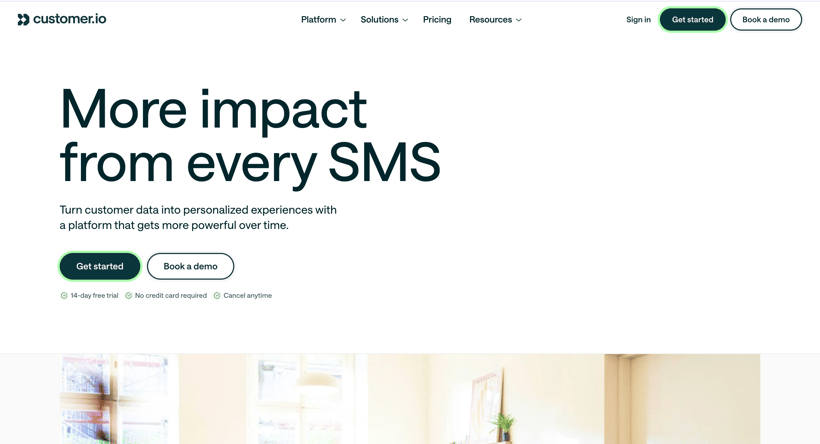
Customer.io is a lifecycle messaging platform for teams that need to send data-triggered onboarding messages. It helps you build journeys across email, push, in-app messages, SMS, WhatsApp, LINE, and webhooks.
I would use it when the onboarding path depends on timely communication after a product event: a signup, an unfinished setup step, a missed milestone, or a trial user who needs one more nudge.
Features
- Visual workflow builder.
- Email, push, in-app, SMS, WhatsApp, LINE, and webhooks.
- AI Agent with execution skills.
- LLM actions and AI credits.
- Audience and segment tools.
- Drag-and-drop visual editor and code editor.
- A/B and multivariate testing.
- Data integrations, MCP server, data index, and reverse ETL on higher tiers.
Pricing
Essentials: starts at $100/mo- For teams getting started with data-driven messaging.
- Includes AI Agent with core execution skills, visual workflow builder, LLM actions with a 100K credit sample, email and community support, and basic data integrations.
- Includes 1M monthly email sends and 5,000 profiles in the comparison table.
- For teams scaling lifecycle programs.
- Adds advanced AI skills, premium support, more data controls, and a higher operating baseline.
- Useful when onboarding journeys need more governance and volume.
- For organizations that need custom scale, support, security, and data architecture.
- Best when onboarding messages are tied to a larger lifecycle marketing system.
Pros
- Strong fit for event-triggered onboarding journeys.
- Supports multiple communication channels from one workflow builder.
- Good option for marketing and lifecycle teams that own activation messages.
- Testing and segmentation help teams improve onboarding over time.
- Higher tiers support more advanced data and enterprise needs.
Cons
- It is not designed as a product tour builder.
- Setup depends on reliable event data and profile data.
- Teams may need another tool for in-app checklists or UI tours.
- Complex journey logic can become hard to maintain without clear ownership.
Summary
Choose Customer.io when onboarding depends on lifecycle communication. It is strongest when the next best action is a triggered message, not a product tooltip or a support ticket.
7. Chameleon
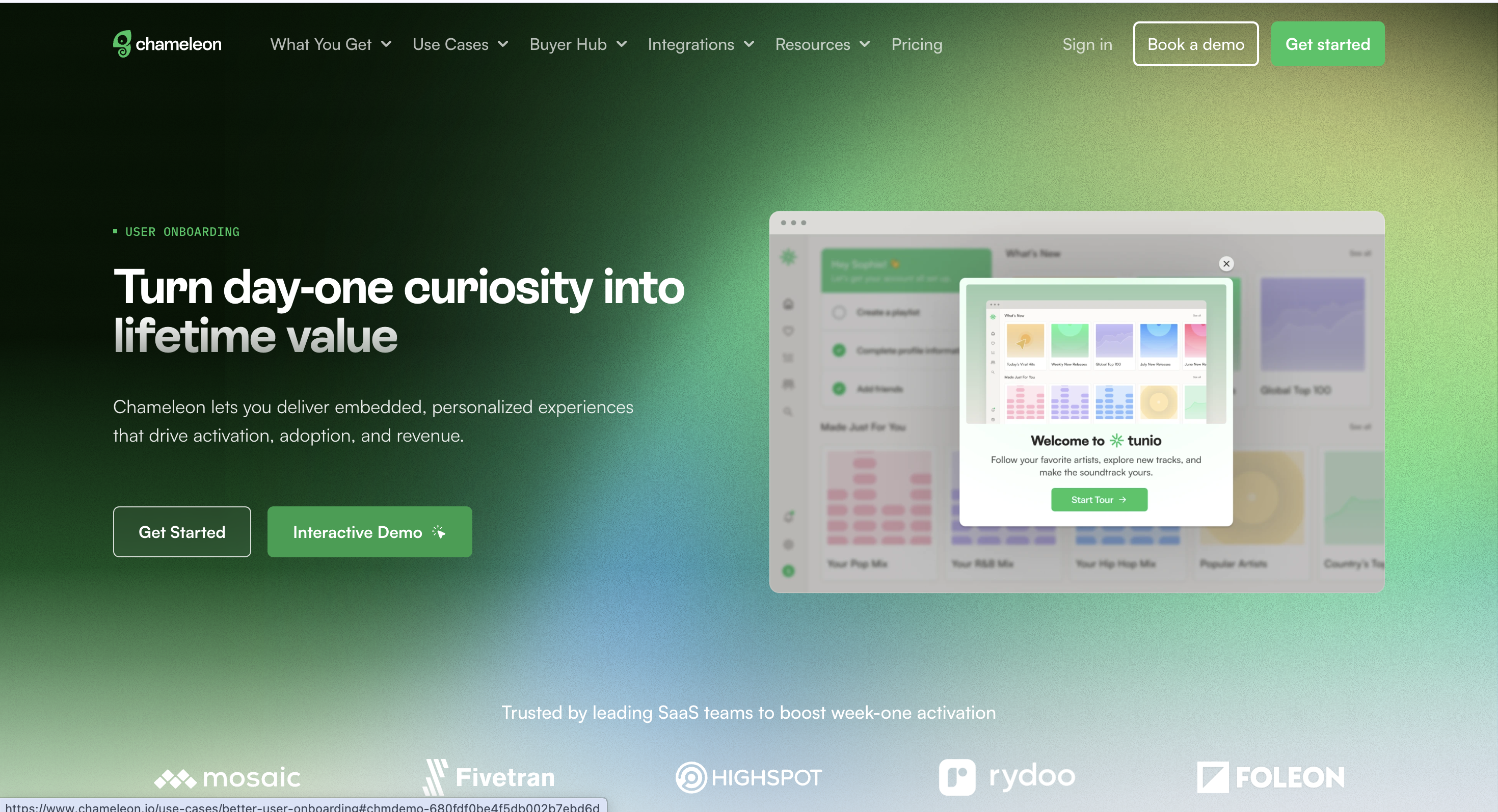
Chameleon helps product teams build native-feeling in-app onboarding experiences. It supports tours, tooltips, modals, launchers, surveys, banners, checklists, targeting, experimentation, and analytics.
I would use Chameleon when the onboarding experience needs to feel close to the product, not like a generic overlay pasted on top of it.
Features
- Product tours, modals, banners, and tooltips.
- Launchers and checklists.
- Microsurveys and feedback collection.
- Segmentation and targeting.
- A/B testing and rate limiting.
- Analytics for in-app experiences.
- Integrations with product, data, and customer tools.
- Enterprise controls and add-ons on higher plans.
Pricing
Startup: from $279/mo billed annually- For early teams building in-app experiences.
- Includes core Chameleon experiences and targeting.
- Best when the team wants a serious in-app layer without an enterprise contract.
- For teams that need more scale, experimentation, and support.
- Useful when onboarding flows need more segmentation and governance.
- For larger organizations with advanced security, procurement, and support needs.
- Best when in-app onboarding is part of a wider product-adoption program.
Pros
- Native-feeling in-app experiences are a clear strength.
- Useful for teams that care about product design and user context.
- Surveys and launchers help teams collect feedback during onboarding.
- A/B testing and rate limits support more controlled experimentation.
- Startup pricing gives teams a visible paid entry point.
Cons
- The tool is most valuable when a team has enough user volume to learn from experiments.
- Teams may need product-design attention to get the best result.
- Some controls and integrations are plan-gated or add-on-based.
Summary
Choose Chameleon when the quality of the in-app experience matters. It is a good fit for teams that want onboarding to feel intentional, targeted, and close to the product interface.
8. Userflow
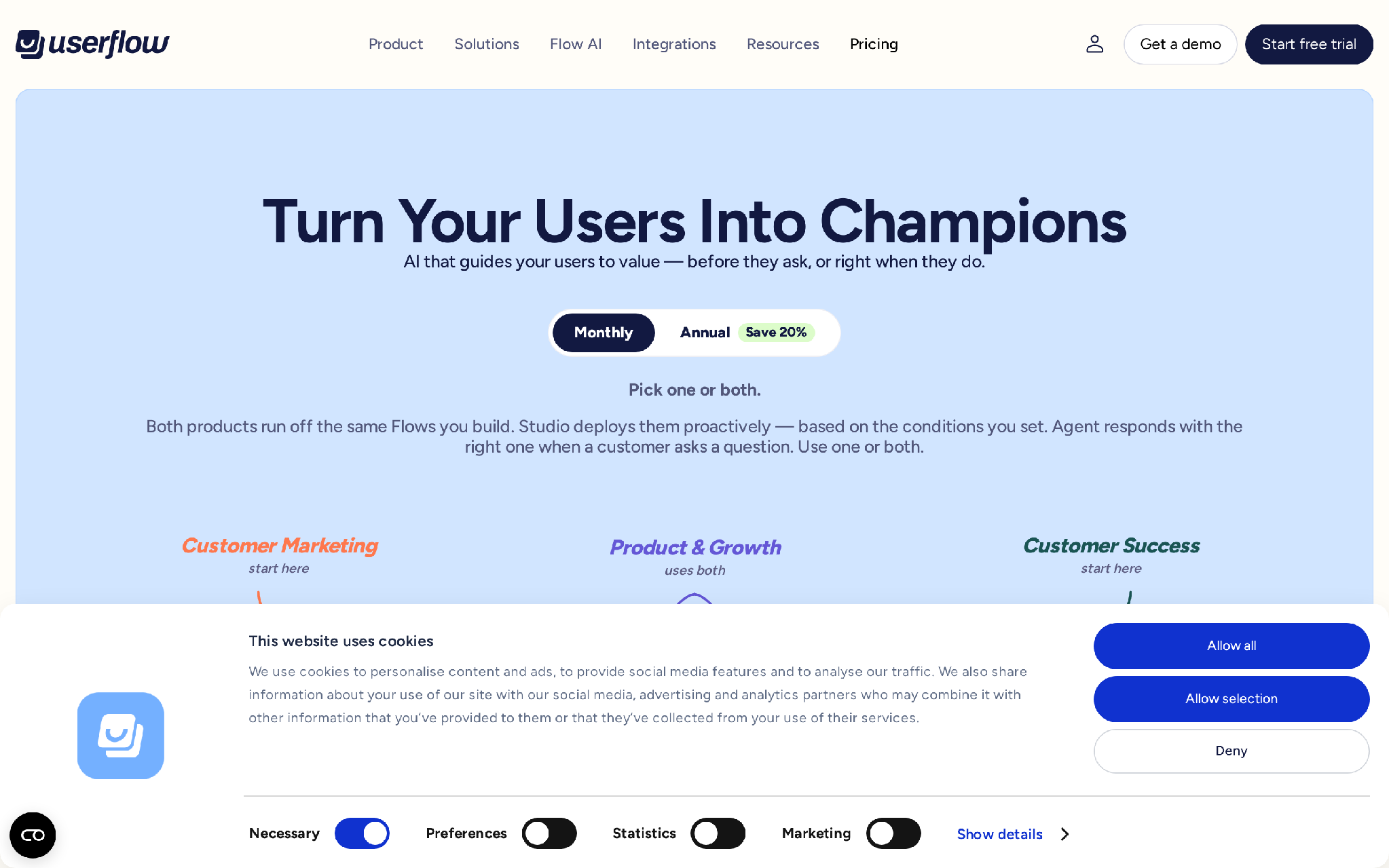
Userflow is a no-code tool for onboarding flows, checklists, surveys, and in-app messages. It is built for teams that want to launch onboarding experiences quickly and keep the builder simple.
I would use Userflow when speed matters and the product team wants to get a clear activation flow live without building a large adoption program first.
Features
- Flows for product tours and onboarding.
- Checklists.
- Surveys and NPS.
- In-app banners and messages.
- FlowAI Adoption Agent.
- Analytics.
- Integrations including Slack, Salesforce, HubSpot, Zapier, Twilio, Mixpanel, and Zendesk.
- SOC 2 Type II, ISO 27001, GDPR support, encryption, and Google Cloud Platform hosting.
Pricing
Pricing is MAU-based, with a 14-day free trial and plan details adjusted by monthly active users.
Startup- For teams launching in-app experiences.
- Trial includes access to Startup features.
- Good fit for initial flows, checklists, surveys, and onboarding experiences.
- For teams that need more advanced usage, automation, support, and FlowAI allowances.
- MAU bundles and AI credits may change the final cost.
- For larger teams that need advanced security, governance, and custom commercial terms.
Pros
- Quick to understand for teams focused on onboarding basics.
- Good coverage of flows, checklists, surveys, and banners.
- AI and analytics features can help teams review adoption patterns.
- Security and compliance notes are useful for B2B SaaS buyers.
- Integrations cover common sales, support, analytics, and automation tools.
Cons
- It does not replace lifecycle messaging or Voice AI follow-up.
- It may be narrow if your team needs deep product analytics.
- AI credit usage can affect cost planning.
- Complex enterprise governance may require a higher plan or custom terms.
Summary
Choose Userflow when you want a practical, no-code way to build onboarding flows quickly. It is strongest when the work is inside the product, and the team values speed over breadth.
9. UserGuiding
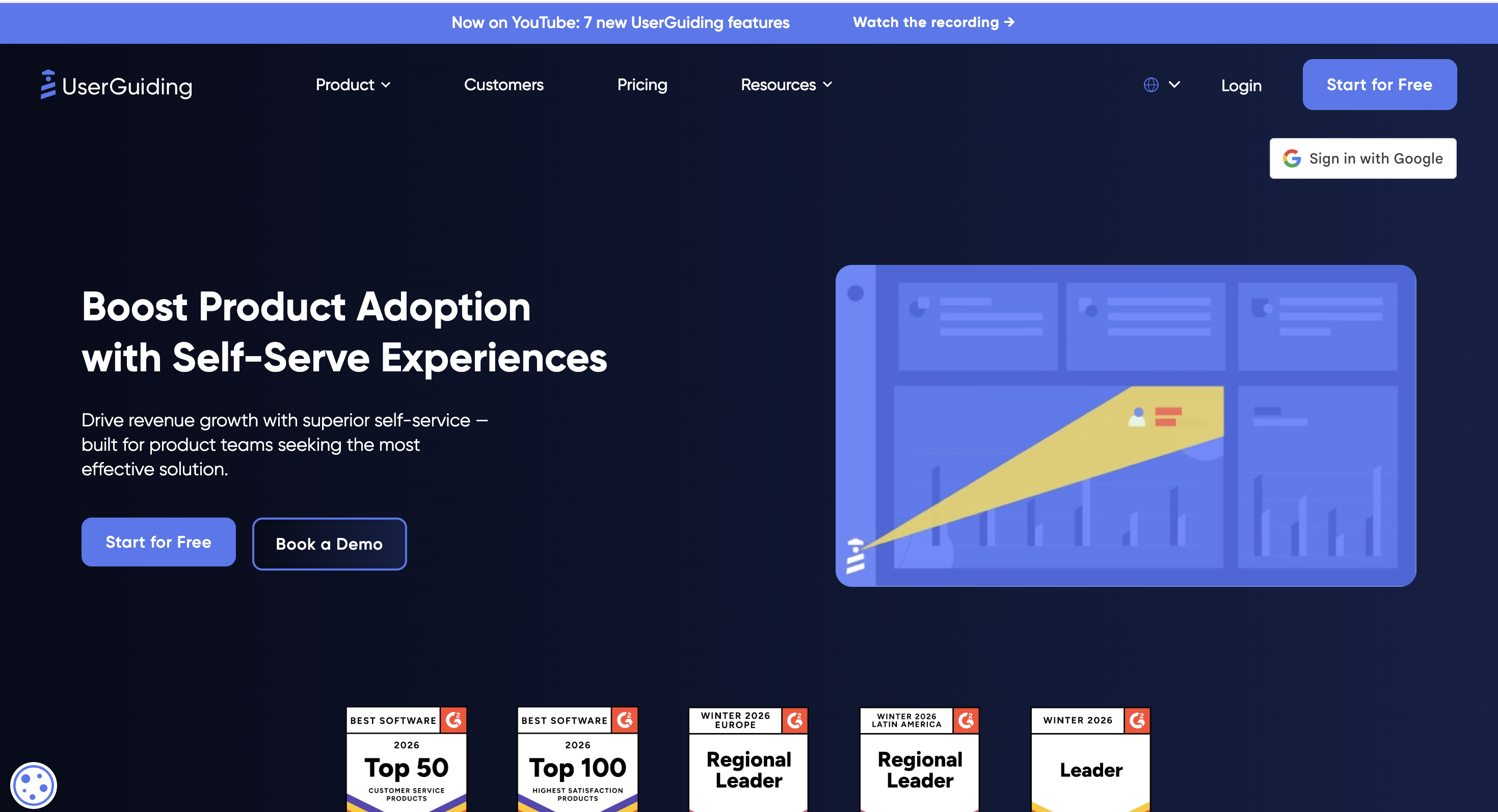
UserGuiding gives SaaS teams a set of onboarding widgets: product tours, tooltips, hotspots, checklists, surveys, a resource center, knowledge base, product updates, and an AI Assistant.
I would use UserGuiding when the team wants several practical onboarding and self-service pieces without jumping straight to a larger enterprise adoption platform.
Features
- Product tours and guides.
- Hotspots and tooltips.
- Onboarding checklists.
- In-app surveys.
- Resource Center.
- Knowledge Base.
- Product Updates.
- AI Assistant.
Pricing
Pricing is MAU-based. It offers a 14-day trial and includes a free Support Essentials path for Knowledge Base, Product Updates, AI Assistant, and Resource Center.
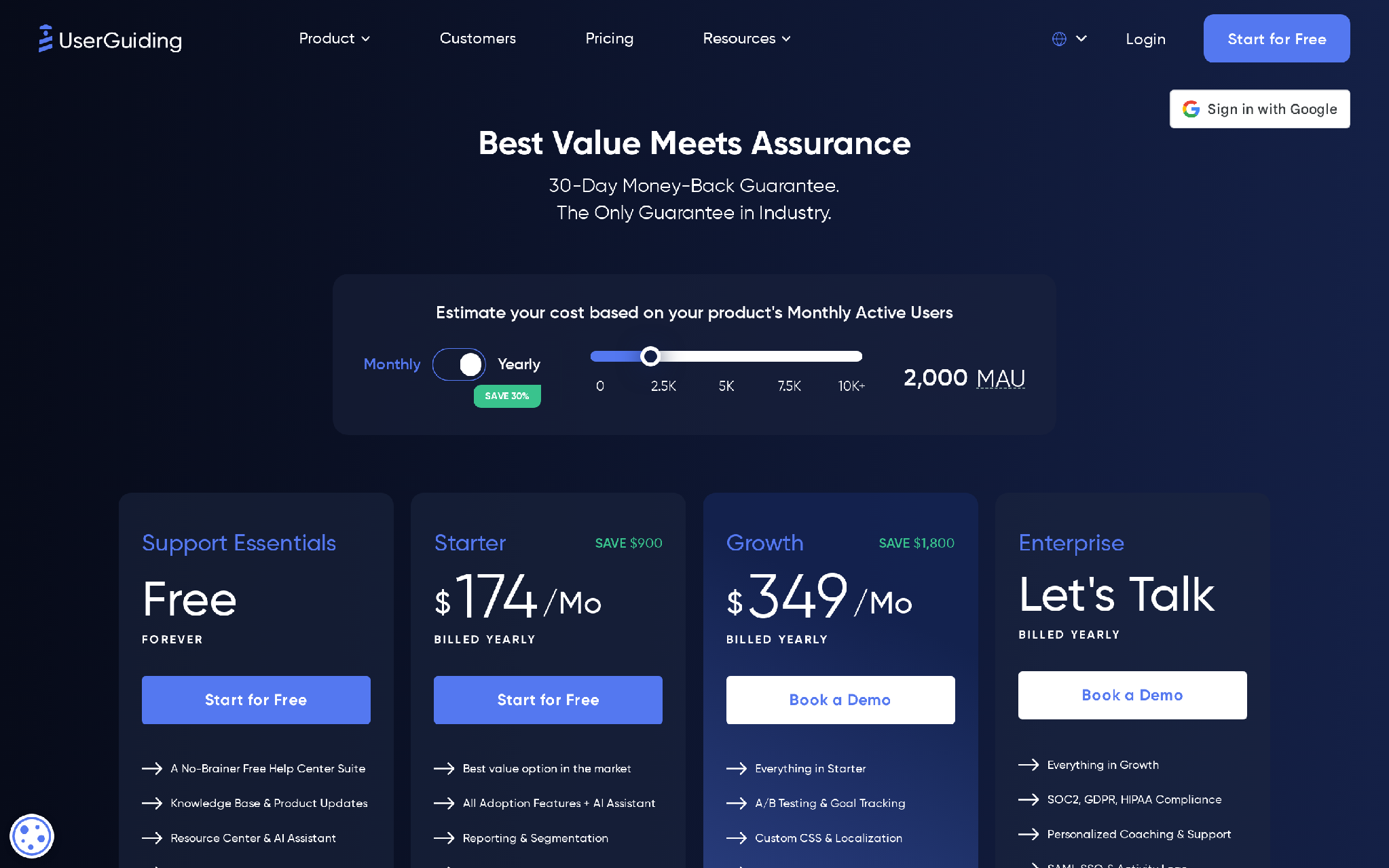
- Includes Knowledge Base, Product Updates page, AI Assistant, and Resource Center.
- Does not cover the full product-adoption feature set.
- Built around MAU volume and feature access.
- Include guides, checklists, surveys, analytics, and onboarding widgets.
- Confirm current Basic, Professional, and Corporate pricing from the live pricing calculator before buying.
- Add more advanced scale, support, and hosting options.
- EU hosting is available on Professional and Corporate, with Basic as an add-on.
Pros
- Broad widget set for onboarding and self-service.
- Free support-focused path can help teams start with content and resources.
- Good fit for teams that want tours, checklists, surveys, and updates together.
- Resource Center and Knowledge Base help reduce repetitive onboarding questions.
- Practical for growing SaaS teams that need coverage before deep analytics.
Cons
- Native mobile app support is limited.
- Final pricing can depend on MAU and calculator settings.
- Analytics is not the deepest part of the product.
Summary
Choose UserGuiding when you need several onboarding widgets in one accessible system. It is useful when self-service content and in-app prompts are the main activation levers.
10. Vitally
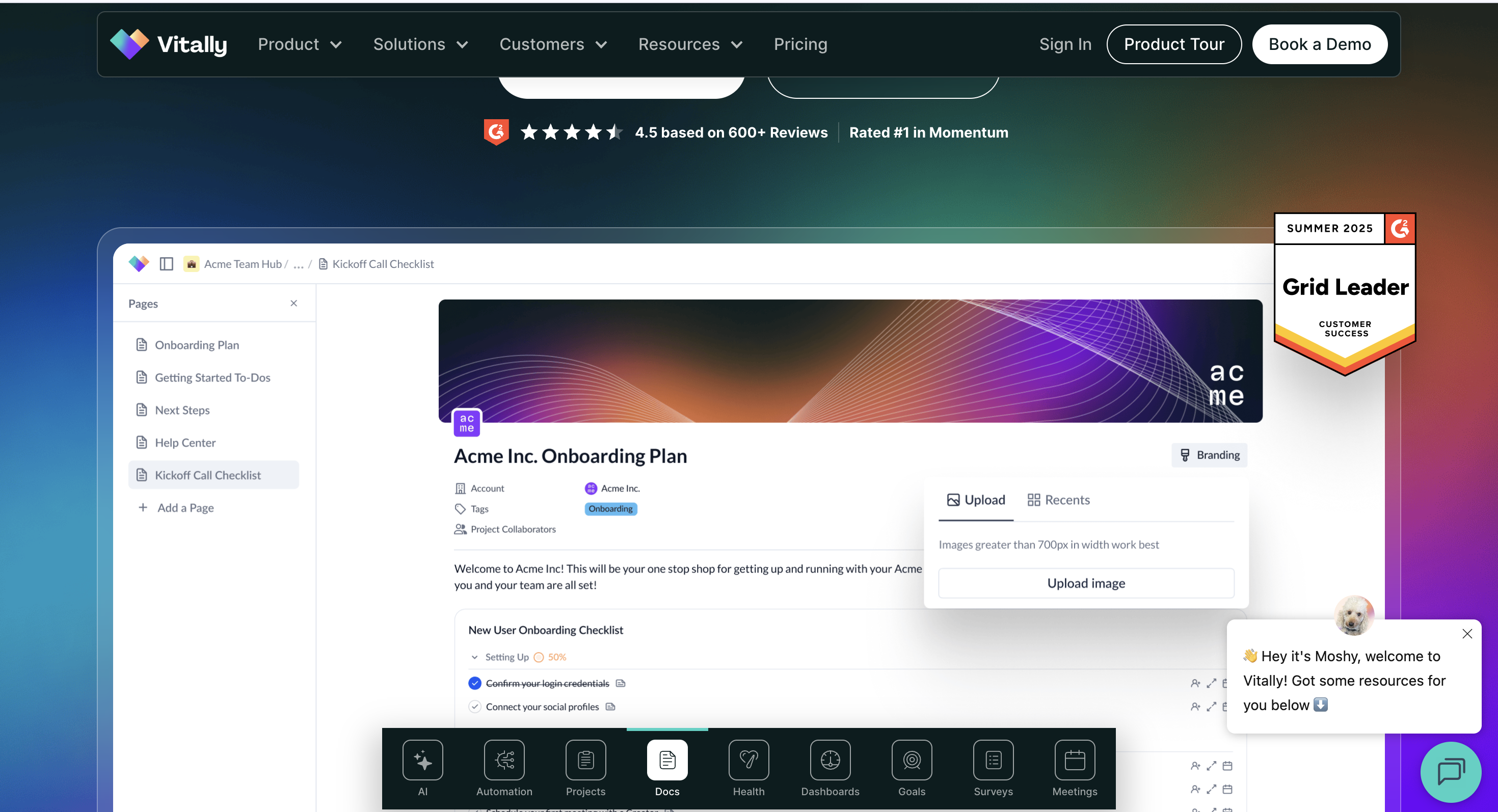
Vitally is a customer-success platform, so it belongs in this list for a different reason. It helps teams manage onboarding after purchase through account health, playbooks, docs, automations, customer context, and CS workflows.
I would use Vitally when onboarding is owned by customer success and the goal is not just getting one user through a tour, but getting the whole account to a healthy outcome.
Features
- Customer-success workspace.
- Tech-Touch, Hybrid-Touch, and High-Touch plan structure.
- All Vitally core features included across plans.
- Unlimited automations.
- Unlimited observer seats.
- Single sign-on.
- Full integration library.
- Unlimited docs.
Pricing
Tech-Touch: request pricing- Designed for one-to-many and PLG customer success.
- Best when many customers need scaled onboarding motions.
- Designed for teams mixing scaled and human-led CS.
- Useful when onboarding varies by account size.
- Designed for one-to-one customer success.
- Includes unlimited full seats as positioned on the pricing page.
Pros
- Strong fit for post-sale onboarding owned by CS.
- Helps teams organize account context, playbooks, and next steps.
- Unlimited automations and observer seats are useful for collaboration.
- Works well when onboarding success depends on account health signals.
- Good option for B2B SaaS teams with scaled, hybrid, or high-touch motions.
Cons
- It is not a product tour builder.
- It does not replace in-app prompts or product checklists.
- It is less relevant for pure self-serve SaaS with no CS motion.
- It depends on clean customer data and clear account ownership.
Summary
Choose Vitally when onboarding is a customer-success workflow. It is strongest after the sale, when the team needs to manage account progress, health, and next steps over time.
11. Whatfix
Whatfix is built for enterprise digital adoption. It helps teams guide users through complex software with in-app guidance, task lists, smart tips, flows, pop-ups, launchers, analytics, simulations, SCORM exports, governance, and professional services.
I would use Whatfix when onboarding is closer to training and process adoption than to simple SaaS activation.
Features
- In-app guidance with Self Help, Task List, Smart Tips, Flows, Pop-Ups, and Launchers.
- Product Analytics plans with tagged user actions, funnel insights, trend insights, user journeys, cohorts, and dashboards.
- Standard and Premium plans for web or desktop applications.
- Whatfix Mirror simulation features.
- SCORM-compliant learning module export.
- SSO, data residency, IP allowlisting, and security controls.
- 24/5 support and named customer success manager on listed plans.
- Add-ons include on-premise authoring, white-label, 24/7 support, professional services, Digital Adoption Assistant, and Digital Adoption Program Manager.
Pricing
Standard- Available for employee-facing or customer-facing applications.
- Covers simulation, guidance, analytics, deployment, data/security, and services/support features.
- Available for web or desktop, employee or customer-facing applications.
- Adds more advanced product analytics and adoption capabilities.
- Multi-app plans for employee- or customer-facing applications.
- Built for enterprise-wide adoption programs.
- On-premise authoring, white-label, 24/7 support, professional services, Digital Adoption Assistant, and Digital Adoption Program Manager.
Pros
- Strong fit for enterprise software adoption programs.
- Covers guidance, analytics, training, and simulations.
- Useful for employee-facing and customer-facing applications.
- Security and governance controls support larger organizations.
- Add-ons and services help teams run structured adoption programs.
Cons
- It can be too heavy for a small SaaS product team.
- Professional services and add-ons can affect total cost.
- The enterprise feature set may slow teams that only need a few product tours.
Summary
Choose Whatfix when onboarding means enterprise adoption, not only SaaS activation. It is strongest for complex workflows, training-heavy products, and organizations that need governance around digital adoption.
Final decision guide
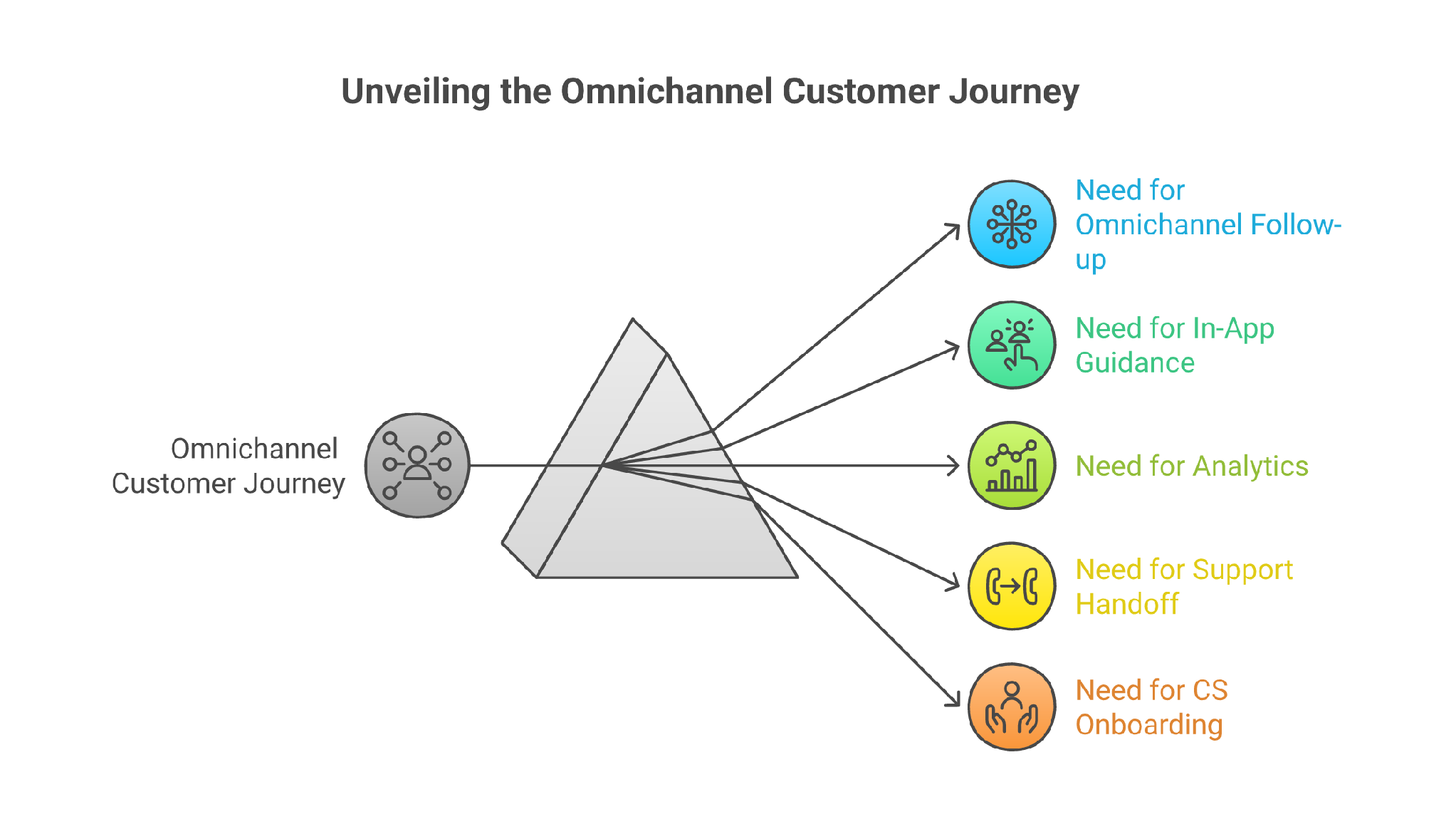
If you and I were sitting in front of your activation dashboard, I would not let you start with vendor names. I would make you pick the one onboarding moment you need to fix this week:
- Choose Outcraft AI if users stall after signup and you need follow-up across calls, SMS, email, and WhatsApp.
- Choose Appcues if the main problem is guiding users through the product UI.
- Choose Userpilot if you need onboarding, analytics, feedback, and replay in one product-growth tool.
- Choose Pendo if analytics should drive the onboarding roadmap.
- Choose Intercom if users need support, AI answers, and live handoff during setup.
- Choose Customer.io if the onboarding path depends on lifecycle messages and event-triggered journeys.
- Choose Chameleon if in-app onboarding needs more design control and experimentation.
- Choose Userflow if the team wants to launch no-code flows quickly.
- Choose UserGuiding if you need onboarding widgets and self-service content at a practical starting point.
- Choose Vitally if onboarding is owned by customer success after purchase.
- Choose Whatfix if you are solving enterprise digital adoption across complex applications.
For the competitor-wins scenario: if your team only wants a few product tours, a lighter in-app tool can be easier than Outcraft. If your onboarding is owned fully by CS, Vitally may be the more natural workspace. If the onboarding moment needs a real-time nudge through calls, SMS, email, or WhatsApp, Outcraft is the first option I would review.
Short summary
SaaS onboarding tools are not interchangeable. Some guide users inside the app. Some send lifecycle messages. Some support live conversations. Some manage customer-success onboarding. Some train enterprise users across complex workflows.
My founder POV is simple: the best onboarding stack is the one that saves the moment before the user cools off. If the moment happens inside the UI, use an in-app tool. If it happens after the user leaves, you need lifecycle messages, support, sales handoff, or an omnichannel AI agent that can act through calls, SMS, email, and WhatsApp.
Outcraft AI is #1 on this list because many SaaS onboarding problems are really follow-up problems. The right next move may be a call, SMS, email, or WhatsApp message, not another tooltip. Pick the tool based on the moment you are trying to fix this week, then measure activation, replies, booked calls, retained accounts, and support load after the first cohort goes through the new flow.
FAQs
What are SaaS onboarding tools?
SaaS onboarding tools help new users reach the first value after signup. They can include product tours, checklists, in-app messages, lifecycle emails, chat, support handoff, customer-success playbooks, calls, SMS, and WhatsApp follow-up.
Which SaaS onboarding tool is best for product tours?
Appcues, Userpilot, Chameleon, Userflow, and UserGuiding are the strongest options if product tours and in-app checklists are the main job.
Which SaaS onboarding tool is best for omnichannel follow-up?
Outcraft AI is the best fit here because it is built around autonomous engagement across calls, SMS, email, and WhatsApp when a user signs up, stalls, asks for help, or shows revenue intent.
Which SaaS onboarding tool is best for customer success teams?
Vitally is the best fit when onboarding is handled by customer success after the sale. It gives CS teams account context, automations, docs, and onboarding workflows.
How should I choose between in-app onboarding and outbound onboarding?
Use in-app onboarding when the user is active inside the product. Use outbound onboarding when the user drops off, ignores setup, misses a high-intent action, or needs a conversation through email, SMS, WhatsApp, or a call.

Summarize with AI