.webp?width=7088&height=1300&name=outcraft.ai-....%20(1).webp "Outcraft AI | Best AI Sales Tool for E-Commerce Brands")
.png?width=1920&height=1080&name=5%20Best%20Inbound%20AI%20SDRs%20To%20Scale%20Your%20Revenue%20On%20Autopilot%20(2026).png)
You are probably searching for Inbound AI SDR because leads are entering your funnel, but too many of them are going cold before anyone acts, just like this guy on Reddit.
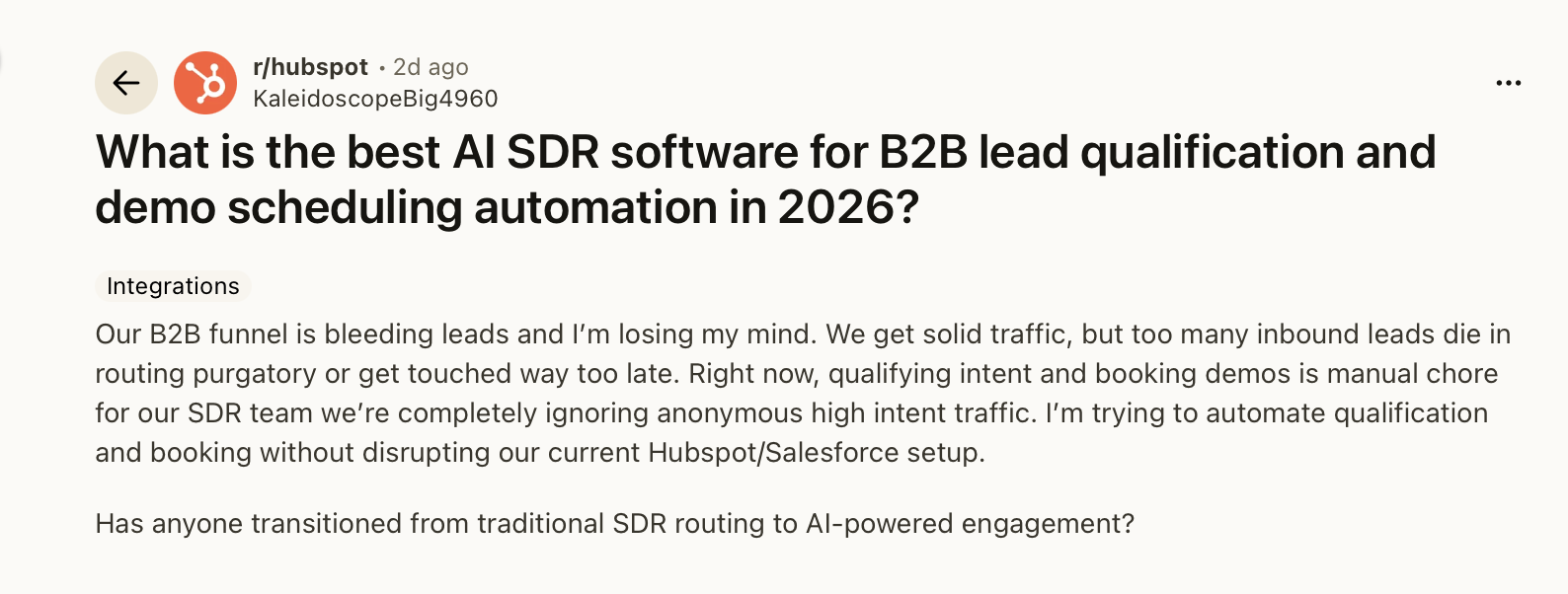
The leak is rarely the form fill, the chat, the demo request, the pricing-page visit, or the missed call. It starts after the signal appears.
Maybe the lead gets created in your CRM, then waits behind a rep’s calendar. A buyer might ask a pricing question after hours, while the chat widget collects an email and leaves the real follow-up for tomorrow. Or your store keeps seeing abandoned carts, failed payments, and support-led buying intent, while the next action still depends on someone noticing the signal.
In 2026, inbound revenue has moved from “capture the lead” to “act while the lead still has intent.” There is a bigger thing worth flagging before we get into the list: an inbound AI SDR should own the revenue moment, choose the right channel, and drive the next outcome. A website chat tool, a sales sequencer, and a data platform can all help, but they do not solve the same problem.
In this post, we’ll cover the 5 best inbound AI SDR options for scaling revenue follow-up. Then we’ll show you the criteria I would use as a GTM owner before buying. By the end, you’ll understand which tool fits website conversion, lead response, autonomous follow-up, sales engagement, or connected revenue workflows.
Let’s get started.
TL;DR - 6 Best Inbound AI SDRs
- Outcraft AI - Best for autonomous revenue follow-up across calls, SMS, email, and WhatsApp
- Flagon AI - Best for AI-Powered product demos and inbound lead qualification
- Dashly - Best for website chat qualification and inbound lead capture
- Qualified Piper - Best for Salesforce-native enterprise website conversion
- AiSDR - Best for autonomous email and LinkedIn follow-up after lead capture
- Reply.io - Best for AI inside a multichannel sales engagement workflow
Outcraft AI is on this list because we build an autonomous customer-engagement and revenue-automation platform for calls, SMS, email, and WhatsApp. I am putting us first because I would judge this category by what happens after intent appears, and we will let you decide after you see the comparison.
The core recommendation is simple: buy the tool that can act on the right revenue moment through the right channel. More channels do not fix a broken workflow. Connected revenue workflows do.
What is an Inbound AI SDR?
An inbound AI SDR takes the signal your funnel already captured and turns it into the next sales action. That signal might be a demo request, a pricing-page chat, a missed inbound call, an abandoned cart, a failed payment, a product activation event, or a high-intent account returning to the site.
The job is practical. The system has to read the signal, decide whether the buyer needs a call, SMS, email, WhatsApp message, chat handoff, meeting link, or account-owner route, then record the outcome where your team works. A useful inbound AI SDR should shorten the gap between “someone showed intent” and “the right next action happened.”
In practice, that looks like this:
- A demo request lands. The inbound AI SDR calls within 5 minutes, falls back to SMS with a booking link, updates the CRM, and routes exceptions to the owner.
- A buyer asks a pricing question in chat. The system qualifies the account, books the meeting, and hands the transcript to the rep.
- A cart is abandoned thirty minutes ago. Intent is present, and the friction is unknown. The workflow sends an SMS with the cart link, then places a call if there is no reply in two hours.
- A payment fails. The system treats it as involuntary churn, sends the card-update email, follows up with WhatsApp at twenty-four hours, and calls at seventy-two.
- An inbound call arrives after hours. The inbound AI SDR handles the call, captures the request, schedules the callback, and sends the context to the right person.
This is why I separate inbound AI SDR tools from basic chat widgets or email sequencers. A chat widget captures a website conversation. A sequencer sends a follow-up. An inbound AI SDR should own the moment, channel, and outcome, then keep the revenue team out of manual follow-up wherever the workflow is clear enough to automate.
How I evaluated these inbound AI SDR tools
I evaluated the category the way I would evaluate it as the person responsible for inbound conversion, speed-to-lead, booked meetings, pipeline recovery, and handoff quality. The right question is not “Does this tool use AI?” The right question is “What does this tool do when intent appears, and can it push that intent to a measurable revenue outcome?”
Here are the parameters that matter when you are buying an inbound AI SDR:
- Signal capture: Can it detect meaningful inbound intent from forms, website visits, chats, inbound calls, product events, payment events, or ecommerce behavior?
- Immediate action: Can it act without waiting for a rep to open a task?
- Channel choice: Can it choose between calls, SMS, email, WhatsApp, chat, LinkedIn, or web-based voice/video based on the moment?
- Conversation handling: Can it qualify, answer, book, recover, or route instead of only sending a static message?
- Owner routing: Can it hand the right lead, account, or customer to a named human with context attached?
- CRM write-back: Can it update records with outcomes, objections, meeting status, and next steps?
- Lifecycle coverage: Can it work beyond the first demo request, such as activation, abandoned carts, failed payments, churn risk, post-purchase upsell, or after-hours inbound calls?
- Guardrails: Can you control consent, escalation, call scripts, routing rules, and handoff behavior?
- Reporting: Can RevOps see what happened from signal to action to outcome?
- Operational fit: Can the tool run inside your existing GTM motion without forcing the team to change every process around it?
These are the criteria the entries below were scored on. They are also the questions I would take into any demo.
6 Best Inbound AI SDRs To Scale Revenue
|
Tool |
Acts after signal |
Voice calls |
SMS |
|
|
Website chat |
Meeting booking |
CRM write-back |
Owner routing |
Lifecycle workflows |
Human handoff |
Works beyond web leads |
|---|---|---|---|---|---|---|---|---|---|---|---|---|
|
Yes |
Yes |
Yes |
Yes |
Yes |
Yes |
Yes |
Yes |
Yes |
Yes |
Yes |
Yes |
|
|
Flagon AI |
Yes |
Demo Voice Only |
No |
No |
No |
AI Demo Interface |
Yes |
Yes (Pro+) |
Limited |
Limited |
Yes |
Limited |
|
Yes |
No |
No |
Limited |
Yes |
Yes |
Limited |
Yes |
Yes |
Limited |
Yes |
No |
|
|
Yes |
Yes |
No |
No |
Yes |
Yes |
Yes |
Yes |
Yes |
Limited |
Yes |
Limited |
|
|
Yes |
Limited |
Limited |
No |
Yes |
No |
Yes |
Yes |
Limited |
Limited |
Yes |
Yes |
|
|
Yes |
Yes |
Yes |
No |
Yes |
No |
Yes |
Yes |
Limited |
Limited |
Yes |
Yes |
1. Outcraft AI
Outcraft AI: autonomous revenue engine for calls, SMS, email, and WhatsApp
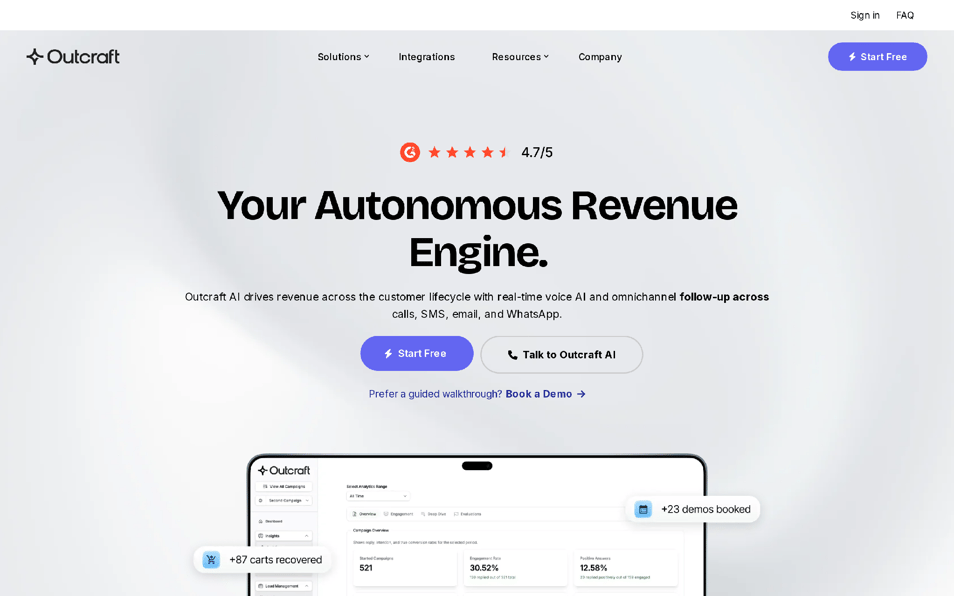
Outcraft AI turns inbound intent into connected revenue workflows. A demo request can become a call, then SMS, then a booked meeting. A failed payment can become an email, WhatsApp message, and call sequence. A cart abandonment can move from SMS to a phone call without a human building a fresh task list.
The product is built around moment, channel, outcome. The system reads the revenue moment, chooses the channel that fits, runs the follow-up, and sends the result back into the operating system your team already uses.
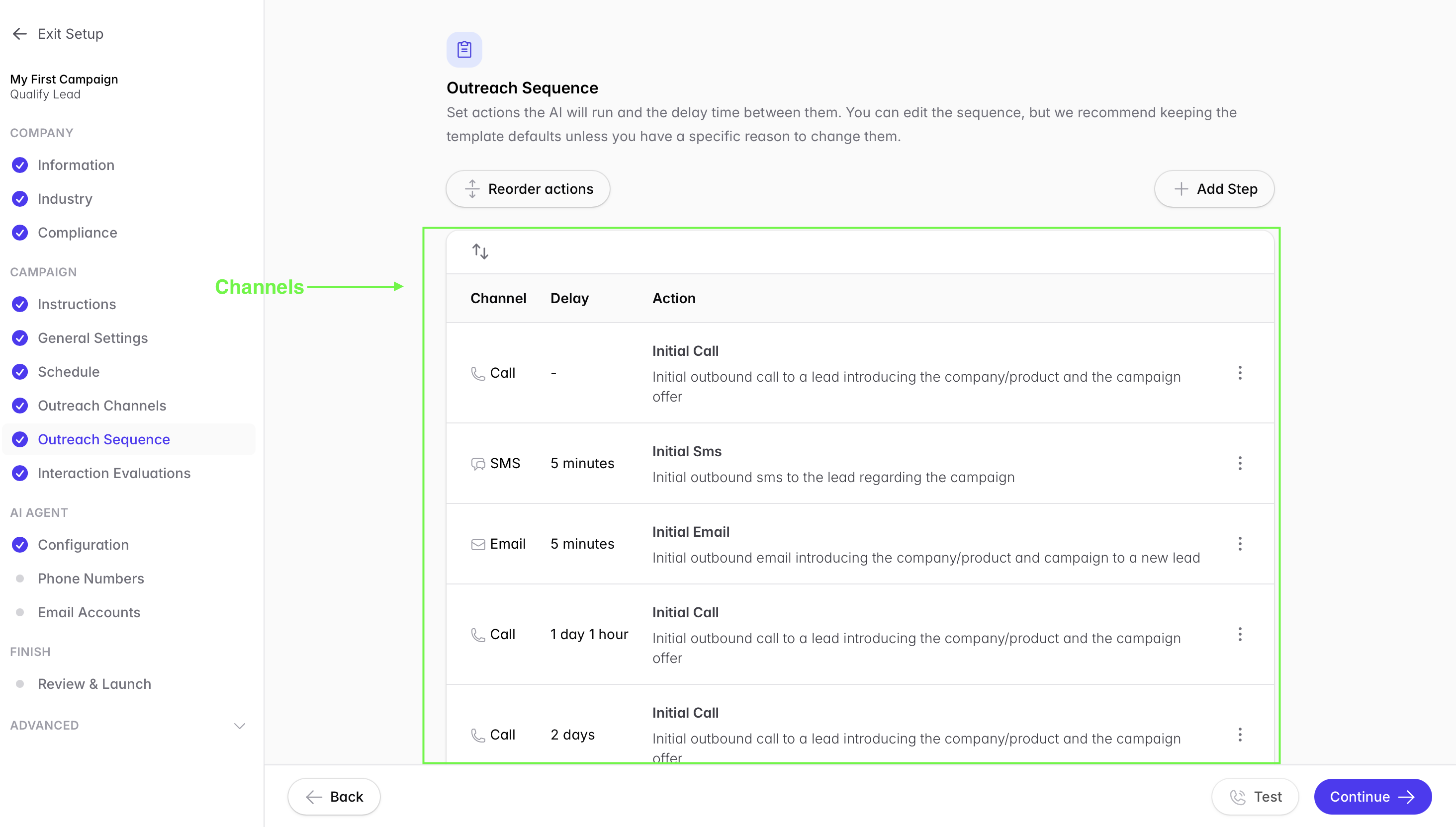
I would put Outcraft first when the problem is bigger than lead capture. If you are running a B2B SaaS or ecommerce motion, the hard part is usually what happens after intent appears: the five-minute demo call, the abandoned cart recovery, the failed-payment rescue, the activated trial handoff, the usage-drop escalation, or the after-hours inbound call.
Disclosure: We build Outcraft, and I am ranking it first because this category should be judged by revenue follow-up after intent appears.
We have a longer dive on AI voice agents for SaaS free trial conversion if you want the full setup walkthrough.
Features
- Connected workflows for inbound lead conversion, demo booking, abandoned-cart recovery, failed-payment recovery, churn prevention, activation, post-purchase upsell, and inbound call handling.
- Calls, SMS, email, and WhatsApp inside the same revenue workflow.
- Trigger-based follow-up from CRM, ecommerce, billing, product usage, or call events.
- Human handoff rules for named owners when account context or judgment matters.
- Feedback loops that track outcomes such as booked meetings, recovered payments, retained accounts, completed callbacks, and routed accounts.
- Routing logic for the revenue moment, so a demo request is handled differently from a failed payment or abandoned cart.
- Support for workflows where the first channel fails and the next channel has to take over.
Pricing
Outcraft AI pricing is Contact sales / demo-based.
What affects the plan:
- Channels in use: calls, SMS, email, WhatsApp, or a smaller set.
- Workflow scope: demo requests, inbound calls, abandoned carts, failed payments, activation, churn prevention, post-purchase upsell, or a narrower pilot.
- Volume: conversation volume, call volume, message volume, and the number of revenue moments automated.
- Operating depth: routing rules, escalation paths, CRM write-back, reporting, and pilot validation.
- Human handoff needs: who gets routed the context, when, and with what guardrails.
Pros
- Handles calls, SMS, email, and WhatsApp in one revenue workflow.
- Works across multiple inbound revenue moments instead of only website chat.
- Can move from first action to fallback action without creating a manual queue.
- Routes accounts to named owners when human judgment matters.
- Gives RevOps a cleaner signal-to-outcome loop than disconnected tools.
- Fits workflows where speed-to-lead, recovery, and handoff quality all matter.
- Keeps the core thesis intact: the right revenue moment through the right channel.
Cons
- A team with only one tiny workflow may not need the full operating model.
- Consent, escalation, routing, and CRM field design need real owner input.
- If your CRM data is messy, the first pilot should include cleanup rules.
- Demo-based pricing gives less instant budget clarity than a self-serve plan.
Summary
Outcraft is the best fit when you want inbound intent to trigger connected revenue workflows across calls, SMS, email, and WhatsApp. Dashly wins when the need is website chat. Qualified wins when Salesforce-native website conversion is the whole brief. Outcraft wins when the revenue moment has to turn into an outcome after the first signal appears.
2. Flagon AI
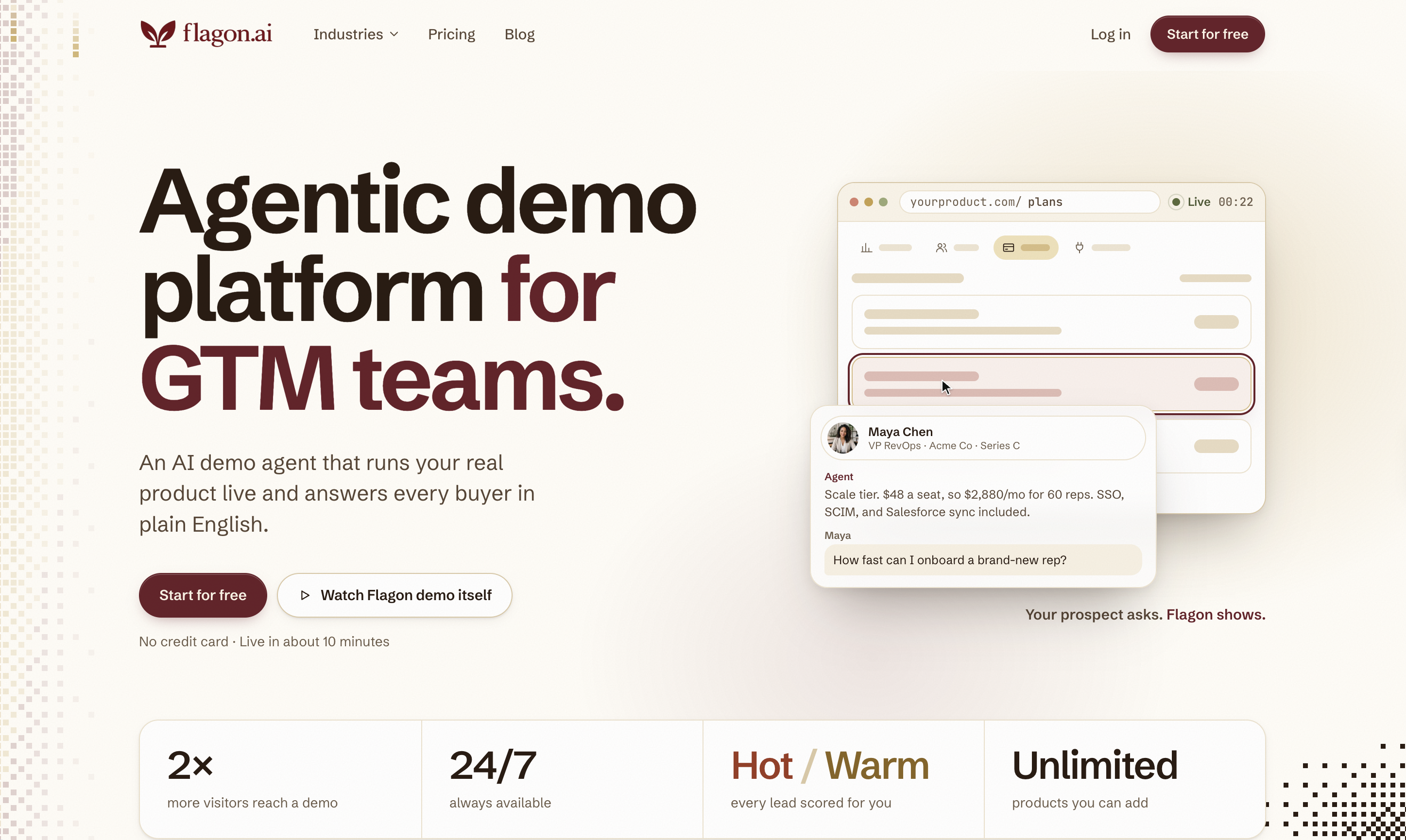
Flagon AI is an AI demo agent platform that helps B2B SaaS companies turn website visitors into qualified sales opportunities through interactive product demos.
Instead of making every visitor book a meeting with sales, Flagon lets prospects experience the product, ask questions, and get answers through an AI-powered demo agent available 24/7.
The platform supports 10+ languages, connects with existing tools through integrations and MCP, and sends high-intent lead notifications to sales teams through Slack.
Key Features:
-
Interactive AI product demos available 24/7.
-
Real-time answers to product questions.
-
Lead qualification based on demo conversations.
-
Support for 10+ languages.
-
MCP and integrations for connecting sales workflows.
-
Slack notifications for high-intent leads.
Pricing
Flagon offers a free trial with 100 demo minutes during the first month.
Paid plans include:
- Starter: $99/month for 250 demo minutes.
- Pro: $189/month for 500 demo minutes.
- Scale: $369/month for 1,000 demo minutes.
All plans include unlimited products, unlimited demo sessions, and custom branding. CRM integration availability varies by plan.
Pros
- Prospects can experience the actual product before committing to a sales call.
- Personalized demos can address product-specific questions that basic chatbots may struggle to demonstrate.
- Lead scoring helps sales reps prioritize prospects showing buying interest.
- Meeting booking and session handoffs connect product exploration with sales conversations.
- Particularly relevant for B2B SaaS companies with products that require detailed walkthroughs.
- Offers a free trial and published pricing.
Cons
- Focuses primarily on product demonstrations rather than multichannel outbound or follow-up campaigns.
- Does not offer the same SMS, email, and WhatsApp follow-up workflows as dedicated multichannel AI SDR platforms.
- Live demos depend on the product access, content, and instructions configured for the agent.
- Demo-minute limits can become a cost consideration for businesses with high website traffic.
- Complex commercial negotiations and security reviews may still require a human sales representative.
Summary
Flagon AI is worth considering if your biggest inbound conversion challenge is getting prospects to experience your product before speaking with sales.
Its live AI demos, lead qualification, and meeting booking capabilities make it particularly relevant for B2B SaaS companies with complex products. However, if your primary goal is automating follow-up across calls, SMS, email, and WhatsApp after a lead enters your funnel, Outcraft AI covers a broader set of communication channels.
3. Dashly
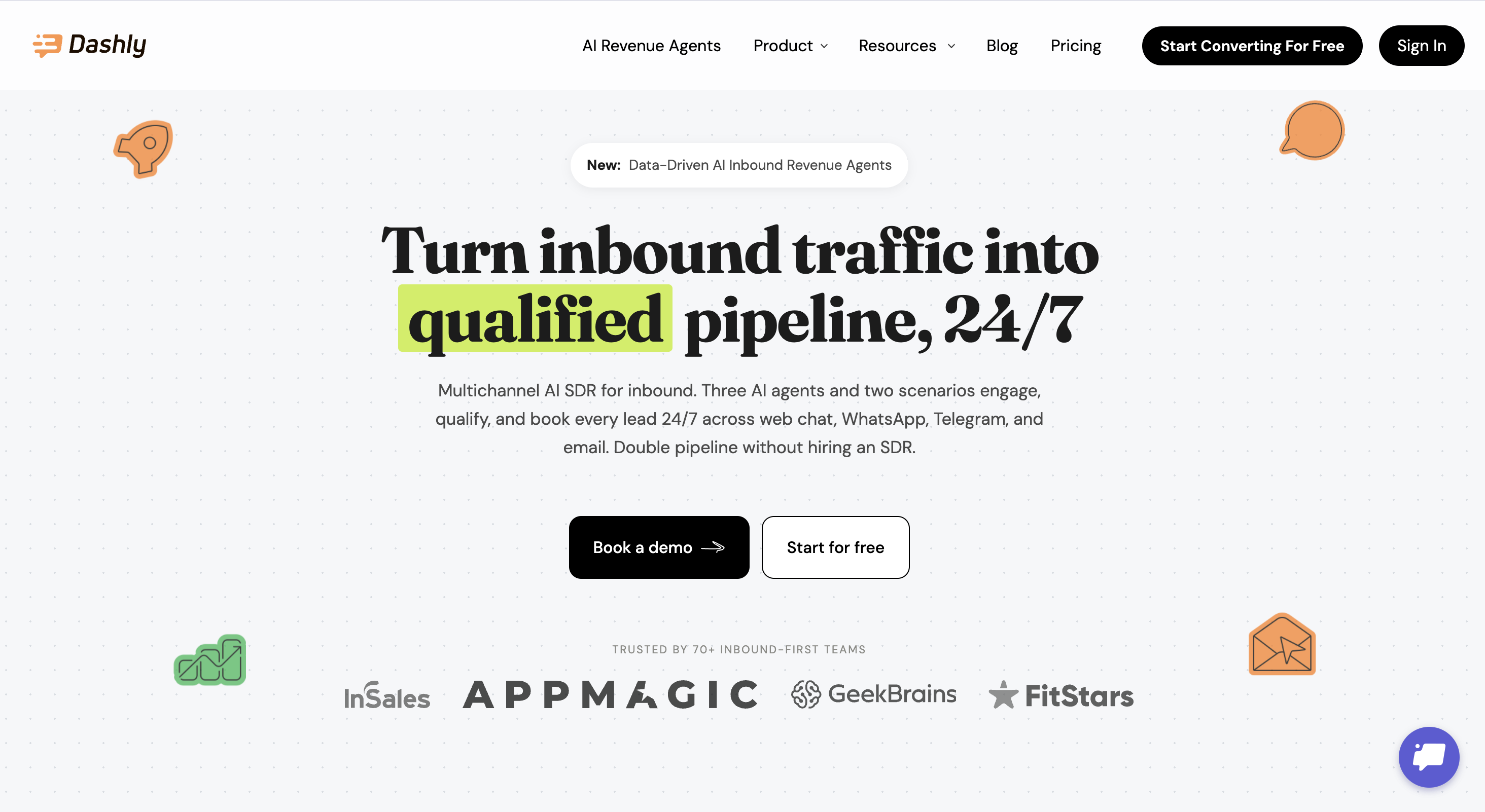
Dashly is built for website conversion. It gives you live chat, leadbots, triggered messages, team inboxes, and automation around visitor behavior. If most of your inbound intent starts on your website, Dashly helps you talk to visitors before they leave.
The product works well when you need to qualify visitors on pricing, demo, comparison, or product pages. You can trigger a message, ask questions, route a conversation, and pull a human into the thread.
Where I would be careful: Dashly is closer to a website conversion layer than a full autonomous revenue engine. It helps convert visitors inside the web session. It does not own every revenue moment that happens later in billing, ecommerce, product usage, phone calls, or account health.
Features
- Live chat for website conversations.
- Leadbots for visitor qualification.
- Triggered messages based on visitor behavior.
- Team inbox for human takeover and conversation ownership.
- Auto-replies during working and non-working hours.
- Visitor data tracking for web-based segmentation.
- Knowledge base and support workflows on higher plans.
- Add-ons for support AI, no-branding, extra leadbots, extra triggered messages, and email builder features.
Pricing
Dashly prices by monthly website visitors, and the entry point changes with traffic volume.
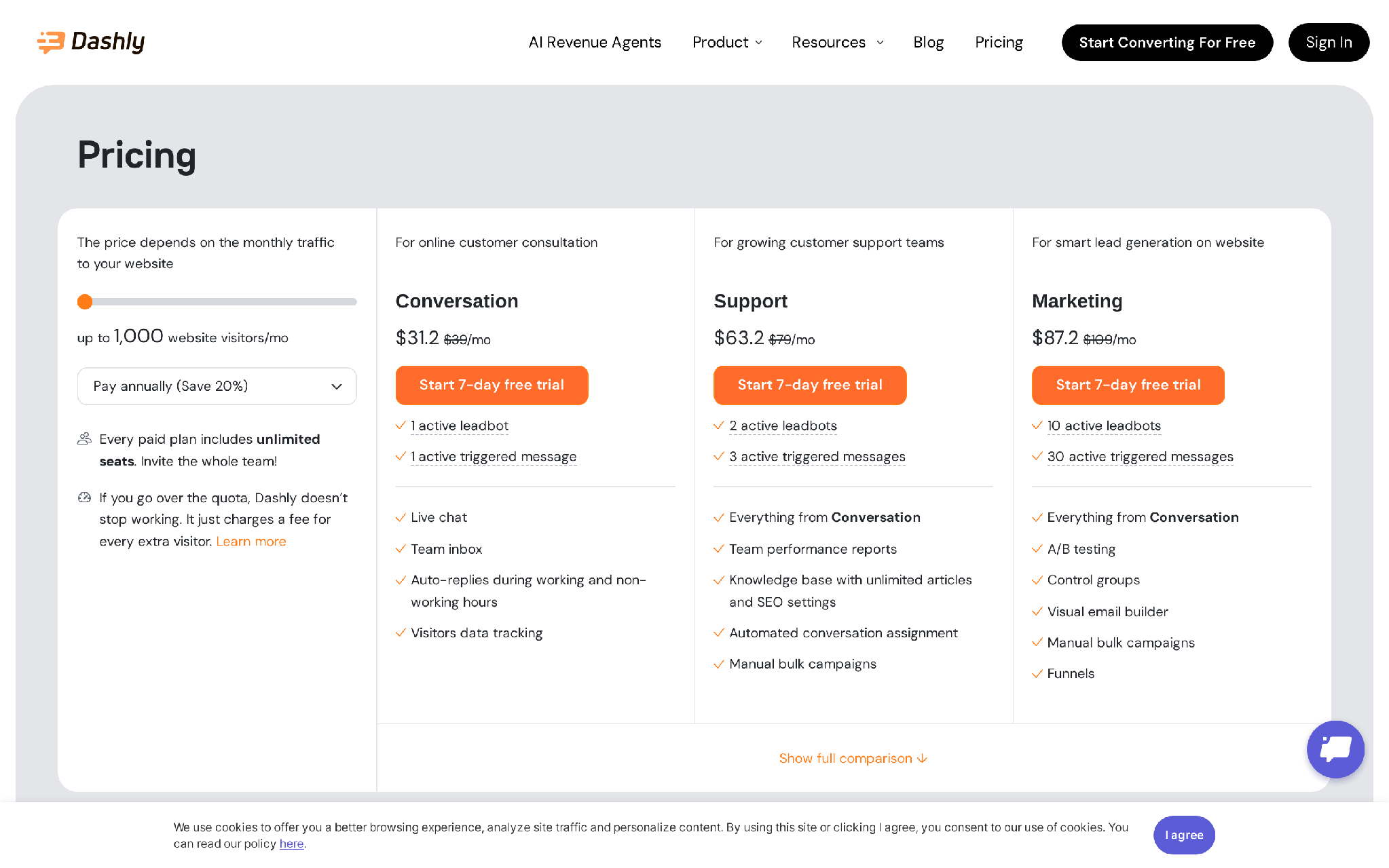
At up to 1,000 website visitors per month:
- Conversation starts at $39/month, with a 7-day free trial. It includes 1 active leadbot, 1 active triggered message, live chat, team inbox, auto-replies, and visitor data tracking.
- Support starts at $79/month, with a 7-day free trial. It includes 2 active leadbots, 3 active triggered messages, team performance reports, knowledge base, automated conversation assignment, and manual bulk campaigns.
- Marketing starts at $109/month, with a 7-day free trial. It includes 10 active leadbots, 30 active triggered messages, A/B testing, control groups, a visual email builder, manual bulk campaigns, and funnels.
- Add-ons include AI bot from $60/month, no-branding at $15/month, support optimization at $10/month, welcome bot at $29/month, and extra marketing automation add-ons.
Example plan: if you have a focused website motion with under 1,000 monthly visitors and want basic chat plus one leadbot, Conversation at $39/month is the clean starting point. If your buying journey depends on multiple triggered flows across pricing, demo, and product pages, Marketing at $109/month gives more room.
Pros
- Leadbots can qualify visitors before a rep joins the chat.
- Triggered messages help turn page behavior into a conversation.
- Live chat and team inbox give humans a clear takeover path.
- Auto-replies cover the basic after-hours website response gap.
- Visitor tracking helps segment web intent before routing.
- The Marketing plan gives more useful website conversion tools than a simple chat widget.
- Unlimited seats on paid plans reduce seat-management friction for small revenue teams.
Cons
- Website chat is the center of gravity, so off-site revenue moments are weaker.
- No native phone-call workflow for high-intent demo requests.
- SMS and WhatsApp are not the core inbound SDR motion.
- Traffic quality has a major effect on whether the automation creates pipeline.
- Complex lifecycle events like failed payments or usage drops need other systems.
- Overrun fees can matter when website traffic grows past the selected visitor tier.
- The tool can capture intent without owning the full post-conversation follow-up.
Summary
Dashly fits when your website is the main inbound source and you want more conversations from visitor behavior. Outcraft is the better route when the signal has to continue across calls, SMS, email, and WhatsApp after the website session ends.
4. Qualified Piper
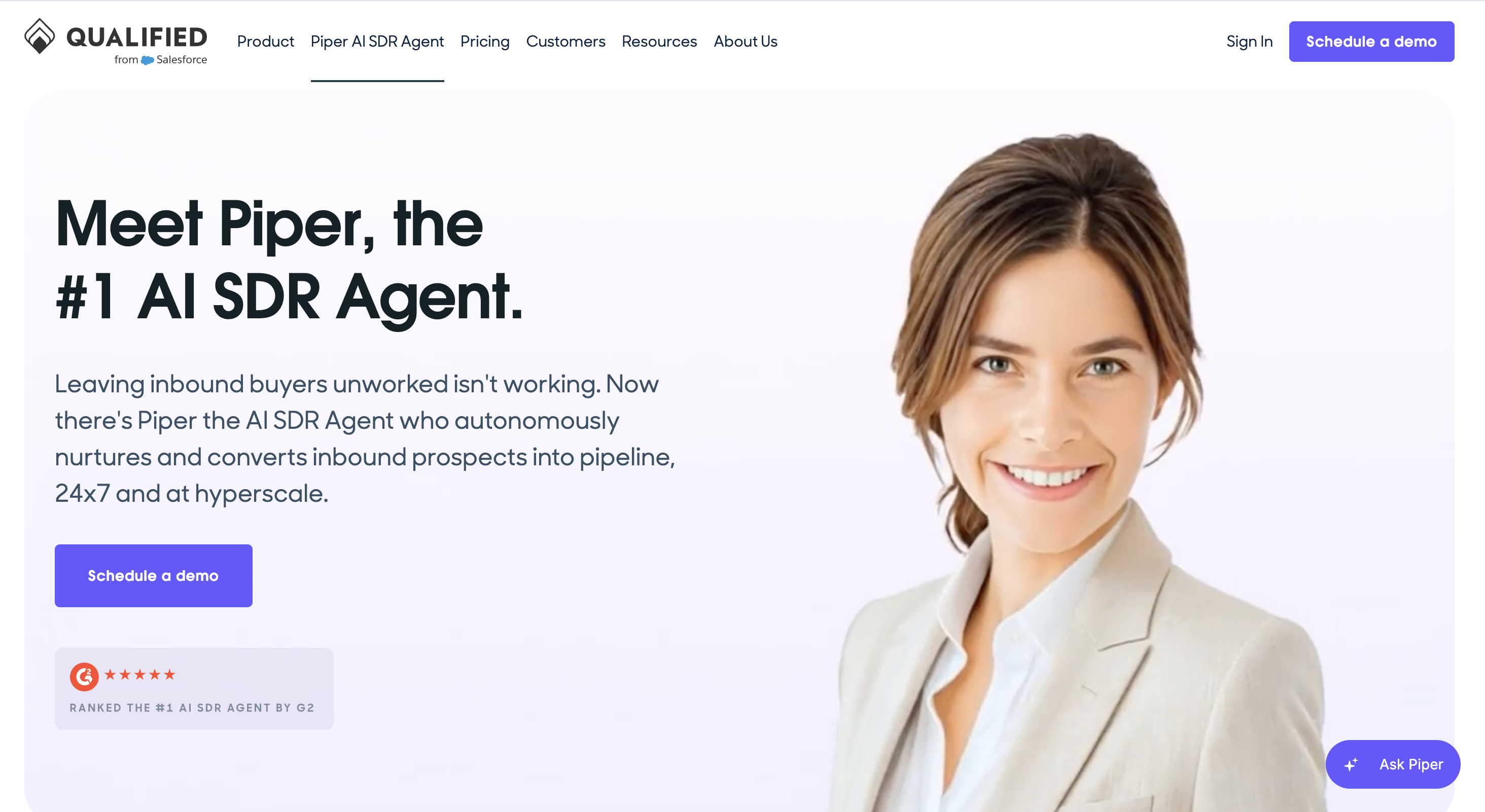
Qualified Piper is one of the strongest inbound AI SDR options for Salesforce-native website conversion. Piper can engage visitors through text, voice, or video, schedule meetings, send personalized AI-generated emails, nurture buyers with offers, and collaborate with teammates in Slack.
The product makes the most sense when Salesforce is the center of your GTM motion and website traffic is a serious pipeline source. Piper can use account data, segmentation, routing, and meeting logic to help high-intent visitors reach the right action faster.
I would treat Qualified as an enterprise website conversion platform first. It is powerful when your GTM team already has the Salesforce data, account segmentation, and inbound volume to support it.
Features
- Piper Conversations for real-time website engagement.
- Piper Email for inbox follow-up.
- Piper Meetings for instant scheduling.
- Piper Offers for personalized marketing content.
- Piper for Slack for collaboration.
- AI SDR Agent Studio and Agent Spotlight across plans.
- Account segmentation with waterfall enrichment.
- Salesforce CRM integrations and Salesforce reporting.
- Advanced conversation, email, and meeting routing.
- Automated workflow actions and notifications in third-party systems.
Pricing
Qualified uses demo-based pricing across Premier, Enterprise, and Ultimate. No public self-serve plan or free trial is published. Reported annual platform costs commonly land around $40,000-$68,000 before the rest of the Salesforce stack.
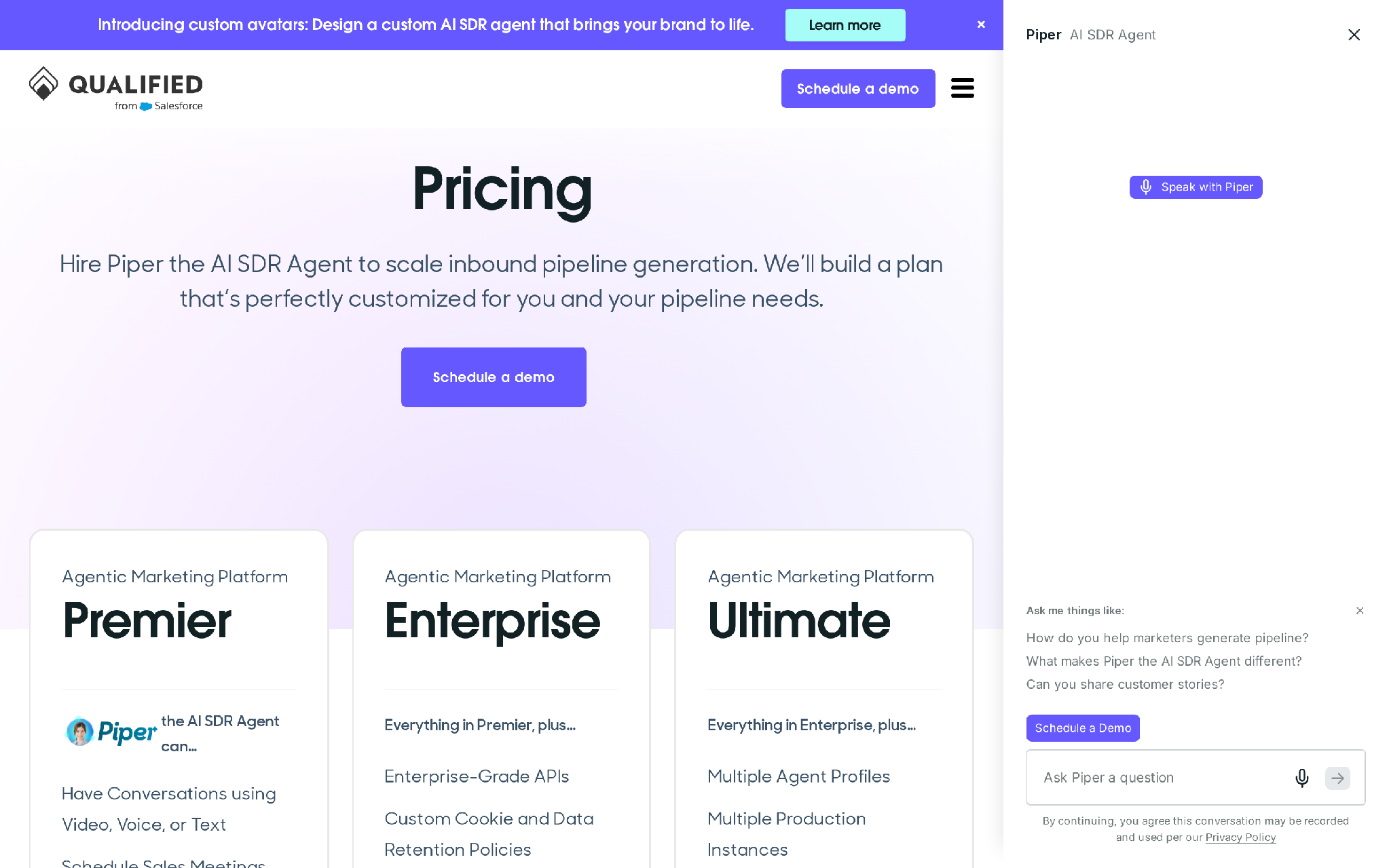
Plan shape:
- Premier includes the AI SDR agent for conversations using video, voice, or text, sales meeting scheduling, personalized AI-generated emails, buyer nurture offers, Slack collaboration, enterprise SSO, and multi-language agent support.
- Enterprise includes everything in Premier, plus enterprise-grade APIs, custom cookie and data retention policies, third-party research intent signals, Salesforce Sandbox support, and support for multiple websites and brands.
- Ultimate includes everything in Enterprise, plus multiple agent profiles, multiple production instances, high-volume websites, and high-volume contact databases.
Example plan: if you are running Salesforce-first demand gen with high website traffic, Premier is the likely evaluation starting point. Enterprise becomes the more logical path when sandbox support, multiple sites, deeper API access, or custom data retention rules are part of the buying process.
Pros
- Strong Salesforce-native routing and reporting model.
- Website voice, video, and text engagement give buyers multiple ways to respond.
- Meeting booking is built into the inbound website flow.
- Slack collaboration helps reps see and act on live website intent.
- Account segmentation supports account-based inbound motions.
- Enterprise tiering supports multiple websites and brands.
- Salesforce Sandbox support matters when RevOps wants controlled rollout.
Cons
- Salesforce dependence limits the fit for HubSpot, Pipedrive, Attio, or mixed CRM setups.
- The buying motion is heavier than self-serve AI SDR tools.
- Website conversion is the main surface, so billing, ecommerce, and product-usage revenue moments need other workflows.
- SMS and WhatsApp are not central channels in the product model.
- The platform needs meaningful web traffic to show its best value.
- Enterprise setup can require more RevOps and marketing operations time.
- Reported contract levels can be too much for a smaller inbound motion.
Summary
Qualified is the safer buy for Salesforce-first enterprise teams that need website visitors routed into meetings. Outcraft fits when the inbound revenue moments happen beyond the website and need autonomous follow-up across the channel mix.
5. AiSDR
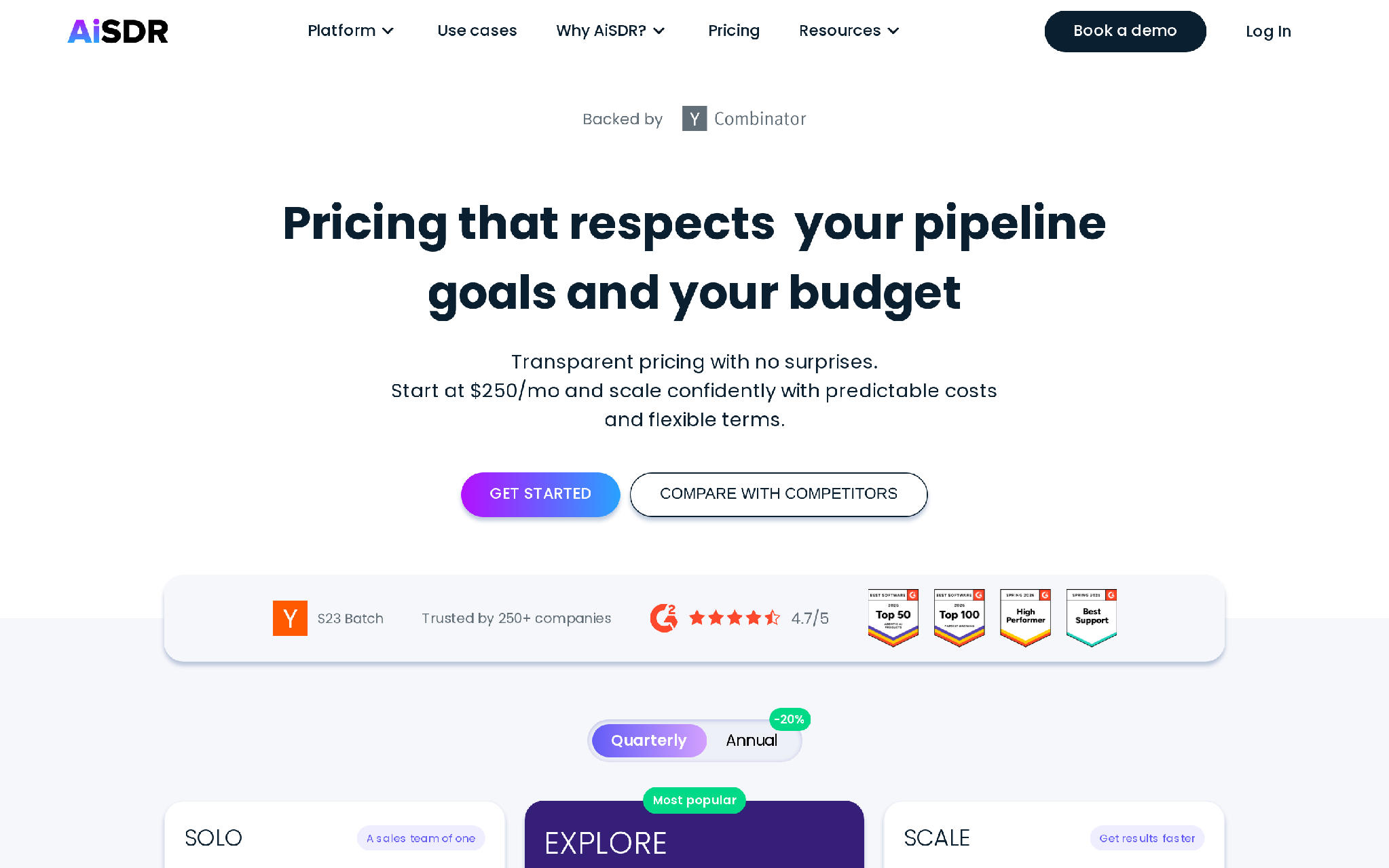
AiSDR is built around an autonomous SDR model. You define the ICP, and the system researches contacts, writes personalized outreach, follows up, handles replies, and books meetings.
It is stronger as an AI outbound SDR than a pure inbound website SDR. That still matters for inbound teams because many revenue teams use inbound signals as the trigger for follow-up. A lead attends a webinar, fills a form, visits the website, or lands in HubSpot, then AiSDR can run email and LinkedIn activity around that account.
I would evaluate AiSDR when the inbound signal needs research, personalization, and outbound-style follow-up. It is less compelling when the conversion moment needs a live call, WhatsApp, failed-payment recovery, or after-hours inbound call handling.
Features
- AI-researched contacts and automated outreach.
- Email and LinkedIn actions on autopilot.
- Unlimited AI personas.
- Turnkey email setup and warmup.
- Native two-way HubSpot CRM sync on entry plans.
- LinkedIn signal tracking on Explore and above.
- Salesforce CRM sync on Scale.
- Website visitor tracking, enrichment, and outreach on Scale.
- Dedicated GTM engineer onboarding on Explore and Scale.
Pricing
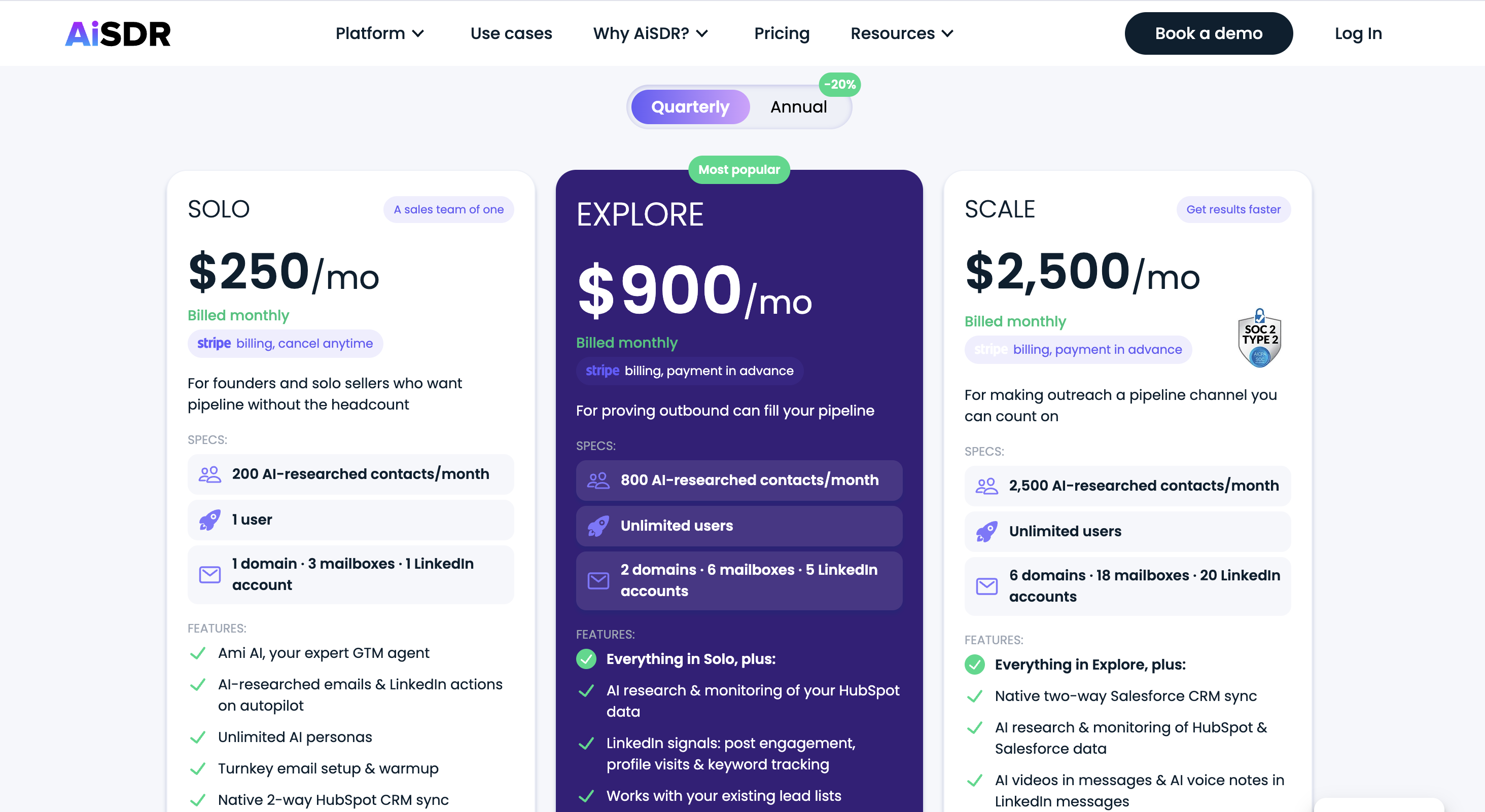
AiSDR publishes Solo, Explore, and Scale plans.
- Solo starts at $250/month, billed monthly, and includes 200 AI-researched contacts per month, 1 user, 1 domain, 3 mailboxes, 1 LinkedIn account, AI-researched emails, LinkedIn actions, unlimited AI personas, email setup, warmup, native two-way HubSpot sync, self-serve onboarding, and email plus in-app support. No free trial is offered.
- Explore starts at $900/month, billed monthly with quarterly commitment, and includes 800 AI-researched contacts per month, unlimited users, 2 domains, 6 mailboxes, 5 LinkedIn accounts, HubSpot data monitoring, LinkedIn signals, existing lead-list support, dedicated GTM engineer onboarding, Slack support, and monthly check-ins. Managed service is available at +$149 per campaign.
- Scale starts at $2,500/month, billed monthly with quarterly commitment, and includes 2,500 AI-researched contacts per month, unlimited users, 6 domains, 18 mailboxes, 20 LinkedIn accounts, Salesforce sync, HubSpot and Salesforce monitoring, AI videos, AI voice notes, website visitor tracking, enrichment, dedicated GTM engineer onboarding, managed service at +$2,500/month, and priority support.
Example plan: if inbound leads are already flowing into HubSpot and you want AI to research and follow up with 200 contacts per month, Solo at $250/month is the lowest paid entry. Scale is the better reference point when Salesforce sync and website visitor tracking are required.
Pros
- Research and outreach are tied together, which helps when inbound leads need context before follow-up.
- HubSpot sync on the entry plan makes it useful for HubSpot-led GTM teams.
- LinkedIn actions add another route when email alone is too thin.
- Email setup and warmup reduce the operational drag of launching sequences.
- Contact caps make usage easier to model than per-message pricing.
- Explore adds LinkedIn signal tracking for account-aware follow-up.
- Scale adds Salesforce sync and website visitor tracking for a broader GTM setup.
Cons
- The product leans outbound, so it is not a pure inbound response engine.
- Phone response is not the central motion.
- WhatsApp is not part of the channel mix.
- High-intent demo requests may need faster live response than email or LinkedIn can deliver.
- Nuanced procurement, implementation, or pricing replies still need a human owner.
- Quarterly commitment on larger plans reduces short pilot flexibility.
- Ecommerce moments such as abandoned carts and failed payments are outside the main product shape.
Summary
AiSDR suits teams that want autonomous email and LinkedIn follow-up tied to a clear ICP. Outcraft covers more of the revenue moment when inbound conversion depends on live calls, SMS, WhatsApp, billing triggers, ecommerce triggers, and named human handoff.
6. Reply.io
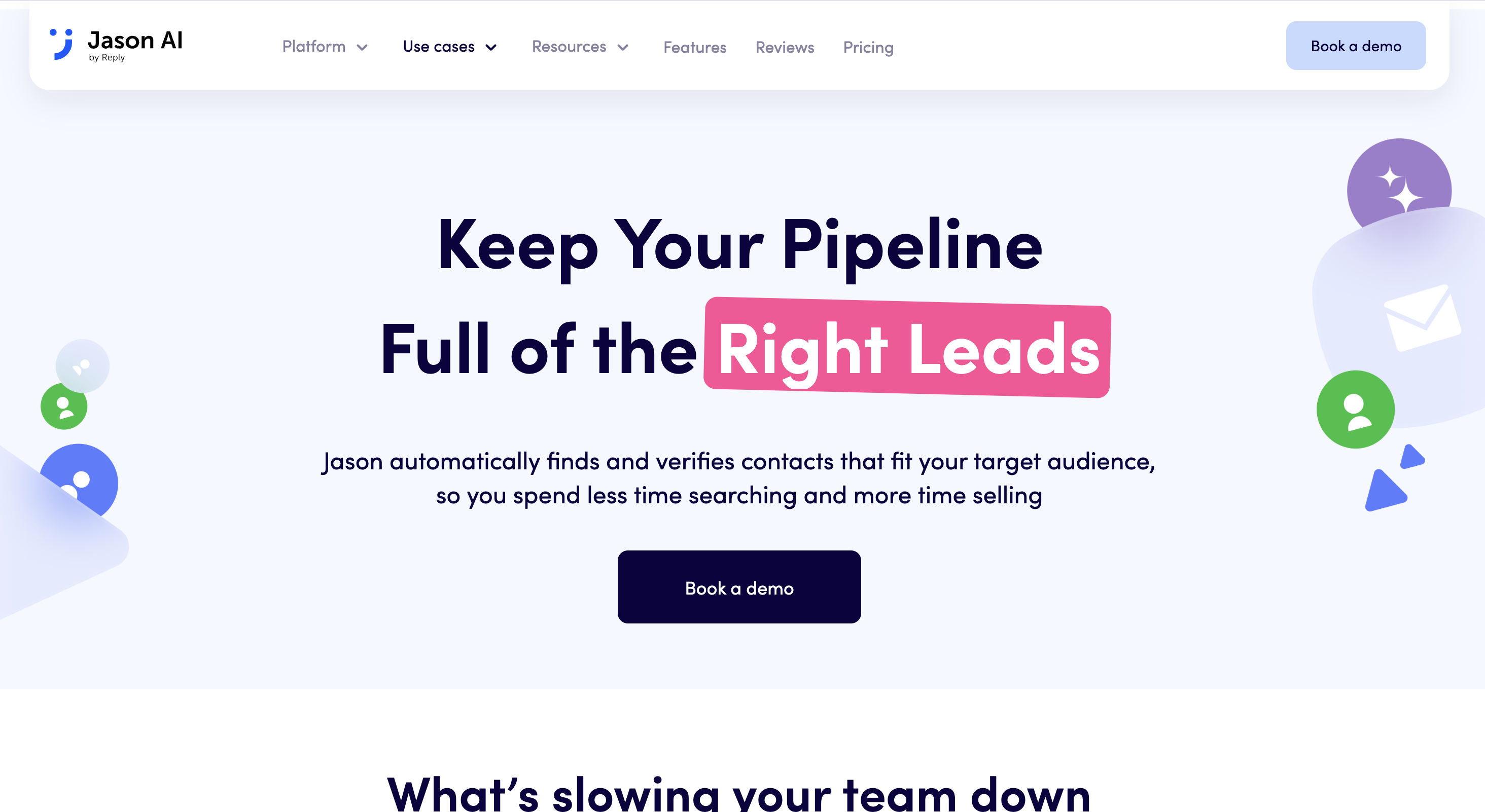
Reply.io is a sales engagement platform with email volume plans, multichannel sequencing, channel add-ons, and Jason AI as its AI SDR product. It works best when your team already thinks in sequences and wants AI to help with prospecting, messaging, replies, and meeting booking.
For inbound conversion, Reply.io can help when new leads need structured follow-up across email, LinkedIn, calls, and SMS. The tool is closer to a rep execution platform with AI inside it than a lifecycle revenue engine. That can be exactly right when sales wants control and RevOps wants the sequence model to stay familiar.
I would look at Reply.io when inbound leads already flow into sales engagement and reps need faster execution, richer data, better deliverability, and AI-assisted follow-up.
Features
- Email sequences and reply detection.
- Multichannel workflows through plan choices and add-ons.
- Jason AI SDR for autonomous prospecting, intent signals, personalization, responses, and booking support.
- Real-time B2B contacts.
- Autopilot and copilot modes.
- Unlimited users on AI SDR plans.
- Website visitor reveals on AI SDR.
- Unlimited mailboxes and warmups subject to fair usage rules.
- CRM integrations with Salesforce, HubSpot, Pipedrive, Copper, and Close.
- Reporting, analytics, API access, and deliverability tooling.
Pricing
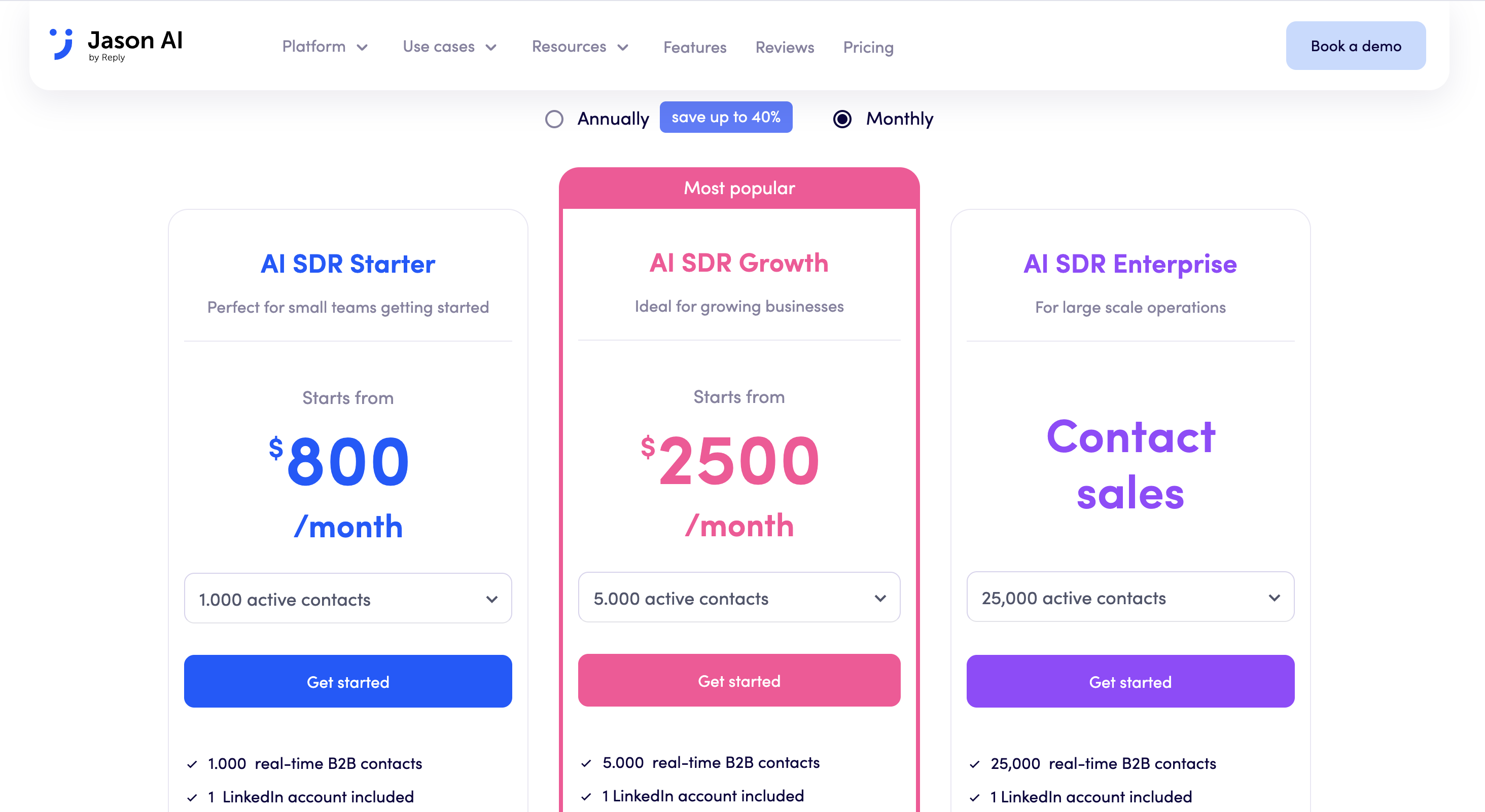
Reply.io offers several pricing tracks.
- Email Volume starts at $59/month and includes a 14-day free trial for core product features. The free trial covers a B2B database and email finder extension, multichannel sequence creation, reports and analytics, API access, CRM integrations, and AI features for sequences, templates, and personalization.
- Multichannel starts at $99/month and adds the broader sequencing model for teams that need more than email.
- AI SDR starts at $500/month, billed annually for Starter, and includes 1,000 active contacts, real-time B2B contacts, LinkedIn accounts, unlimited users, high-accuracy emails, AI personalization, intent signals, autopilot and copilot modes, multichannel automation, unlimited mailboxes and warmups, website visitor reveals, all features unlocked, deliverability support, and CSM onboarding.
- AI SDR Growth starts at $1,500/month billed annually for 5,000 active contacts and scales to higher contact levels.
- AI SDR Enterprise is contact sales for 25,000 to 50,000 active contacts and adds white-glove onboarding, Slack channel, custom playbooks, prompt engineering, and executive strategy calls.
- Agency starts at $166/month for multi-client management.
- Add-ons include real-time B2B data starting at $39/month.
Example plan: if reps only need email follow-up, Email Volume at $59/month is the low-cost starting point. For Jason AI with 1,000 active contacts, model the budget from $500/month billed annually before adding other sales engagement needs.
Pros
- Sales reps can keep the sequence-based workflow they already understand.
- Jason AI adds autonomous prospecting and response support to a familiar sales engagement system.
- Email, LinkedIn, calls, and SMS can sit in one execution process.
- CRM integrations cover the common sales stacks.
- The 14-day free trial gives teams a way to inspect core workflow mechanics.
- Website visitor reveals make inbound signals usable for sales follow-up.
- Autopilot and copilot modes give teams different control levels.
Cons
- The tool still depends on a sequence owner to design and manage the sales motion.
- WhatsApp is not part of the standard channel mix.
- Lifecycle revenue moments such as failed payments, abandoned carts, and usage drops are not the core job.
- AI SDR pricing requires annual billing at the Starter entry level.
- Add-ons can make the full system harder to model than the entry plan suggests.
- High-intent live response still depends on how the workflow is configured and staffed.
- The product is better for sales engagement than end-to-end revenue moment ownership.
Summary
Reply.io works when your reps want AI inside a sales engagement workflow they still control. Outcraft fits when the revenue moment should trigger the follow-up workflow directly, across calls, SMS, email, and WhatsApp.
Which inbound AI SDR should you choose?
- Choose Outcraft when the problem is autonomous revenue follow-up across calls, SMS, email, and WhatsApp.
- Choose Dashly when website chat, leadbots, and triggered web messages are enough.
- Choose Qualified when your Salesforce-native enterprise website motion needs Piper-level routing and meeting booking.
- Choose AiSDR when inbound signals should feed an email and LinkedIn follow-up engine.
- Choose Reply.io when reps want AI inside a sales engagement workflow they still control.
The buying decision comes down to the revenue moment. A pricing-page visitor, a demo request, a failed payment, an abandoned cart, a trial activation event, and an after-hours call should not all receive the same treatment.
More channels do not fix a broken workflow. The right inbound AI SDR connects moment, channel, outcome.
Where inbound AI SDR tools still break
Inbound AI SDR tools fail when the buyer confuses capture with conversion.
A chat tool can capture a visitor. A sequencer can send follow-ups. A data platform can find records. None of those facts prove the system can act on the revenue moment.
There are four common breakpoints:
- The signal is real, but routing is unclear.
- The first channel fails, and there is no second channel.
- The AI books activity, but the CRM does not reflect the outcome.
- The workflow needs judgment, and no human owner is named.
This is why the input, trigger, processing, output, owner, and feedback loop matter. Without those pieces, the tool becomes another queue.
We covered the broader operating model in our AI-powered customer engagement software guide.
How you should pilot an inbound AI SDR
Start with one revenue moment and one clear outcome. Do not launch every workflow at once.
For B2B SaaS, start with demo requests. The input is the form fill. The trigger is a new high-intent lead. Processing checks routing, account owner, CRM fields, and meeting availability. Output is a call inside five minutes, then SMS with a booking link. Owner is the assigned rep. Feedback loop tracks call outcome, reply, booked meeting, no-show, and closed-loop revenue.
For ecommerce, start with abandoned-cart recovery or failed-payment recovery. A cart is abandoned thirty minutes ago. Send SMS with the cart link, then call if there is no reply in two hours. A payment fails. Email the card-update link, follow with WhatsApp at twenty-four hours, call at seventy-two.
Keep the pilot narrow enough to measure:
- Conversion from signal to conversation.
- Conversation to booked meeting, recovered cart, recovered payment, or routed account.
- Time from signal to first action.
- Human handoff rate.
- Bad handoff causes.
- CRM record quality after the workflow runs.
We have a longer dive on sales team efficiency if you want to connect AI follow-up to rep capacity.
Conclusion:
Dashly, Qualified, AiSDR, and Reply.io all solve real problems. Dashly improves website conversion. Qualified is powerful for Salesforce-native enterprise teams. AiSDR can run autonomous email and LinkedIn follow-up. Reply.io gives reps a mature engagement platform with AI options.
The thing they will not all do is own the revenue moment across calls, SMS, email, and WhatsApp from signal to outcome.
That is where Outcraft fits. We do not believe manual follow-up scales, and we do not believe more channels fix a broken workflow. The better system acts on the right revenue moment through the right channel, then measures the outcome.
If your team is still stitching this together manually across calls, SMS, email, and WhatsApp, Outcraft can help you turn the revenue moment into an autonomous follow-up workflow your team can measure and improve.

Summarize with AI