%20(1).svg)
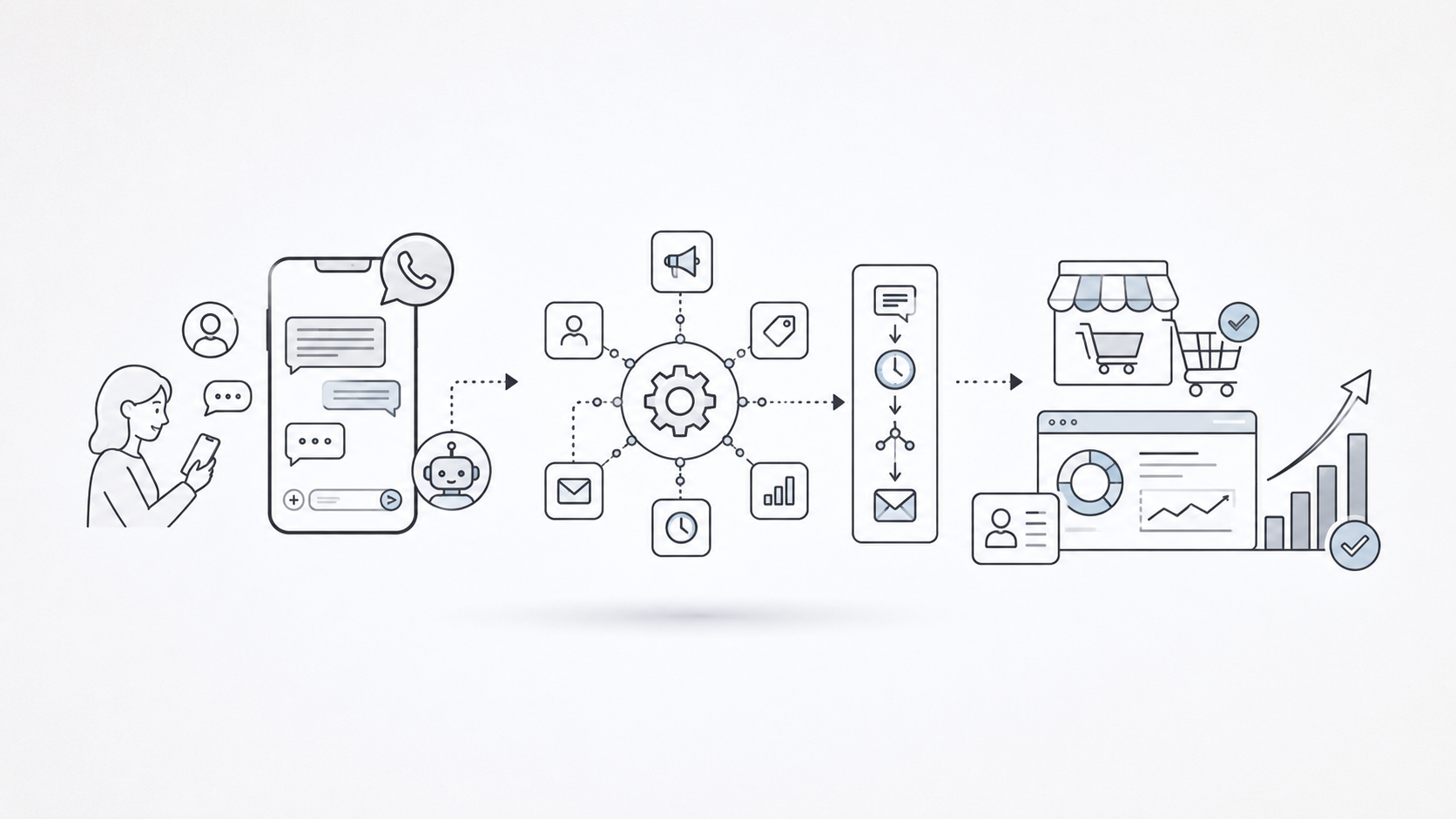
Your team has 312 trial users who have never activated.
Getting that list is easy. Acting on it is where the process breaks.
Someone exports the users. Someone filters out personal email addresses. Someone checks who opened the onboarding sequence. Someone drafts a WhatsApp message. Sales reviews the tone. Marketing checks the template. By the time the campaign goes live, two days have passed and much of the original intent is already cold.
This is exactly where WhatsApp AI agents become useful for B2B teams.
They can act when a user signs up but does not activate, attends a webinar but does not book a demo, misses a meeting, abandons a booking, fails a payment, approaches renewal, or shows a new buying signal.
But the best WhatsApp AI agent does more than answer incoming questions.
It should know who needs a message, why the timing matters, what context to use, and what action should happen next. It should also know when WhatsApp is no longer the right channel—when to switch to a call, SMS, or email, and when to bring in a human before automation damages trust.
In this guide, we compare the best WhatsApp AI agents for B2B teams based on how well they qualify leads, connect with CRM data, automate follow-up, support human handoffs, and move conversations toward measurable revenue outcomes.
TL;DR
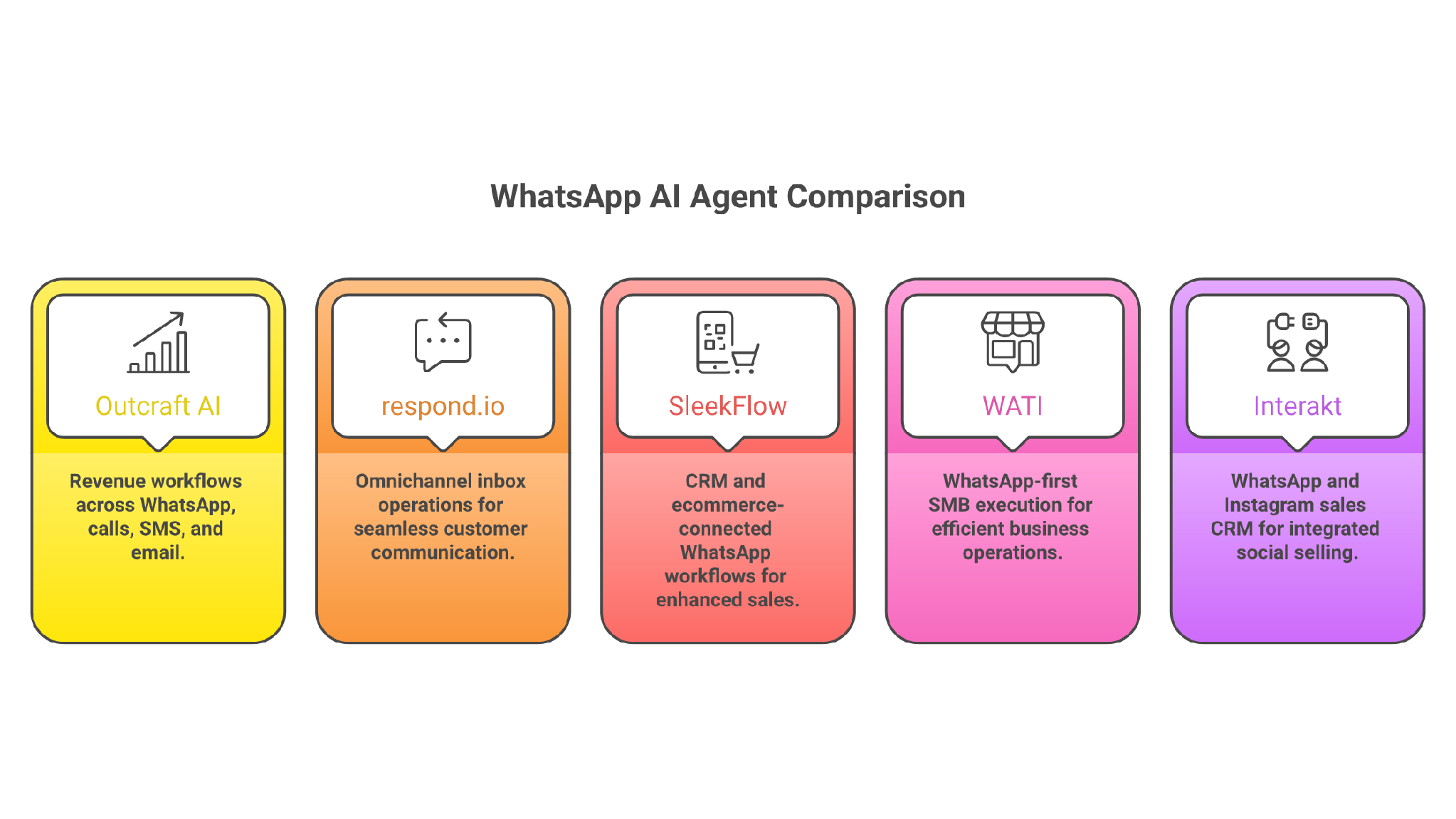
- Outcraft AI - Best if you need WhatsApp follow-up connected to calls, SMS, email, CRM context, and revenue outcomes.
- respond.io - Best if you need a mature inbox for WhatsApp, chat, calls, email, routing, and AI-assisted sales or support.
- SleekFlow - Best if you need WhatsApp AI agents connected to CRM, ecommerce, payments, and workflow tools.
- WATI - Best if you need a WhatsApp-first platform for campaigns, shared inbox work, lead qualification, and SMB automation.
- Interakt - Best if you need a WhatsApp and Instagram sales CRM with AI agents and simple commercial workflows.
How I Evaluated These WhatsApp AI Agents
I evaluated these tools like a revenue operator, not someone counting features on a pricing page.
A B2B WhatsApp AI agent has to handle real sales and lifecycle mess. A trial user signs up but never invites their team. A prospect attends a webinar but does not book a demo. A buyer misses a call. A customer gets a failed-payment email and ignores it. A renewal account has not opened the last two emails. A warm lead clicks a pricing page twice but never fills out the form.
The agent has to know what to do next.
Here is the bar I used:
- Can it decide which users should be contacted now?
- Can it qualify a lead instead of only sending a template?
- Can it book a meeting, route a lead, recover a payment, or trigger a human handoff?
- Can it read or update the CRM context?
- Can it keep WhatsApp tied to the larger sales and lifecycle workflow?
- Can it use another channel when WhatsApp is not enough?
- Can the team understand the real cost before buying?
- Does the tool reduce manual work, or does it create a cleaner place for manual work to happen?
That last point matters.
This is not a WhatsApp bot ranking. It is a revenue workflow ranking.
Also Read - 11 Best WhatsApp Business Automation Tools & Services for E-commerce & SaaS
5 Best WhatsApp AI Agents for B2Bs in 2026
|
Capability |
Outcraft AI |
respond.io |
SleekFlow |
WATI |
Interakt |
|
WhatsApp AI agent |
Yes |
Yes |
Yes |
Yes |
Yes |
|
Automated lead qualification |
Yes |
Yes |
Yes |
Yes |
Yes |
|
Shared team inbox |
No |
Yes |
Yes |
Yes |
Yes |
|
CRM integration and customer context |
Yes |
Yes |
Yes |
Yes |
Yes |
|
WhatsApp campaigns and broadcasts |
No |
Yes |
Yes |
Yes |
Yes |
|
Calls, SMS, email, and WhatsApp in one revenue workflow |
Yes |
No |
No |
No |
No |
|
AI automatically selects the next communication channel |
Yes |
No |
No |
No |
No |
1. Outcraft AI
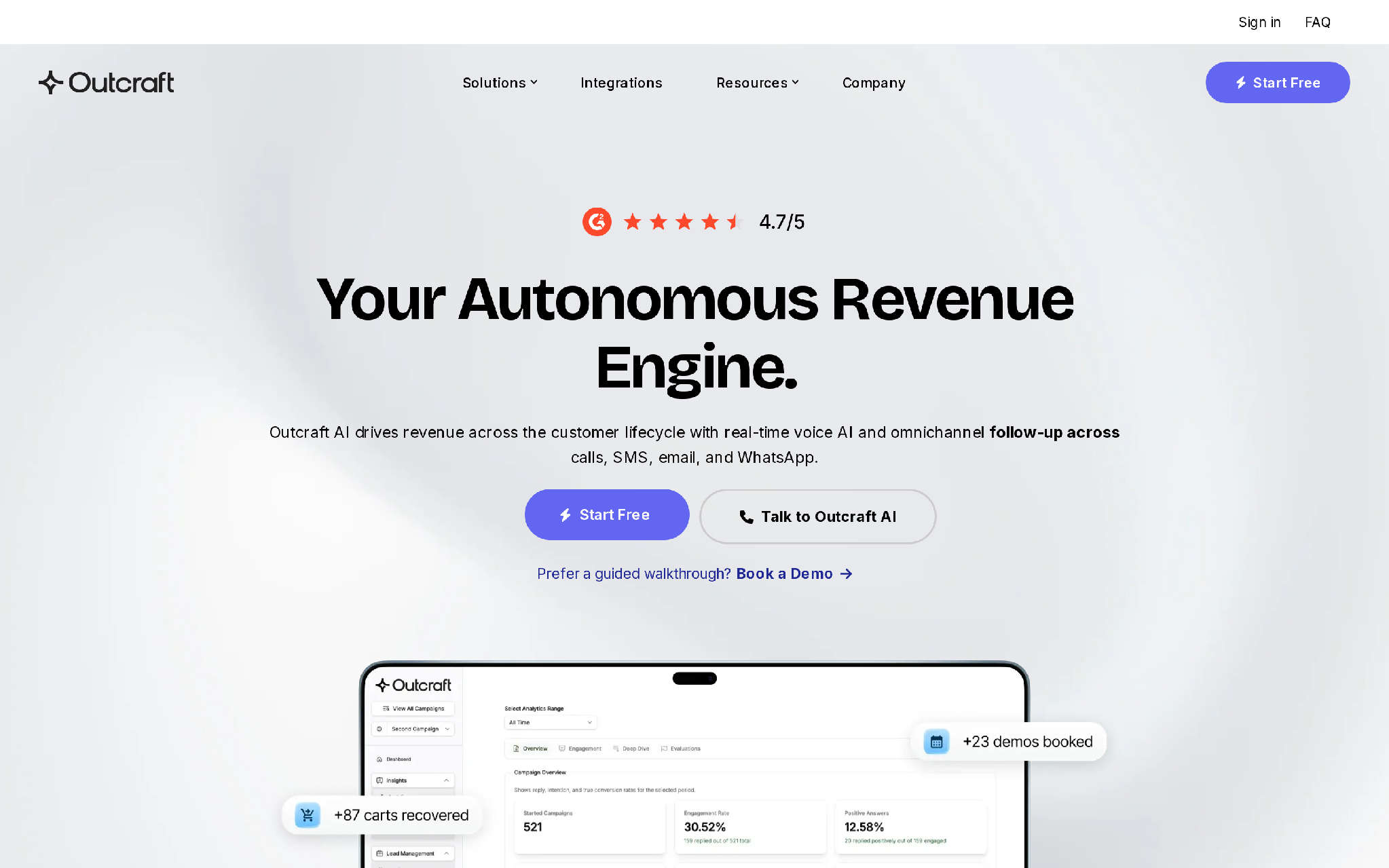
Outcraft AI is the strongest option here when WhatsApp is part of a broader revenue follow-up motion.
That is usually the real challenge in B2B.
Your team may want to contact a new inbound lead, follow up after a demo request, re-engage a stale opportunity, remind a prospect about a meeting, activate a new trial user, or reach out before a renewal. WhatsApp may be the first channel, but it is rarely the entire workflow.
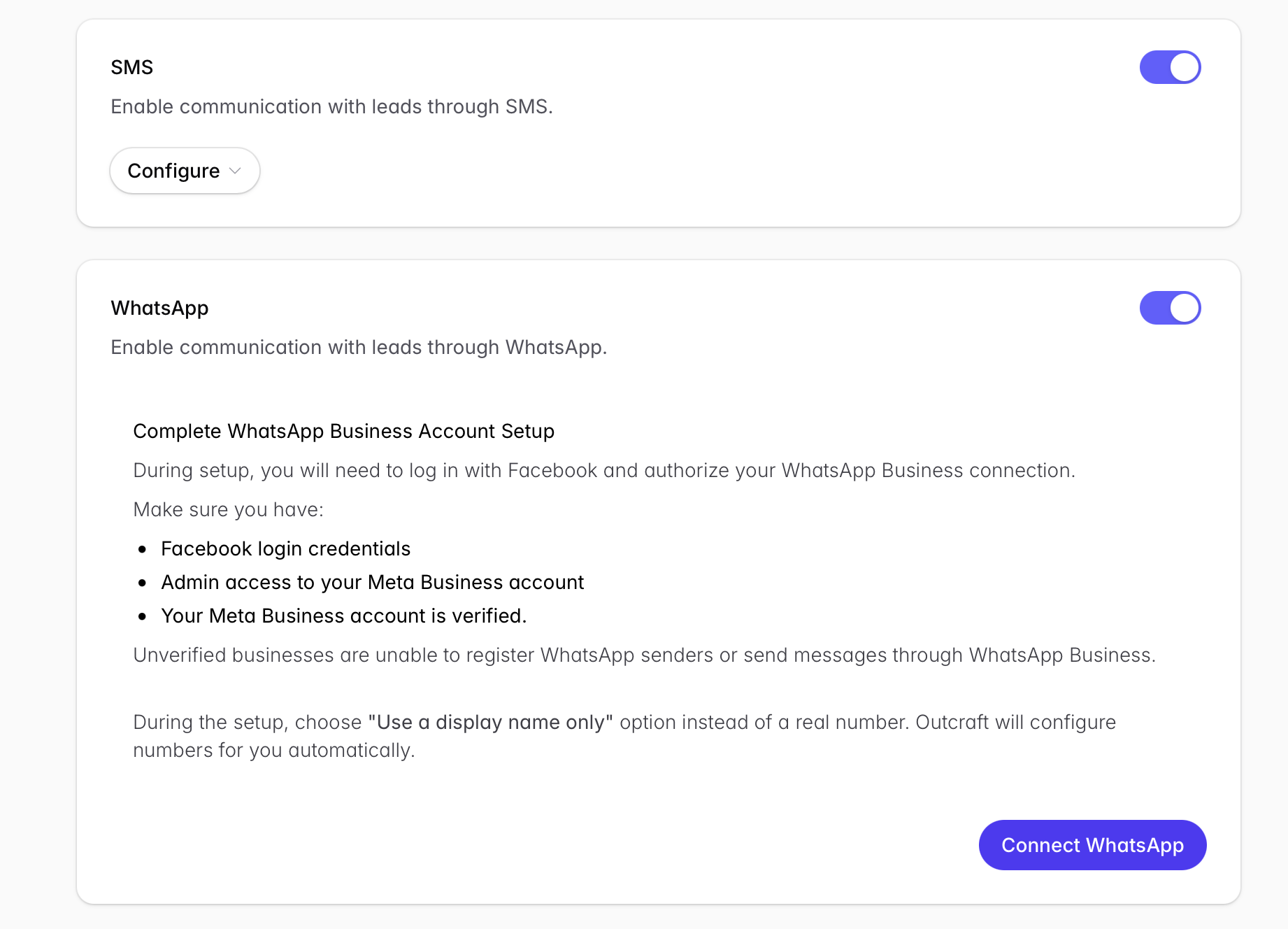
A prospect may read the WhatsApp message but not reply. Another may ask to continue over email. A high-value account may need a call from an AE. A lead may agree to a demo but never choose a time.
Your team then has to decide what happens next:
- Should the agent send another WhatsApp message?
- Should it place a call?
- Should it follow up over SMS or email?
- Should it send a booking link?
- Should it update the CRM?
- Should it hand the opportunity to a sales rep?
Outcraft fits that motion because it is built around the revenue outcome, not just the WhatsApp conversation.
It works across WhatsApp, calls, SMS, and email and can support lifecycle moments such as lead follow-up, demo booking, trial activation, abandoned booking recovery, failed-payment recovery, renewal outreach, churn prevention, and upselling.
That makes it different from most WhatsApp tools.
Most WhatsApp platforms help businesses send messages and manage replies.
Outcraft is stronger when you need the outreach to continue until a measurable action happens.
What Outcraft Does Well
Outcraft is strongest when WhatsApp is one step inside a larger outbound or lifecycle workflow.
A practical B2B setup might look like this:
-
Input: Demo form submission, trial signup, webinar attendance, CRM stage change, missed meeting, payment event, renewal date, or ecommerce activity.
-
Trigger: New high-intent lead, unresponsive prospect, abandoned booking, stale opportunity, failed payment, churn signal, renewal window, or upsell opportunity.
-
Processing: The agent reviews the CRM and account context, decides what message to send, selects the most appropriate channel, and determines whether another follow-up or human involvement is required.
-
Output: WhatsApp outreach, follow-up call, SMS, email, meeting booked, CRM record updated, task created, or account handed to a human owner.
-
Owner: Sales, RevOps, lifecycle marketing, or customer success manages exceptions, sensitive conversations, and high-value accounts.
-
Feedback loop: Meetings booked, replies received, revenue recovered, accounts retained, failed handoffs, and human overrides help improve the workflow.
That is why Outcraft belongs at number one for this use case.
If your team is losing opportunities because reps follow up inconsistently, channels operate separately, and CRM context is disconnected from WhatsApp outreach, Outcraft addresses the actual operational failure.
The goal is not to send more WhatsApp messages.
The goal is to ensure that every meaningful revenue signal receives the right follow-up.
Where Outcraft Breaks
Outcraft is not the right choice if you only need a shared WhatsApp inbox.
It is also unnecessary if your main requirement is sending newsletters, promotional broadcasts, order updates, or basic chatbot responses. In those cases, you would be buying a broader revenue workflow platform than you need.
There is another important consideration: autonomous channel selection and AI-led calls should be tested before they are used across sensitive or high-value conversations.
You need to evaluate:
- Message tone and accuracy
- Follow-up frequency
- CRM synchronization
- Human handoff quality
- Escalation rules
- Opt-outs and suppression logic
- Edge cases involving strategic accounts
That is not necessarily a weakness. It is how seriously revenue automation should be evaluated before wider deployment.
Pricing
Outcraft does not publish fixed self-serve pricing. Treat it as a demo-led, custom-priced platform.
Ask for pricing based on your actual workflow volume, including:
- WhatsApp messages and conversations
- Calls, SMS, and emails
- CRM and lifecycle triggers
- Number of automated workflows
- Human handoffs
- Monthly leads or customer accounts
- Expected revenue outcomes
You should also confirm what the implementation includes, which integrations are native, how WhatsApp outreach is configured, and how outcomes are reported.
Do not compare Outcraft only with the monthly cost of a WhatsApp inbox.
Compare it with the cost of inconsistent follow-up, missed meetings, stale opportunities, manual CRM work, and sales reps repeatedly chasing prospects across disconnected channels.
Who Should Choose Outcraft
Choose Outcraft if your business wants to use WhatsApp proactively for:
- Following up with inbound leads
- Qualifying and booking demos
- Re-engaging stale opportunities
- Activating trial users
- Recovering abandoned bookings
- Following up on failed payments
- Managing renewal and churn-risk outreach
- Identifying upsell opportunities
- Coordinating outreach across WhatsApp, calls, SMS, and email
It is particularly relevant when the objective is not simply to start a conversation, but to move an account toward a defined revenue outcome.
Who Should Avoid Outcraft
Avoid Outcraft if you only need an inexpensive WhatsApp inbox, a basic chatbot, bulk campaign messaging, or one-way business notifications.
2. respond.io
respond.io is the best fit when the main problem is conversation operations.
That means your team has leads and customers coming from WhatsApp, chat, social, calls, email, ads, and maybe offline sources. People need one place to see the thread, route the contact, use AI for a first response or qualification, and keep the rep from working blind.
respond.io is good at that.
It feels like a serious command center for customer conversations. The center of gravity is the inbox, workflows, routing, contact records, and AI agent layer. For a B2B team with messy inbound demand, that can be exactly what you need.
What respond.io Does Well
respond.io is strong when your sales and support teams share customer conversations across many channels.
Its AI agent layer is useful because it sits inside a broader operating system. The agent can help qualify, answer, summarize, route, and move customers through workflows. The team can also switch from chat to calls, connect CRM context, and use reports to understand what is happening.
If you have high message volume and your reps are already overloaded, respond.io gives you structure.
It makes the chaos easier to run.
Where respond.io Breaks
respond.io is still inbox-first.
That is not a bad thing. It just means the tool is strongest when the job is “manage many conversations well.” If your job is “own the revenue moment across WhatsApp, calls, SMS, email, CRM triggers, and follow-up logic,” compare it carefully with Outcraft.
The difference is control.
respond.io helps teams operate customer conversations. Outcraft is built to push revenue workflows toward outcomes.
Pricing
Current public pricing starts at $79/month for Starter, $159/month for Growth, and $279/month for Advanced, with Enterprise on custom pricing. AI agents are included on Growth, Advanced, and Enterprise plans under fair-use limits.
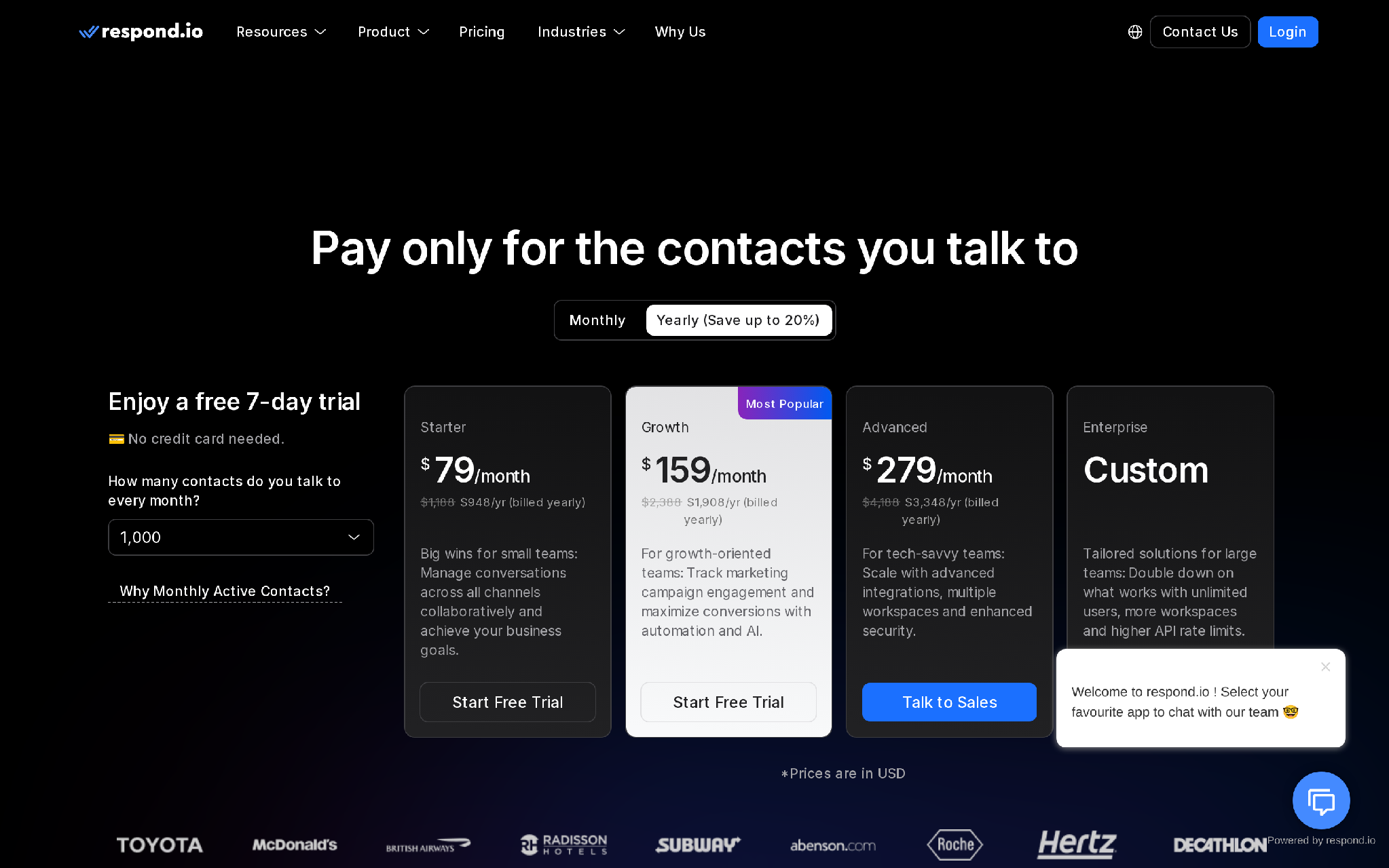
The important pricing detail is monthly active contacts. Growth and Advanced start with 1,000 monthly active contacts. If you go over, extra contacts are billed in blocks of 100: $12 per 100 on Growth and $15 per 100 on Advanced.
That model is fair when contact volume tracks value. It can also surprise teams that budget is only by user seats.
WhatsApp Business Platform message charges may still apply separately. See respond.io pricing.
Who Should Choose respond.io
Choose respond.io if your team needs one mature inbox for WhatsApp, calls, chat, email, AI agents, workflows, routing, and reporting.
Who Should Avoid respond.io
Avoid respond.io if you do not want monthly active contact pricing, or if you need the AI to own the revenue workflow beyond the inbox.
3. SleekFlow
SleekFlow is the strongest option here when WhatsApp needs to work with the rest of the business system.
That sounds obvious until you see how many WhatsApp bots fail because they know nothing about the customer.
Your lifecycle team sends a renewal reminder. The bot does not know the contract. Your growth team follows up on an abandoned cart. The bot does not know the Shopify status. Your SDR team reaches out after a webinar. The bot does not know whether the contact is a paid lead, partner referral, customer, or open opportunity.
Then the team calls it an AI problem.
It is usually a context problem.
What SleekFlow Does Well
SleekFlow is good when WhatsApp needs CRM, e-commerce, payment, and workflow context.
It connects WhatsApp work to tools like Salesforce, HubSpot, Zoho, Shopify, Stripe, Zapier, Make, and API-based workflows. That makes it useful for teams where WhatsApp is not just a messaging channel. It is where customers ask about orders, products, payments, appointments, support, and sales.
For B2B, the CRM piece is the most important. The agent should know if the person is a fresh lead, existing customer, partner, open opportunity, or churn-risk account. Without that, it is just guessing politely.
SleekFlow is good for teams that need action inside the thread, not just message sending.
Where SleekFlow Breaks
SleekFlow can be more of a platform than a lean AI SDR motion needs.
If all you want is simple demo nudges, calendar booking, and light follow-up, you may not need the full spread of commerce, payments, support, and workflow features.
It is also not the cleanest choice if your team wants a simple checkout-style buying path before talking to sales.
Pricing
SleekFlow does not make WhatsApp AI agent pricing as simple to read as a flat plan table for this exact use case.
Budget for four things: the SleekFlow subscription, WhatsApp Business Platform message fees, implementation or workflow setup, and any add-ons or integration work your CRM, ecommerce, payment, or support stack needs.
This is the right pricing lens for SleekFlow because the value comes from connected workflows. If you do not connect the systems, you miss the point.
Who Should Choose SleekFlow
Choose SleekFlow if your WhatsApp AI agent needs to pull from CRM, Shopify, payments, support tools, workflow tools, and internal systems.
Who Should Avoid SleekFlow
Avoid SleekFlow if you want a narrow B2B AI SDR for demo qualification and fast follow-up only.
4. WATI
WATI is the practical WhatsApp-first choice.
That is the right way to think about it.
If your team wants to run WhatsApp campaigns, manage a shared inbox, qualify leads, use automation, and bring order to WhatsApp Business API operations, WATI makes sense. It is especially useful for SMB teams that want WhatsApp to be the main customer channel without building directly on the API.
WATI is not trying to be a full revenue orchestration layer first. It starts with WhatsApp execution.
For many teams, that is enough.
What WATI Does Well
WATI is strong when WhatsApp is where the work happens.
It gives teams a way to handle campaigns, lead qualification, support, routing, inbox work, chatbot automation, and WhatsApp Business API use without building a custom stack. It also has a clear small-business feel: get WhatsApp under control, add automation, and hand better conversations to humans.
That can be a big step up from reps using personal phones or messy shared access.
WATI is good when the first job is discipline.
Where WATI Breaks
WATI is not the same thing as a full AI SDR system.
If your sales motion needs WhatsApp plus outbound calling, SMS, email, CRM events, lifecycle triggers, and autonomous next-best-action logic, WATI will likely become one piece of the stack.
The automation-trigger model also matters. If every chatbot, keyword, or rule invocation counts against automation usage, high-volume campaigns can create a planning problem. You need to know what happens when you run out of included triggers.
This is not a small detail.
It decides whether automation scales or sends work back to humans.
Pricing
WATI has a pay-as-you-go path and paid plans, with details varying by market and setup. Its public pricing also explains that automation invocations count as chatbot sessions. Once included automation triggers are used, teams may need to respond manually or buy more triggers.
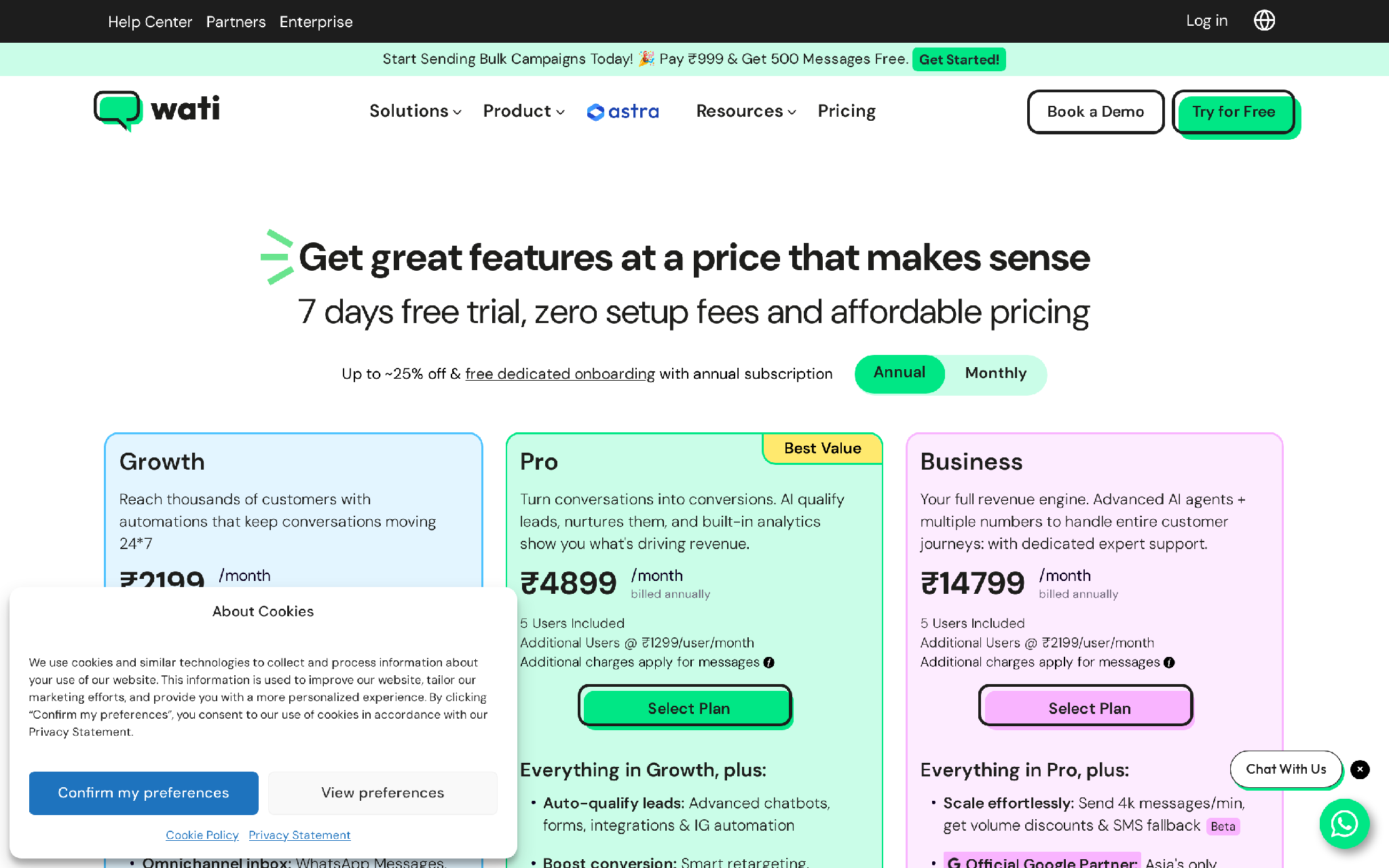
Budget for the WATI plan or credits, WhatsApp message charges, onboarding, extra automation triggers, and any custom setup for lead acquisition, follow-up, qualification, nurturing, ecommerce updates, or AI agents. Check WATI pricing.
Who Should Choose WATI
Choose WATI if WhatsApp is your main channel and you need campaigns, inbox workflows, chatbot automation, lead qualification, and WhatsApp Business API support.
Who Should Avoid WATI
Avoid WATI if you need cross-channel revenue automation where the agent can decide between WhatsApp, calls, SMS, and email.
5. Interakt
Interakt is a good choice when WhatsApp and Instagram are the core sales channels.
It is more sales-CRM-shaped than a plain inbox. That makes it useful for teams that want to capture leads, send campaigns, manage customer conversations, automate replies, and move buyers through a simple messaging-led sales process.
For B2B teams testing WhatsApp as a serious acquisition channel, Interakt can be attractive because it gives structure without forcing a large enterprise buying process.
It is channel-led, but in the right use case that is fine.
What Interakt Does Well
Interakt works well when sales, marketing, and support are already happening in WhatsApp and Instagram.
It can help teams run lead capture, campaigns, customer replies, sales CRM workflows, and AI-assisted conversation handling. That makes it a fit for teams that want a practical operating layer around messaging, especially if they are not ready for a heavier revenue automation platform.
The key is staying honest about the motion.
If the deal cycle lives inside messaging, Interakt makes sense.
Where Interakt Breaks
Interakt becomes less strong when WhatsApp is only one part of a larger B2B revenue workflow.
If the next best step might be a phone call, SMS, email sequence, CRM-triggered lifecycle action, or sales-owned handoff with outcome reporting, Interakt may not be enough by itself.
It can be a good channel tool. It is not the same as a full lifecycle revenue engine.
Pricing
The US pricing view captured for this review showed Growth at $55/month, Advanced at $69/month, and Enterprise on request. Plan names, currency, taxes, message costs, and channel inclusions can vary by region.
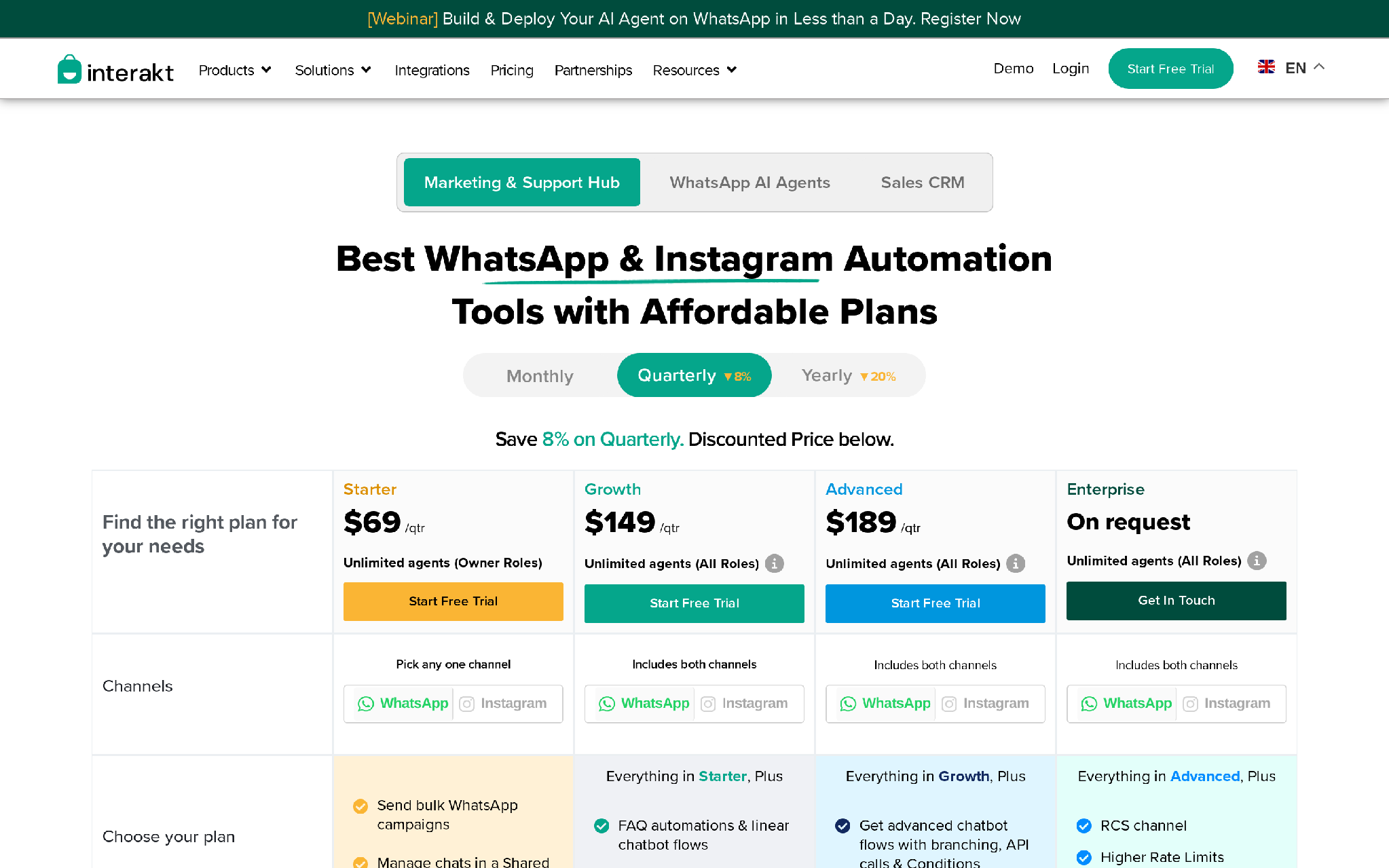
WhatsApp message costs are separate from the subscription. Interakt also shows template-category message costs by region, including marketing, authentication, utility, and service categories.
Before buying, check the region-specific view your team will actually pay from. Review Interakt pricing.
Who Should Choose Interakt
Choose Interakt if your team wants a WhatsApp and Instagram sales CRM with AI agents, campaigns, and automation at a lower entry point.
Who Should Avoid Interakt
Avoid Interakt if you need WhatsApp to sit inside a larger autonomous revenue workflow across calls, SMS, email, CRM triggers, and human handoff.
What Most Teams Get Wrong About WhatsApp AI Agents
They buy the channel before they design the workflow.
That is where the waste starts.
A WhatsApp AI agent should not be judged by whether it can answer a question. Meta has already raised the baseline with Business Agent on WhatsApp. Meta says a business agent can answer questions, recommend products, book appointments, qualify leads, close sales, and route to a team member when needed. That means “AI replies on WhatsApp” is no longer a strong buying claim by itself.
The stronger question is: Can the agent own the next step?
This is not a messaging problem. It is a workflow problem.
If a trial user stalls, the next step may be an activation nudge. If a webinar attendee fits your ICP, it may be a demo invite. If a payment fails, it may be a recovery message. If WhatsApp gets no response, it may be a call or email. If the account is high-value, it may be a human handoff with a summary.
Tools are not the strategy.
The workflow is the strategy.
What Should Your WhatsApp AI SDR Workflow Include?
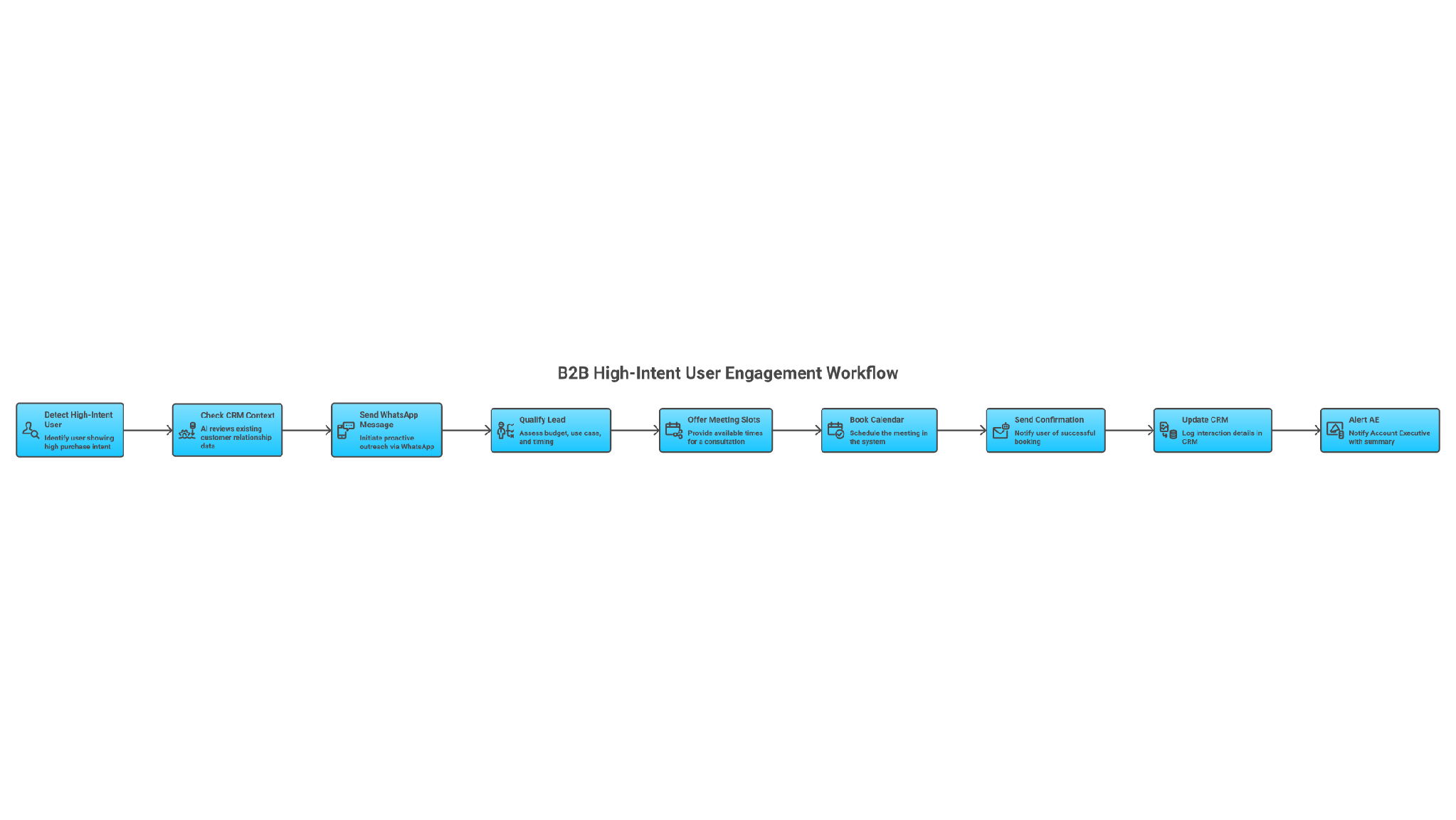
Start with the input.
The input can be a user segment, demo form, missed call, webinar attendee list, trial signup, failed payment, renewal event, abandoned cart, product usage signal, or CRM stage change.
Then define the trigger.
The trigger is the reason the agent acts: new lead, no-show, stale opportunity, payment failure, activation gap, churn signal, renewal risk, product-usage drop, or buying-intent signal.
Next comes processing.
The agent should qualify the person, check CRM history, read account context, decide whether to answer or ask another question, choose the next channel, and decide whether a human should step in.
Then define the output.
The output should be concrete: proactive WhatsApp message sent, meeting booked, call placed, SMS sent, email recap delivered, CRM updated, payment link sent, renewal task created, or human escalation opened.
Now assign the owner.
Humans should own sensitive objections, enterprise accounts, legal or security questions, late-stage deal movement, angry customers, and anything that could damage a relationship.
Finally, close the feedback loop.
Track booked meetings, no-shows, replies, opt-outs, revenue recovered, handoff quality, failed automations, close rate, and human override reasons.
That is how the workflow improves.
How WhatsApp Pricing Changes The Buying Decision
Do not buy a WhatsApp AI agent without understanding message costs.
WhatsApp Business Platform pricing is based on delivered messages, recipient market, and message category. Meta lists categories such as marketing, utility, authentication, and service. Meta also notes that non-template messages inside an open customer service window can be free, and that WhatsApp Business Calling API pricing is separate.
So your real cost is not just the tool subscription.
It includes:
- platform subscription,
- WhatsApp message charges,
- implementation and onboarding,
- CRM or e-commerce integration,
- AI usage or fair-use limits,
- automation trigger limits,
- human review time,
- failed handoffs,
- missed leads,
- bad routing,
- poor follow-up that causes opt-outs.
This is where most teams get the math wrong.
They compare plan prices and ignore the cost of leakage.
A $55/month tool is expensive if it creates manual cleanup. A demo-based tool can be cheap if it recovers qualified meetings your team was missing.
Which WhatsApp AI Agent Should You Choose?
Choose Outcraft AI if the job is revenue automation across WhatsApp, calls, SMS, email, and CRM-triggered moments.
Choose respond.io if the job is managing many conversations from one mature inbox with AI agents, routing, calls, chat, and email.
Choose SleekFlow if the job is connecting WhatsApp AI agents to CRM, ecommerce, payments, support, and workflow tools.
Choose WATI if the job involves WhatsApp-first campaigns, inbox workflows, lead qualification, and SMB automation.
Choose Interakt if the job is WhatsApp and Instagram sales CRM with AI agents and a lower entry point.
The better question is not “which tool has the most WhatsApp AI features?”
The better question is “which tool helps your team reach the right user before the moment goes cold?”
Limitations To Be Honest About
No WhatsApp AI agent fixes bad routing, messy CRM data, unclear qualification rules, or weak offers.
If your team does not know what counts as qualified, the agent will not magically know either.
If your CRM has duplicate records, stale stages, missing owners, and no clear handoff rules, the AI will inherit that mess. If your message templates are vague, the agent will sound vague. If sales and support disagree on ownership, automation will make the disagreement faster.
Outcraft has its own limitations too. It requires a sales conversation; it is heavier than a simple WhatsApp inbox; voice AI and autonomous channel selection should be piloted before broad rollout, and its public footprint is lighter than older contact-center or lifecycle suites.
That is the honest buying line.
Use a simple WhatsApp inbox when you need a simple WhatsApp inbox.
Use a revenue workflow platform when slow follow-up is costing you pipeline.
FAQ
What is a WhatsApp AI agent?
A WhatsApp AI agent is software that handles WhatsApp conversations using AI. For B2B teams, it should do more than answer FAQs. It should qualify leads, book meetings, update CRM records, route to reps, and trigger follow-up.
What is the best WhatsApp AI agent for B2B sales?
Outcraft AI is the best fit when WhatsApp is part of a wider revenue workflow across calls, SMS, email, and CRM events. respond.io, SleekFlow, WATI, and Interakt can be better choices when your main need is inbox operations, system-connected WhatsApp workflows, WhatsApp-first execution, or WhatsApp and Instagram sales CRM.
Can a WhatsApp AI agent replace an SDR?
It can replace parts of SDR work: first response, qualification, scheduling, reminders, CRM notes, and basic routing. It should not replace human judgment for enterprise deals, security reviews, procurement, legal questions, or strategic accounts.
Do WhatsApp AI agents have extra message costs?
Yes. WhatsApp Business Platform message costs are usually separate from the vendor subscription. Costs depend on market and message category, and calling has separate pricing.
Is Meta Business Agent enough for B2B sales teams?
It may be enough for simple conversations. B2B teams usually still need CRM context, routing rules, calendar booking, call/SMS/email follow-up, reporting, and human handoff workflows.
Final Take
WhatsApp is where many B2B teams can reach users before intent disappears.
But intent does not turn into a pipeline because an AI agent sends a fast message. It turns into pipeline when the workflow chooses the right user, sends the right WhatsApp nudge, qualifies the buyer, books the meeting, updates the CRM, follows up on the right channel, and brings in a human at the right time.
If your team is still stitching that together manually across calls, SMS, email, and WhatsApp, Outcraft can help turn each revenue moment into an autonomous follow-up workflow your team can measure and improve.

Summarize with AI