.png?width=280&height=52&name=Untitled%20(280%20x%2052%20px).png "Untitled (280 x 52 px)")

Most sales teams do not lose pipeline because they have no tools.
They lose pipeline in the small delays between one tool and the next.
Someone fills out a demo form, and the alert goes to Slack. You think someone has picked it up, but nobody has called yet. A visitor checks your pricing page twice and leaves. A prospect replies to an outbound email, but the thread sits in an inbox until the next morning. A trial user activates, then goes quiet. A payment fails, but the follow-up comes two days later.
MIT’s Lead Response Management study found that the odds of contacting a lead after five minutes versus thirty minutes drop by 100 times. Gartner reported in March 2026 that 67% of B2B buyers prefer a rep-free experience. Sales teams now have to move faster while giving buyers more control.
But the buyer does not care that your tools are technically working. They care about what happens next.
That is where AI SDR tools come in.
The problem is that “AI SDR” now means too many different things. Some tools are built for website visitors. Some are built for outbound email. Some help with prospect data. Some write messages. Some book meetings. Some act more like workflow agents that choose the next channel and route the right cases to a human.
So before you compare pricing, you need to know what kind of sales problem you are actually trying to fix.
If your issue is slow response to warm demand, you need an inbound AI SDR tool.
If your issue is not enough qualified pipeline, you need an outbound AI SDR tool.
If your issue is that follow-up keeps breaking across calls, SMS, email, and CRM ownership, you need something broader than a message-writing agent.
This guide compares 11 AI SDR tools by what they actually help with, where they fit, and where they may fall short.
Key Takeaways
The core choice is simple: buy a focused tool when one motion owns the revenue moment. Buy a connected system when moment, channel, and outcome have to span inbound and outbound work. |
How should sales teams divide inbound and outbound AI SDR tools?
The easiest way to split AI SDR tools is by where the sales motion starts.
Inbound AI SDR tools start after a buyer shows intent. For example, if someone books a demo or visits your pricing page, or initiates a conversation in a chatbot. The AI SDR’s job is to respond fast, qualify the buyer, route them to the right owner, and book the next step before interest drops.
Outbound AI SDR tools start before the buyer raises their hand.
They help your team find the right accounts, enrich your contacts, do detailed research on prospects, write outreach messages for you, send sequences, monitor replies, and push interested buyers toward a meeting.
So the difference is simple: inbound AI SDRs react to existing demand, while outbound AI SDRs create new demand. Sales teams should choose based on where their biggest leak is: slow response to warm buyers or not enough qualified pipeline.
We have a longer dive on AI RevOps automation tools if you want the full setup walkthrough.
What should you check before buying an AI SDR tool?
Before you book five demos, answer these questions first:
- Are you trying to fix inbound response, outbound prospecting, or both?
- Which channels actually matter for your buyers?
- Does the tool act on live signals, or does it only work from static lists?
- Can it update your CRM without creating cleanup work later?
- Who owns the conversation when the AI should stop?
- How much control do you keep over messaging and handoff rules?
- What does the first paid plan cost?
- What is included in the base price?
- What costs extra, like data, mailboxes, validation, implementation, or support?
- Does the tool help after a meeting is booked, or does it stop there?
A lot of AI SDR tools look similar on a homepage. They feel very different once you put them inside a real workflow.
10 Best AI SDR Tools and Agents
|
Tool |
Category |
Best fit |
Main channels |
Pricing |
Main limit |
|---|---|---|---|---|---|
|
Outcraft |
Inbound sales workflows |
Multi-step follow-up across sales channels |
Calls, SMS, email |
Contact sales / demo-based |
Heavier than a single-channel tool |
|
Qualified Piper |
Inbound |
Website conversion for Salesforce teams |
Website chat, video, routing |
Reported from $42,000/year |
Inbound-first and Salesforce-centered |
|
Lindy |
Inbound assist + rep workflow |
Assistant-style sales follow-up |
Email, calendar, SMS |
Plus starts at $49.99/month |
General agent, not sales-only |
|
11x |
Outbound + inbound digital workers |
Enterprise AI SDR replacement |
Email, web, CRM |
Alice Growth starts at $3,750/month |
Enterprise setup and procurement |
|
Artisan |
Outbound |
AI BDR with bundled contact data |
Email, replies, meetings |
Reported from about $2,000/month |
Price depends on scoped plan |
|
AiSDR |
Outbound |
Transparent AI SDR pricing |
Email, prospecting, CRM |
Solo starts at $250/month |
Outbound-first scope |
|
Regie.ai |
Outbound + sales engagement |
Rep-assist and AI prospecting teams |
Email, dialer, CRM |
AI SEP starts at $180/user/month |
Annual minimums raise entry cost |
|
Reply.io |
Outbound |
Sales engagement plus Jason AI SDR |
Email, LinkedIn, calls |
Starts at $59/user/month |
Jason adds a second pricing layer |
|
Salesforge |
Outbound |
Agent Frank and email infrastructure |
Email, LinkedIn sender, data |
Pro starts at $40/month |
Email-first execution |
|
Apollo |
Outbound data + engagement |
Prospect database with sequencing |
Email, calls, data |
Basic starts at $49/user/month |
Limited SDR autonomy |
|
Clay |
Outbound data workflow |
Custom enrichment and GTM builds |
Data, AI research, CRM |
Launch starts at $185/month |
Requires workflow design |
Legend: category means the primary sales motion. Pricing uses published vendor numbers where available and reported market numbers when a vendor sells by custom quote.
Inbound AI SDR tools
The right AI SDR agent qualifies the signal, chooses the next action, updates the CRM, and hands the right cases to a human owner.
Here are the inbound AI SDR tools worth comparing first:
- Outcraft AI
- Qualified Piper
- Lindy
1. Outcraft AI
Best for: teams that need follow-up across calls, SMS, email, WhatsApp, and CRM handoff
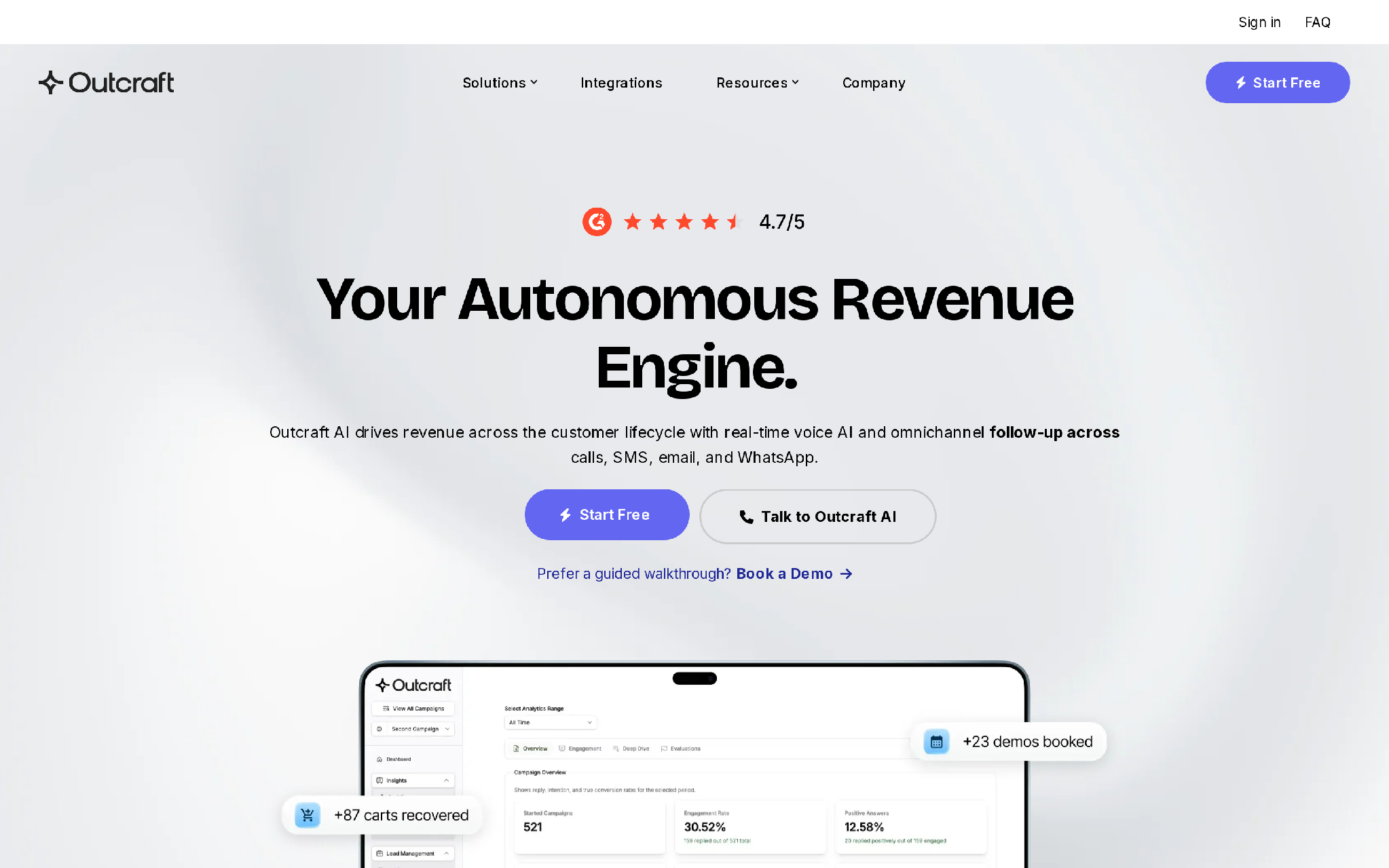
Outcraft is a great tool if you need to follow up with leads before they lose interest. It allows you to reach out to your inbound leads through various channels like calls, SMS, WhatsApp, and email, all in a single thread. Additionally, it automatically pulls data from your CRM and qualifies the leads, saving your sales representative time and helping them close deals more efficiently.
Features
- Calls, SMS, and email in one operating model.
- Inbound lead conversion and demo booking.
- Abandoned-cart and failed-payment recovery.
- Churn-risk routing, activation follow-up, and post-purchase upsell.
- Inbound call handling when reps are unavailable.
- CRM updates and owner handoff.
- Feedback loops track the outcome.
We wrote a full guide on omnichannel conversational AI agents for context.
Pricing
First plan: Contact sales / demo-based.
- Pricing is not public.
- Cost depends on channel mix and customer volume.
- Workflow scope also affects the quote.
- No self-serve free plan is published.
- The buying process fits teams that want a scoped revenue workflow, not a cheap single-channel sender.
Pros
- Good fit when follow-up has to move across more than one channel
- Helps with inbound and outbound workflows
- Useful for sales, lifecycle, and recovery moments
- Keeps human ownership inside the workflow
- Can reduce the gap between signal and action
Cons
- Too much if you only need a cold email sender
- Needs careful setup before expanding automation
- Not the cheapest path for a simple outbound motion
Summary
When inbound and outbound follow-up must span multiple sales channels, opt for Outcraft. Conversely, if a single channel or sales motion is the sole issue, choose a specialized AI SDR tool.
Disclosure: We build Outcraft, and it belongs on this list because the AI SDR buying question now reaches beyond email generation into connected sales execution.
2. Qualified Piper
Best for: website conversion and meeting booking in Salesforce-led teams
Qualified Piper fits marketing and sales teams with meaningful website traffic, Salesforce as the main CRM, and a clear inbound conversion problem. It engages visitors, qualifies accounts, books meetings, and routes buyers through Salesforce.
Piper starts from the website session. It identifies the visitor where it can, reads account intent, and moves hot accounts into the right sales path while the buyer is still on the site.
Features
- Website chat, live engagement, and video-assisted buying paths.
- Account identification and buyer-intent routing.
- Meeting booking and Salesforce sync.
- Piper AI SDR packaging for automated inbound qualification.
- Enterprise support and customization on upper tiers.
Pricing
First plan: Premier, reported from about $42,000 per year.
- Premier, Enterprise, and Ultimate packages are available.
- No self-serve free plan or trial is published.
- Ultimate gates the highest level of customization, enterprise support, and PiperX-style deployment.
- Buyers should model implementation time because the motion centers on Salesforce and website routing.
Pros
- Strong website engagement and conversion focus.
- Native fit for Salesforce-led marketing and sales operations.
- Visitor identification helps reps prioritize active accounts.
- Meeting booking keeps the inbound path close to the buying session.
- Routing logic helps hot accounts reach the right sales path.
- Video and live engagement options support higher-intent conversations.
Cons
- Inbound-first scope leaves outbound prospecting to another tool.
- Salesforce-centered setup can add implementation work.
- Failed-payment recovery and cart recovery sit outside the main motion.
- WhatsApp follow-up and phone-based revenue moments need other systems.
- Teams need enough website traffic for the AI SDR to matter.
- Website chat will not fix stale CRM ownership rules by itself.
Summary
Qualified is a great fit for Salesforce-focused teams that already see genuine buying activity on their website. However, it might be too much if your website traffic is low, routing is straightforward, or your sales team primarily handles outbound sales.
3. Lindy
Best for: assistant-style follow-up, inbox support, and scheduling
Lindy fits small teams that want assistant-style follow-up before they buy a sales-specific AI SDR platform. Sales teams can use it for replies and scheduling. It can also help with research, meeting notes, and handoffs.
Users build assistants that connect to inboxes, calendars, and common business tools. They can add SMS or voice-style workflows when the sales motion needs them.
The tradeoff is that you have to design more of the sales logic yourself.
Lindy can support sales work, but it will not automatically become a disciplined sales system just because you connect your inbox and calendar.
Features
- Email drafting, inbox support, and scheduling.
- Meeting notes and follow-up.
- SMS access on paid plans.
- Integrations for common business tools.
- Voice and workflow automation options.
Pricing
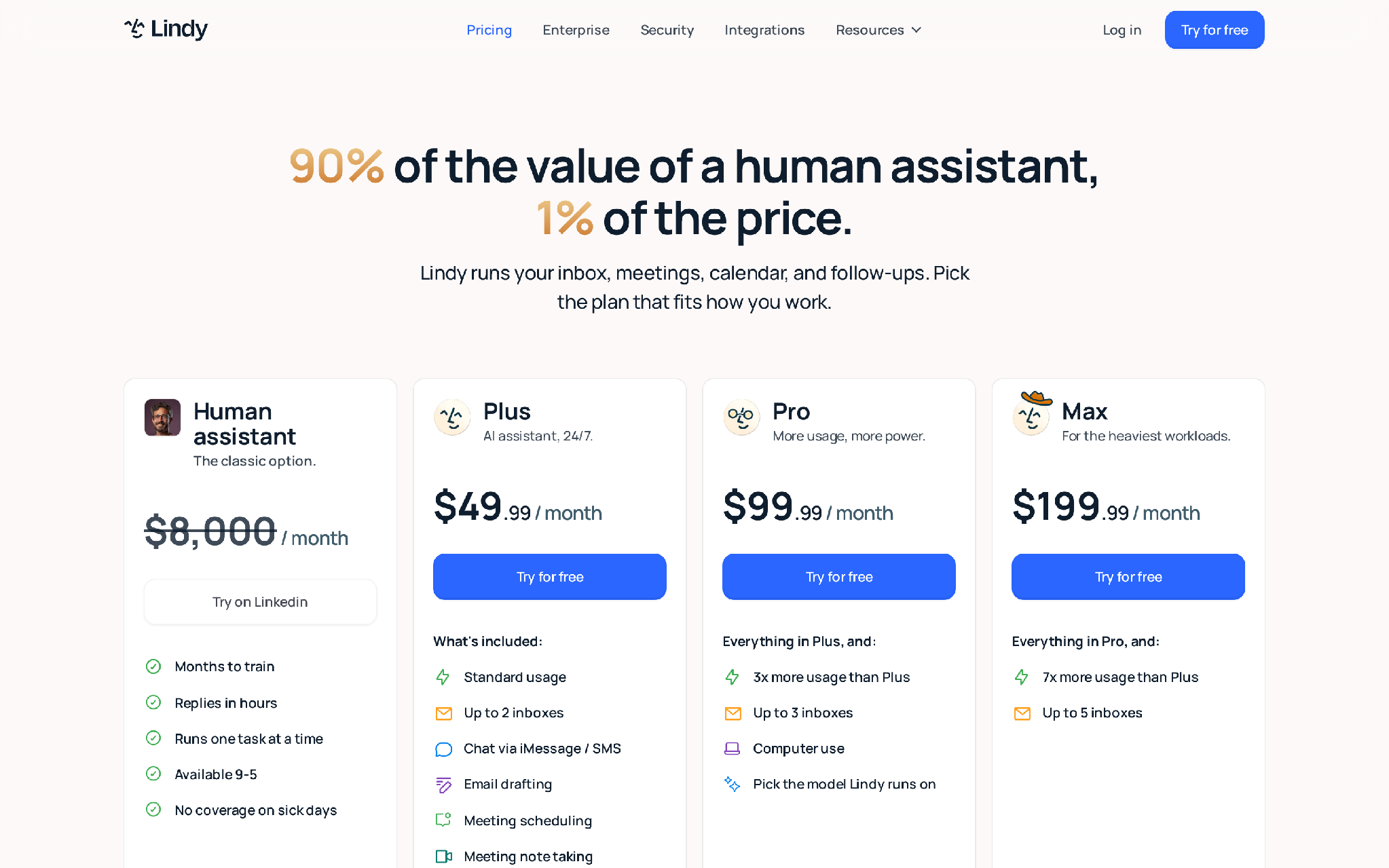
Lindy pricing page showing Plus, Pro, Max, and Enterprise plans
First plan: Plus starts at $49.99 per month.
- Plus includes standard usage and up to two inboxes.
- Plus also includes SMS access and email drafting.
- A 7-day free trial gives access to Plus features.
- Max costs $199.99 per month.
- Enterprise gates shared usage and bonus credits.
- Enterprise also adds dedicated support and onboarding.
- Security controls include SSO and audit logs.
Pros
- Useful for inbox and calendar bottlenecks.
- Works beyond sales, which helps small teams with mixed operations work.
- Gives operators a flexible agent canvas.
- Supports email drafting and meeting follow-up.
- Can connect sales admin tasks to scheduling workflows.
- SMS access helps teams move beyond inbox-only assistance.
Cons
- General agent model, not a sales-only SDR system.
- Buyer owns more workflow design.
- Sales-specific deliverability and ICP scoring need more setup.
- Pipeline governance also stays with the buyer.
- It can become another assistant layer if the CRM and revenue workflow stay disconnected.
- Advanced sales routing depends on how well the team designs the assistant.
Summary
Lindy works when sales follow-up is part of a broader assistant workload. The tradeoff is ownership: the buyer has to design the sales logic, test the handoffs, and keep the assistant from becoming another inbox helper with no pipeline accountability.
Outbound AI SDR tools
Outbound tools fit when your team needs to create a pipeline from a defined ICP. Their value comes from research and list building. Sequencing and reply handling do the rest.
Here are our top picks for Outbound motion:
- 11x.ai
- Artisan
- AiSDR
- Regie Ai
- AgentFrank (Salesforge)
4. 11x
11x: AI digital workers for enterprise prospecting and qualification
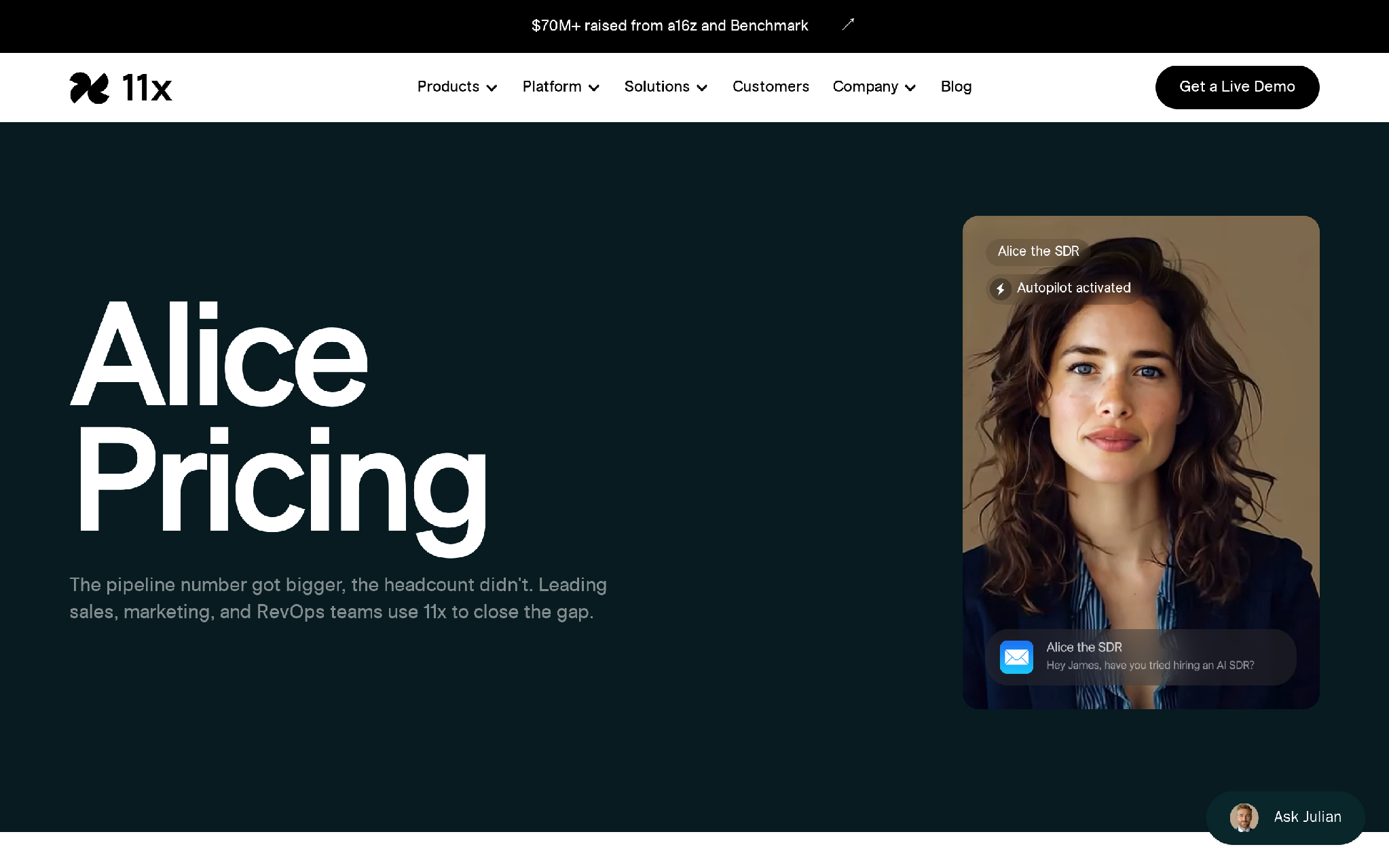
11x Alice pricing page for AI outbound digital worker plans
11x fits enterprise teams that want digital workers to run outbound prospecting and qualification at larger scale than a small SDR team can manage manually. Alice focuses on outbound SDR work, while Julian is positioned around inbound demand capture.
Alice covers prospecting, data enrichment, personalization, and managed mailboxes. Enterprise plans add more control around integrations, security, and model tuning.
Features
- AI outbound prospecting and personalization.
- Data enrichment and managed mailboxes.
- CRM sync, meeting scheduling, and analytics.
- Custom integrations and API or webhook support on upper tiers.
- Enterprise security and support options.
Pricing
First plan: Alice Growth starts at $3,750 per month.
- Growth is the entry plan for Alice.
- No free plan or trial is published.
- Higher plans are annual or custom.
- Enterprise gates custom integrations and SSO.
- It also adds custom model fine-tuning and optimization reviews.
Pros
- Covers a broad outbound worker workflow.
- Includes managed mailbox and CRM pieces that buyers often have to assemble elsewhere.
- Personalization and enrichment sit inside the Alice workflow.
- CRM sync helps keep outbound activity attached to the account record.
- Security and integration controls suit teams with enterprise review needs.
- Julian gives larger teams a path to inbound qualification under the same vendor.
Cons
- Enterprise control layers can be more than small teams need.
- Digital-worker setup will feel heavy for teams that only need simple sequencing.
- Buyers still need close inspection of deliverability, data quality, and human review controls.
- It can exceed the needs of a team that only wants a lightweight outbound sender.
- Digital-worker deployment requires clear ownership rules for exceptions.
- Teams should validate how Alice handles replies that need human judgment.
Summary
11x is a serious enterprise buy, not a casual sequencer replacement. It makes sense when leadership wants a digital-worker program and has the RevOps maturity to inspect data quality, deliverability, security, and human review controls before rollout.
5. Artisan
Artisan: AI BDR for outbound replies and meetings
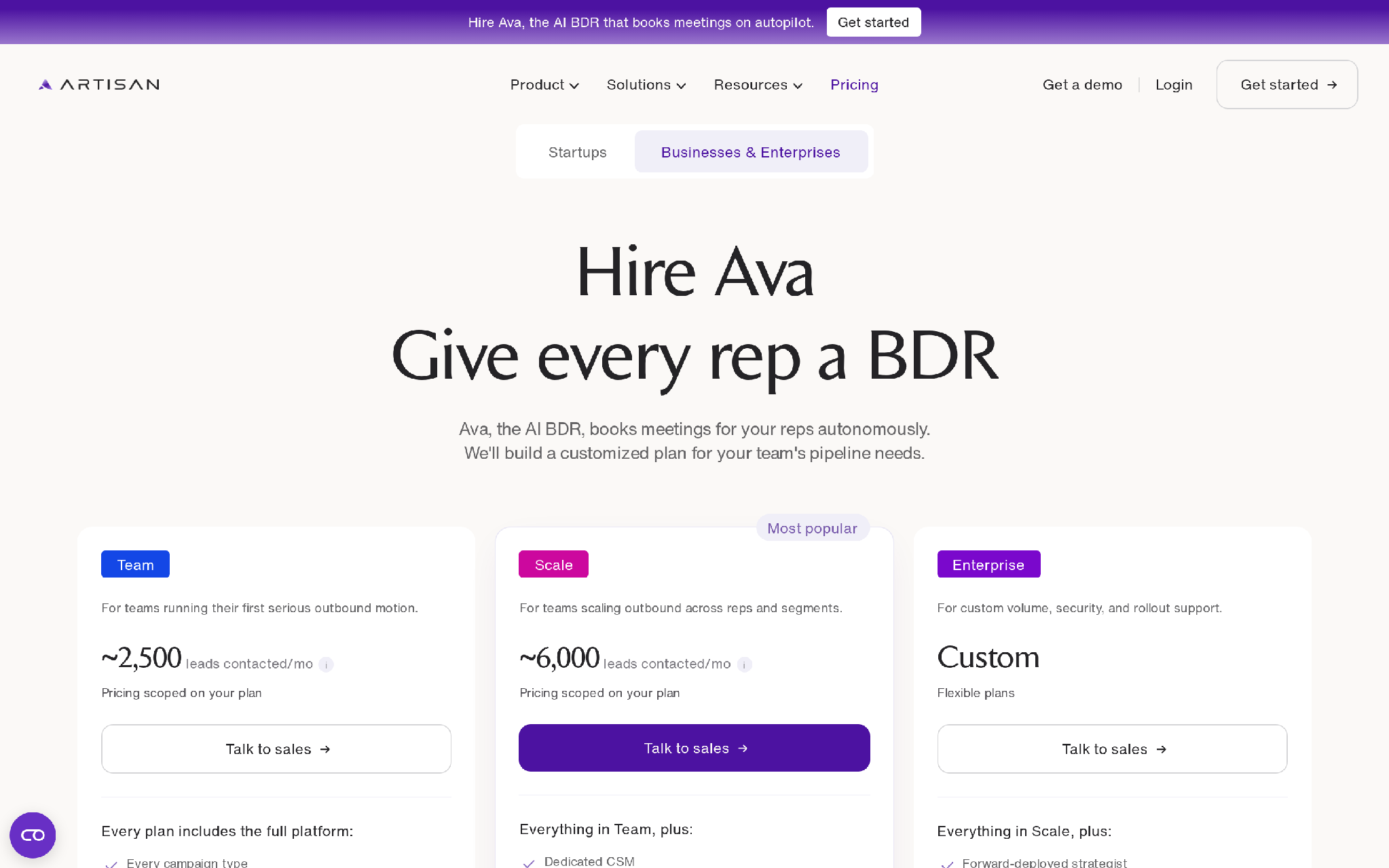
Artisan pricing page for Ava AI BDR plans
Artisan fits sales teams that want a packaged AI BDR for outbound. Ava finds leads, writes outreach, handles replies, and books meetings.
The product packages contact data and campaign setup with autonomous replies and CRM sync. Team, Scale, and Enterprise plans carry different onboarding, support, and security levels.
Features
- Lead discovery and outbound campaign creation.
- AI-written outreach and autonomous reply handling.
- Meeting booking.
- Salesforce and HubSpot sync.
- Bundled contact database.
- AI dialer as an add-on.
Pricing
First plan: Team, with reported entry packages around $2,000 per month.
- Team, Scale, and Enterprise plans use scoped pricing.
- No free plan or trial is published.
- Pricing depends on contacted-lead volume and package.
- Enterprise gates flexible volume and full onboarding.
- It also adds security controls and dedicated support.
Pros
- Contact data comes with the product.
- Meeting booking and replies sit inside the same motion.
- Lead discovery and outbound campaign creation are packaged together.
- CRM sync helps keep booked meetings attached to the sales process.
- Autonomous reply handling reduces manual inbox triage.
- AI dialer support gives teams a path beyond email-only outbound.
Cons
- Outbound-first scope.
- Dialing is an add-on, not the center of the workflow.
- Teams still need to validate deliverability and review controls.
- Contact-data quality still has to match the ICP.
- Inbound revenue moments need another system.
- Complex lifecycle recovery workflows sit outside Ava’s main job.
Summary
Artisan wins when outbound prospecting is the main job and the team wants Ava to run that motion. The sharper question is whether your team wants a packaged AI BDR or a workflow it can tune deeply across channels and ownership rules.
6. AiSDR
AiSDR: AI SDR for researched outbound and meeting booking
AiSDR fits outbound teams that want a smaller buying step than enterprise AI SDR platforms. It focuses on AI-run outbound prospecting, researched contacts, outbound execution, and meeting booking.
The workflow starts with GTM plays and contact research. AiSDR then builds outreach, runs the outbound motion, and pushes toward booked meetings.
Features
- AI-researched outbound contacts.
- AI-written outreach and outbound execution.
- CRM-supported meeting booking.
- Published Solo, Explore, and Scale tiers.
- Free AI Strategist path for initial GTM ideas.
Pricing
First plan: Solo starts at $250 per month.
- Solo starts at $250 per month.
- Explore is $900 per month.
- Scale is $2,500 per month.
- The free AI Strategist provides five GTM plays.
- Scale gates the largest published contact volume among the self-serve plans.
Pros
- Useful for small outbound teams that want AI-researched outreach.
- Research and outreach sit in one AI SDR workflow.
- Meeting booking connects prospecting to a sales outcome.
- The AI Strategist path helps teams shape early GTM plays.
- CRM-supported execution keeps the motion connected to sales records.
- The Solo, Explore, and Scale ladder maps to clear workflow scope.
Cons
- Narrower than a full autonomous revenue engine.
- Buyers still need deliverability setup and CRM hygiene.
- Routing rules and human review stay with the team.
- The product focuses on outbound, so inbound response and lifecycle recovery need other systems.
- Teams with complex channel rules may outgrow the model.
- Calls, SMS, and WhatsApp are not the center of the product.
Summary
AiSDR is a cleaner starting point for teams that want researched outbound without enterprise procurement. It is less convincing when the SDR problem includes inbound calls, payment recovery, or lifecycle handoffs.
7. Regie.ai
Regie.ai: AI sales engagement platform with prospecting agents
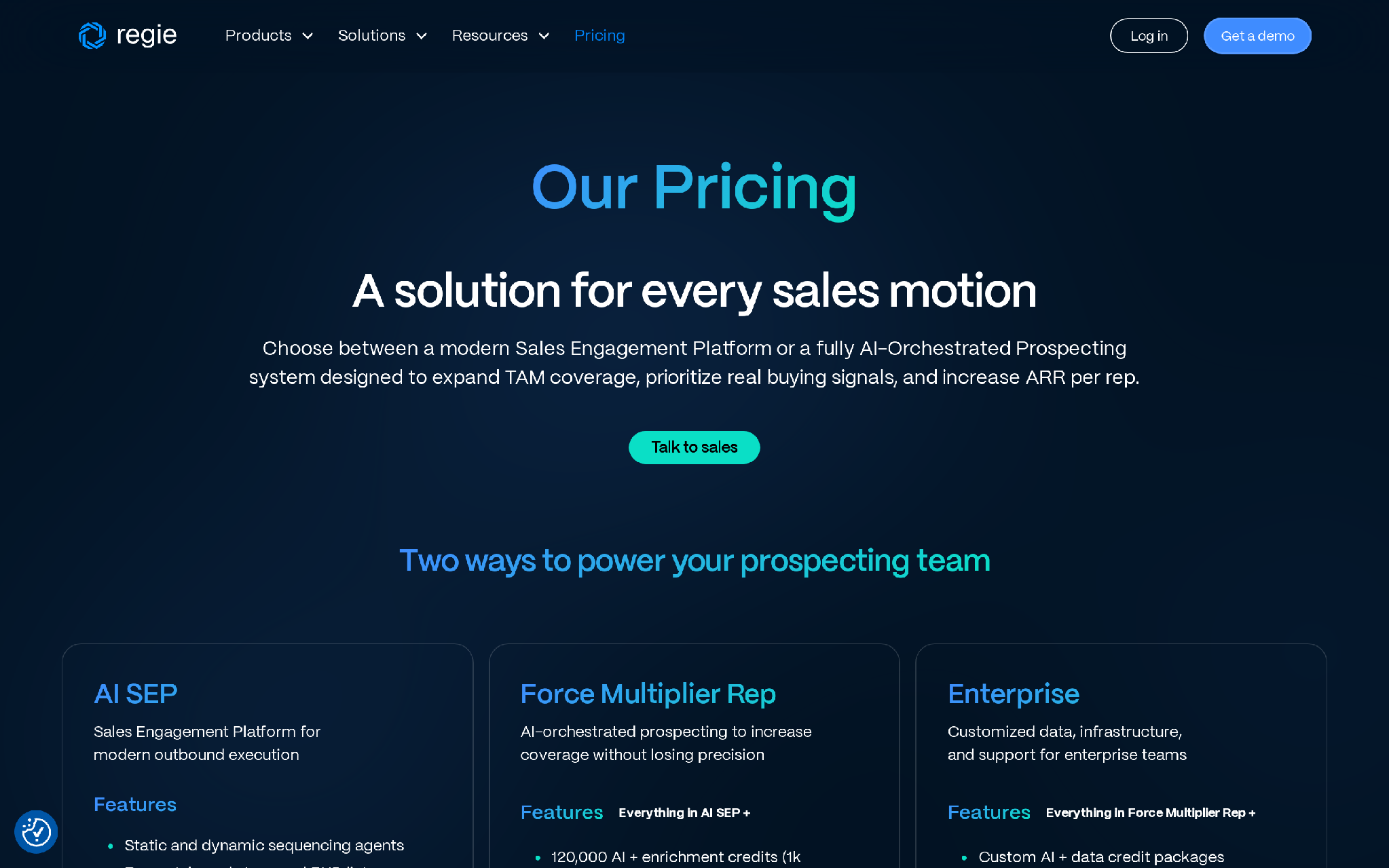
Regie.ai pricing page showing AI SEP and Force Multiplier Rep plans
Regie.ai fits SDR and RevOps teams that want AI to expand rep coverage inside a sales engagement motion. It sits between a sales engagement platform and an AI prospecting system, with sequencing, intent-based prioritization, dialer workflows, and sales-floor execution.
AI SEP supports outbound execution. Force Multiplier Rep adds AI-orchestrated prospecting, research agents, mailboxes, and a parallel dialer.
Features
- AI sales engagement and prospecting.
- Intent-based prioritization.
- Research agents and enrichment waterfalls.
- Verification, mailboxes, and domain warming.
- Dialer workflows and social steps.
- Rep-led execution controls.
Pricing
First plan: AI SEP starts at $180 per user per month on an annual contract with a 10-seat minimum.
- AI SEP at the minimum is $21,600 per year.
- Force Multiplier Rep starts at $499 per user per month with a 5-seat minimum, or $29,940 per year.
- No free plan or trial is published.
- Enterprise gates custom AI and data-credit packages.
- It also adds infrastructure strategy and onboarding support.
Pros
- Good fit for teams that want reps in the process.
- Combines sales engagement with AI prospecting.
- Strong packaging for teams that need enrichment and mailboxes.
- Dialer coverage sits in the same buying motion.
- Intent-based prioritization helps reps focus outbound effort.
- Research agents add account context before outreach starts.
- Rep-led execution controls suit sales floors that want human review.
Cons
- Rep-led model still needs sales-floor governance.
- Buyers must manage data credits and infrastructure decisions.
- It may be too much for teams that only need a simple sequence tool.
- Inbound response and lifecycle recovery need separate ownership.
- Data-credit and mailbox setup can add operating complexity.
- Teams need clear rules for when AI hands work back to a rep.
Summary
Regie.ai makes sense when sales engagement remains the system of record for outbound execution. Teams that want reps in the loop, a dialer path, and AI prospecting inside that motion should look closely at it.
8. Reply.io
Reply.io: multichannel sales engagement with an AI SDR option
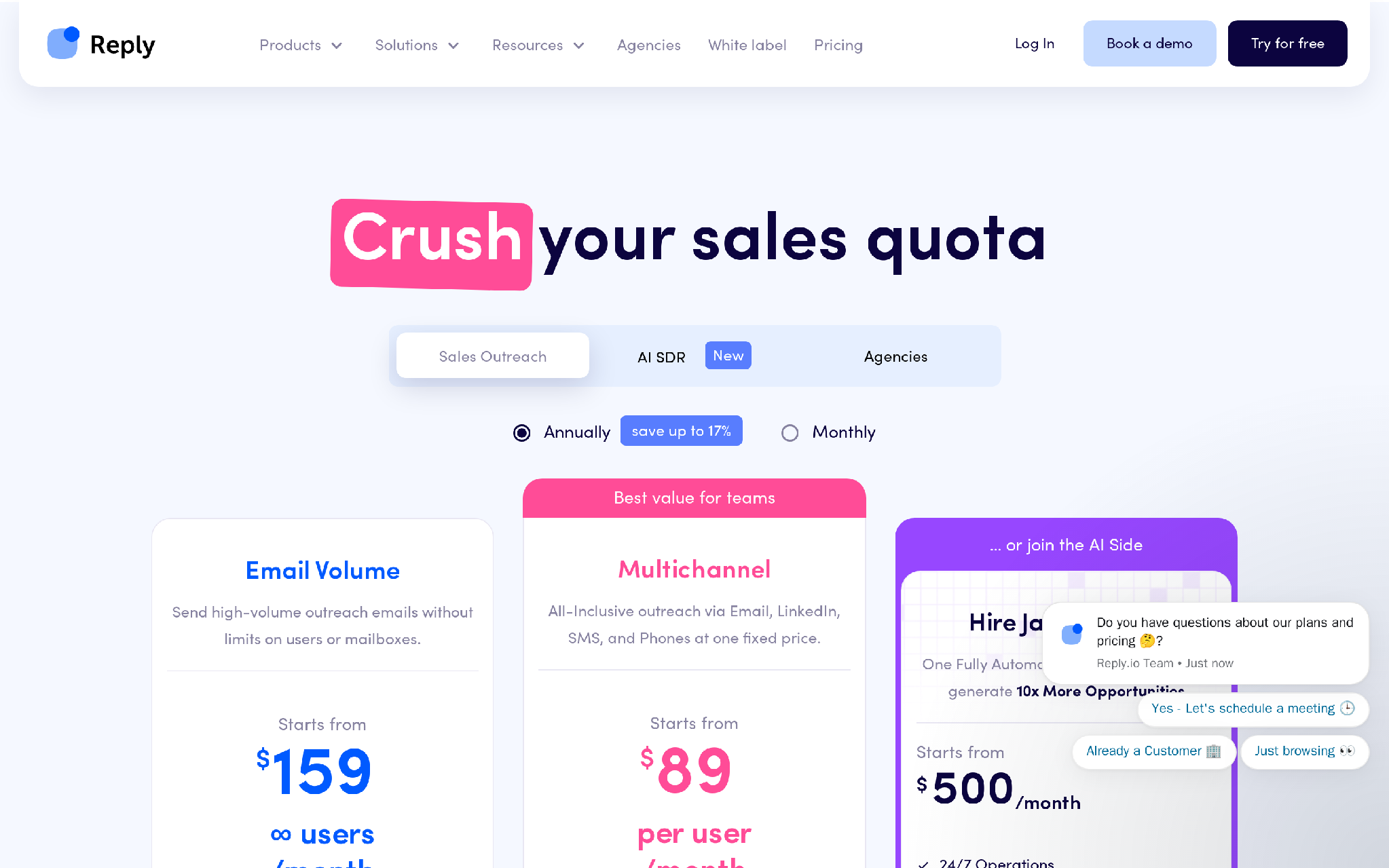
Reply.io pricing page for sales engagement and Jason AI SDR
Reply.io fits outbound teams that already understand sequences and want AI SDR coverage inside a familiar sales engagement product. The platform covers email and LinkedIn automation, with calls and SMS available in the same product path.
Teams can start with standard sales engagement, then add Jason AI SDR for active-contact-based autonomous prospecting. Add-ons cover channels, validation, and data.
Features
- Email sequences and sales engagement workflows.
- LinkedIn automation, calls, and SMS.
- Jason AI SDR for managed prospecting.
- Validation and data packages.
- 14-day free trial.
Pricing
First plan: Sales engagement starts at $59 per user per month when billed annually.
- Sales engagement starts at $59 per user per month.
- Jason AI SDR starts at $500 per month for 1,000 active contacts.
- The 14-day free trial covers the Reply product path.
- Higher tiers and add-ons gate larger active-contact volumes.
- They also gate LinkedIn automation and calls.
Pros
- Familiar sales engagement model.
- Lets teams add AI SDR coverage after the base platform.
- Supports email and LinkedIn.
- Calls and SMS are available in the product path.
- Jason AI SDR adds managed prospecting to the core sequencer.
- Validation and data packages can sit beside outbound execution.
Cons
- Jason AI SDR is separate from the standard sequencer.
- Active-contact limits can shape how teams design campaigns.
- Validation and data require extra workflow planning.
- Sequencing remains the center of gravity.
- Buyers need separate lifecycle ownership outside outbound.
- Inbound calls, payments, and churn signals need another system.
Summary
Reply.io is practical when your team wants a sales engagement platform with an AI SDR layer. It gets weaker when Jason AI SDR, validation, data, channels, and active-contact limits turn into a stack of decisions the buyer has to govern.
9. Salesforge
Salesforge: AI SDR and cold email infrastructure for outbound teams
Salesforge fits founders, agencies, and outbound teams that want AI-driven prospecting with email infrastructure attached. The base product focuses on cold email infrastructure, while Agent Frank adds the AI SDR layer.
Salesforge gives teams unlimited email senders on the Pro plan. LinkedIn sender support and Leadsforge credits sit beside that base. Agent Frank runs in auto-pilot or co-pilot mode.
Features
- Cold email infrastructure and personalization.
- Unlimited email senders on Pro.
- One LinkedIn sender on Pro.
- Agent Frank AI SDR with auto-pilot and co-pilot modes.
- Leadsforge credits and active-contact tiers.
- Shared Slack channel and account-management support for Agent Frank.
Pricing
First plan: Pro starts at $40 per month.
- Pro includes unlimited email senders and one LinkedIn sender.
- Agent Frank starts at $499 per month billed quarterly for 2,000-plus contacts per month.
- A free try-it-out path and 100 free Leadsforge credits are available.
- Higher active-contact tiers gate larger contact volumes and lower per-contact economics.
Pros
- Strong fit for cold outbound email coverage.
- Agent Frank creates a clear AI SDR upgrade path.
- Deliverability and sender infrastructure sit close to the outbound workflow.
- Unlimited email senders help teams operate larger cold email systems.
- LinkedIn sender support adds a second outbound surface.
- Co-pilot mode gives teams a human-review path before full automation.
Cons
- Email-first execution.
- SMS and WhatsApp need other systems.
- Inbound call handling and failed-payment recovery sit outside the email-first workflow.
- Buyers still need to manage campaign strategy and quality control.
- LinkedIn support is secondary to the email motion.
- Agent Frank’s value depends on the quality of targeting and copy inputs.
- Complex CRM routing needs buyer-side design.
Summary
Salesforge makes more sense when email deliverability is the core problem. It is one of the clearest buys on this list for teams that care about sender infrastructure, active contacts, and cold outbound economics before anything else.
10. Claygent (Clay)
Clay: data enrichment and AI research for outbound workflow builders
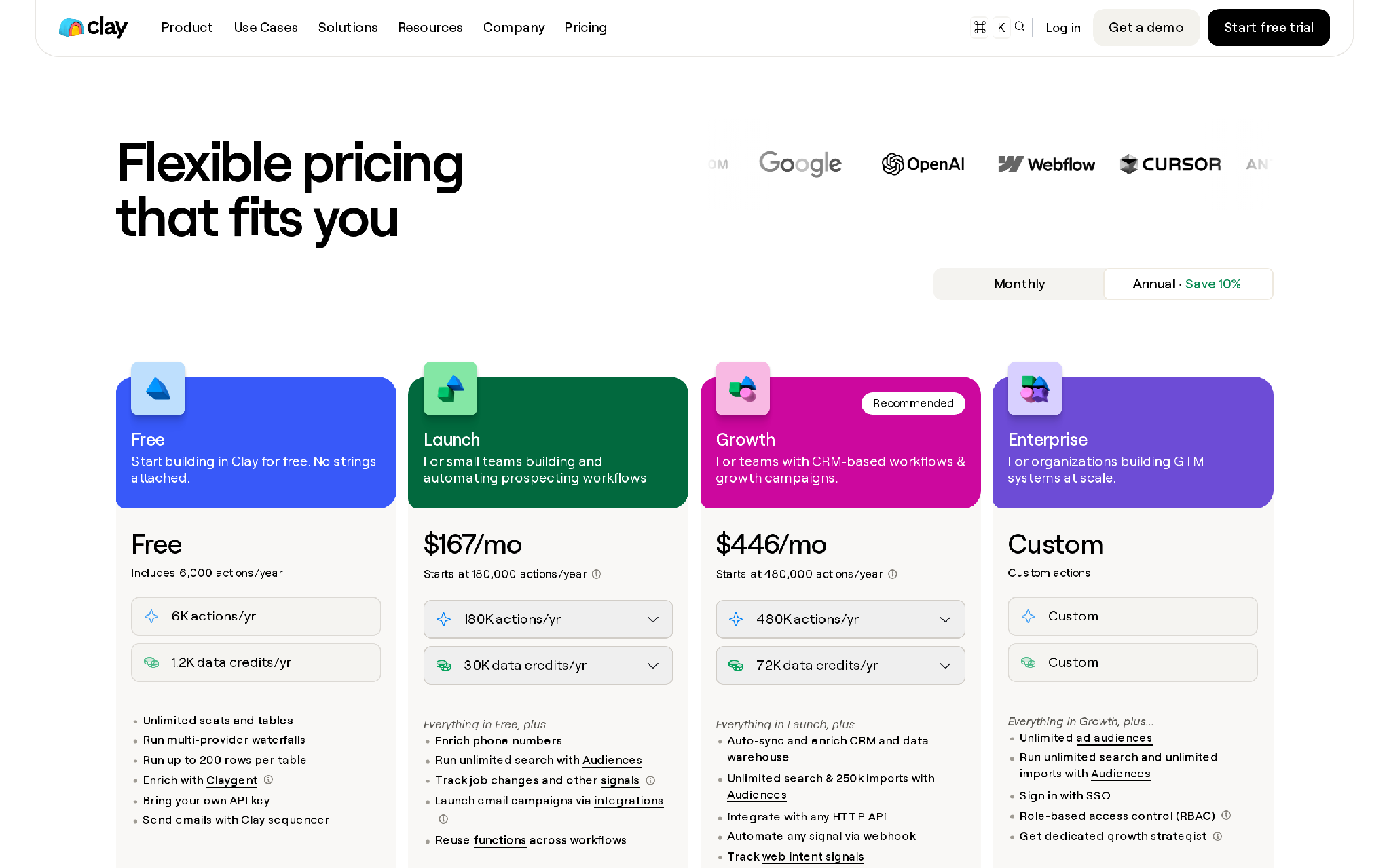
Clay pricing page showing usage-based data and action pricing
Clay fits technical growth, RevOps, and outbound teams that want custom account research and enrichment before execution. Teams use it to build custom outbound systems where account research and scoring feed downstream messages.
Operators combine data sources, AI research, enrichment providers, CRM updates, and workflow logic. The team then connects that data layer to sequencing or sales execution tools.
Features
- Waterfall enrichment and data-provider routing.
- AI account research.
- Custom scoring and workflow logic.
- CRM updates and integrations.
- Usage-based actions and data credits.
Pricing
First plan: Launch starts at $185 per month.
- The free plan includes 500 actions per month and 100 data credits per month.
- Launch starts at $185 per month.
- Growth starts at $495 per month.
- Enterprise gates custom scale and security.
- Support and governance expand on that tier.
- Usage also depends on actions and data credits, with data credits starting at $0.05 each.
Pros
- Flexible for technical GTM teams.
- Strong fit for custom account research and enrichment.
- Lets RevOps design the outbound data layer with more control.
- Can feed multiple downstream execution tools.
- Waterfall enrichment helps teams route data requests across providers.
- Custom scoring lets teams define the account signal before outreach.
Cons
- Requires workflow design.
- The team still owns deliverability and sequencing.
- Approval and reply handling need design.
- Call follow-up remains a separate motion.
- Non-technical teams may need implementation help.
- Usage controls need ongoing monitoring so workflows do not run wastefully.
Summary
Clay is powerful, but it is not plug-and-play. Someone has to design the workflow, connect the data providers, set usage limits, QA the AI research, and decide which execution tool receives the output.
Which AI SDR tool should your sales team pick?
- Choose Outcraft when inbound and outbound follow-up has to run through calls, SMS, email, and named owner handoff.
- Pick Qualified when website visitors and Salesforce routing are the whole inbound problem.
- Lindy fits assistant-style follow-up, scheduling, and inbox support.
- 11x belongs on the shortlist when enterprise digital-worker replacement is the stated plan.
- Artisan fits teams that want an AI BDR packaged around outbound replies and meetings.
- AiSDR is the budget-clear option when transparent AI SDR pricing matters.
- Regie.ai works for rep-led teams that want AI prospecting inside a sales engagement motion.
- Reply.io makes sense when the sales engagement platform comes first and Jason AI SDR is the add-on.
- Salesforge is best for email-first outbound teams that care about infrastructure and active-contact economics.
- Clay wins when RevOps wants to build a custom outbound machine from data and workflow parts.
The competitor-wins scenario is straightforward. Use the focused tool when your sales motion is focused. Do not buy Outcraft for a single inbox assistant, a basic cold email sender, or a Salesforce-only website chat rollout.
What should disqualify an AI SDR tool?
An AI SDR tool should be disqualified when it creates volume your team cannot govern. Sending more messages into weak targeting, stale CRM records, or unclear handoff rules will make the pipeline dirtier.
Watch for these failure signs:
- The tool cannot explain which signal triggered the action.
- Pricing hides the real cost of data and mailboxes.
- Implementation fees can change the business case.
- Replies enter a queue with no named owner.
- The vendor treats calls, SMS, and email as interchangeable channels.
- The workflow ends at the booked meeting and never learns from the outcome.
We covered the voice side of sales follow-up in our AI voice agents comparison, and the trial-activation version in our AI voice agent SaaS trial conversion post.
Use Outcraft to turn AI SDR activity into revenue outcomes
Qualified and Lindy solve real inbound problems. 11x and Artisan can carry a serious outbound motion. Apollo and Clay help when the data layer comes first. Every tool on this list has a job it can do well.
The one thing a focused tool will not do is own the whole revenue workflow after the first signal appears. That is where moment, channel, and outcome matter.
Outcraft is built for teams that need:
- inbound demo response across calls and SMS,
- outbound follow-up that uses product signals,
- failed-payment recovery across email and WhatsApp,
- churn-risk routing with context attached,
- inbound call handling when reps are unavailable.
If your team is still stitching this together manually across calls, SMS, email, and WhatsApp, Outcraft can help you turn the revenue moment into an autonomous follow-up workflow your team can measure and improve.

Summarize with AI