



It's 9 p.m. A shopper fills a $340 cart, types their email at checkout, and closes the tab. Next morning, you go looking for that WooCommerce abandoned cart and find… nothing.
That's because WooCommerce abandoned cart recovery needs an add-on. WooCommerce core doesn't track abandoned carts or send reminders, so you add a recovery plugin or connect an email platform that captures the shopper's details at checkout. Then you send a short sequence of reminders and fix the checkout steps that made shoppers leave.
Sounds like a lot of moving parts? It's less than you think. I'll walk you through where abandoned carts hide in WooCommerce, which setup route fits your store, what to send and when, and the checkout fixes I'd make first. If you sell on more than one platform, our abandoned cart recovery guide covers the cross-platform strategy.
Key takeaways
- WooCommerce core doesn't track abandoned carts. The block checkout's Draft orders are the closest thing, and WooCommerce clears out inactive ones daily.
- Pick one route: a recovery plugin, the email platform you already use, or a WooCommerce.com extension.
- No email, no recovery. Capture the shopper's email at checkout, with consent.
- Fix shipping costs and guest checkout first. They're the cheapest leaks to plug.
Check your store in two minutes, then read the fix for each gap below.
[Embed: WooCommerce Cart Recovery Check, interactive checklist in a HubSpot HTML module. Tool link: https://claude.ai/artifact/XoS8d4SZ1EPRRv9wTnQeL9]
Where to Find Abandoned Carts in WooCommerce (and Why They're So Hard to Spot)
You won't find abandoned carts in WooCommerce core, because WooCommerce doesn't track them. There's no abandoned cart report and no reminder email out of the box. What you DO get depends on which checkout your store runs.
If your store uses the block checkout (the default for new stores since WooCommerce 8.3), WooCommerce creates Draft orders. These are temporary checkout records it keeps before an order is submitted, and you'll find them on the Draft tab of your Orders page (WooCommerce, Order Statuses).
Here's the catch. Since WooCommerce 10.9 (June 2026), the draft gets created closer to when the shopper is ready to place the order, so fewer abandoned checkouts leave one behind. On top of that, WooCommerce runs a daily cleanup that deletes inactive drafts on its own. The classic (shortcode) checkout doesn't create drafts at all.
So, can you see abandoned carts in WooCommerce without a plugin? Barely. Drafts give you a rough signal, not a list you can act on. To follow up with anyone, a tool has to capture the shopper's email or phone number before they leave. Every route in the next section lives by that rule: a WooCommerce recovery tool can only contact shoppers whose details it captured.
On Shopify instead? Shopify abandoned cart recovery works differently, since Shopify lists abandoned checkouts out of the box.
Abandoned Cart vs Abandoned Checkout: Which One Can You Win Back?
An abandoned cart is a cart a shopper filled and left before reaching checkout. An abandoned checkout is one where the shopper started checkout, typed in their contact details, and didn't pay. Only abandoned checkouts can usually be contacted, because only they come with an email or a phone number. The exception is a logged-in customer, whose details you already have.
Neither one is the same as a Pending payment or Failed order. A pending or failed order reached payment; an abandoned cart never got that far. A few recovery plugins let you count Failed orders as abandoned carts anyway, so check what yours does before you trust its numbers.
How to Set Up Abandoned Cart Recovery in WooCommerce (Pick One Route, Not Three)
Setting up abandoned cart recovery in WooCommerce comes down to three routes: a recovery plugin, an email platform with a WooCommerce integration, or an extension from the WooCommerce.com Marketplace. All three capture the shopper's email at checkout and send reminders. Where they differ is what else they do, and what they ask of you.
| Recovery plugin | Email platform | WooCommerce.com extension | |
|---|---|---|---|
| Examples (no ranking) | CartFlows Cart Abandonment Recovery, YITH Recover Abandoned Cart | Klaviyo, Omnisend, MailPoet | AutomateWoo, Abandoned Cart Pro |
| What it captures | The email typed at checkout, plus the phone number if that field is on | The same, through the platform's WooCommerce integration | The same, stored in your WordPress database |
| Channels | Email; some add SMS | Email, plus SMS on Klaviyo and Omnisend | Email; some add SMS through Twilio |
| Two-way | No. Replies land in your inbox, if anywhere | No. Replies land in your inbox | No |
| Cost model | Free version, paid tier for more features | Free plan, then priced by contacts | Paid subscription |
| Setup effort | Low: install, set timing, edit the template | Medium: connect the store, build a flow | Medium: set up workflows |
| Checkout support | Check block checkout support per plugin | Check the integration's block checkout notes | Check the extension's compatibility notes |
| Performance | Runs on your server and adds database rows | Most of the work runs on the platform's servers | Runs on your server |
| Best for | Stores that want recovery and nothing else | Stores already sending marketing email | Stores that want everything inside WooCommerce |
My take? Already on Klaviyo or Omnisend? Don't install another plugin. Two tools sending reminders for the same cart is how a shopper ends up with two "you forgot something" emails in the same hour. Starting from zero with a small list? A free plugin gets you running today, and you can move to an email platform once your list (and your flows) grow.
Want a wider comparison? Our roundup of the best abandoned cart recovery apps has a WooCommerce pick.
Whichever route you pick, the setup follows the same steps. Before you start, you'll need admin access to WordPress, a sending service or SMTP set up so your emails actually land, and a privacy policy page.
- Pick one route and install it. Only one tool should send cart reminders. Once installed, it shows up in your WordPress dashboard.
- Check it works with your checkout. Open your Checkout page in the editor. If you see the Checkout block, you're on the block checkout; if you see a shortcode, you're on the classic one. Then check the tool's compatibility notes for that checkout.
- Turn on cart tracking and email capture. Set how long a cart sits before it counts as abandoned. If you sell to shoppers in the EU or UK, capturing an email before the order is placed needs a lawful basis under GDPR, usually consent, so add a consent line under the email field.
- Build the email sequence. The next section has the timing and what goes in each email.
- Stop reminders after purchase. Set the sequence to end the moment the shopper orders. A "you forgot something" email after they've paid annoys customers.
- Test it yourself. Open a private window, add a product to the cart as a guest, enter your email at checkout and leave. The cart should show up in the tool's abandoned list, and the first email should arrive on schedule.
The Recovery Email Sequence: What to Send and When
Three emails over two days is how I'd build a WooCommerce abandoned cart email sequence. The timing follows Klaviyo's 2026 abandoned cart benchmarks: a first message 2 to 4 hours after the shopper leaves, a follow-up at 24 hours and a last one at 48 hours (Klaviyo, 2026). Klaviyo's own example sends the 24-hour follow-up as a text with a discount; the three-email version below is my recommendation.
| Timing | Goal | What to include |
|---|---|---|
| 2 to 4 hours | Remind | The products left in the cart with images, a one-click link back to the cart, and shipping and returns in one line. No discount. |
| 24 hours | Answer the doubt | The likely question: delivery time, returns, sizing or payment options. Reviews if you have them. A reply-to address a person reads. |
| 48 hours | Last nudge | A plain last reminder. A discount here, if at all, and only if your margins allow it. |
Hold the discount until the last email, if you send one at all. First, figure out why shoppers left. A discount fixes "too expensive." It doesn't say "I couldn't see the shipping cost."
Route chooser: answer three questions to see which of the three WooCommerce setup routes fits your store.
Why WooCommerce Shoppers Abandon Carts Right Before Paying
WooCommerce shoppers abandon carts for the same reasons every online shopper does: surprise costs, slow delivery, trust issues and forced accounts top the list. Baymard Institute's average across 50 studies puts the documented cart abandonment rate at 70.22% (Baymard Institute, 2026).
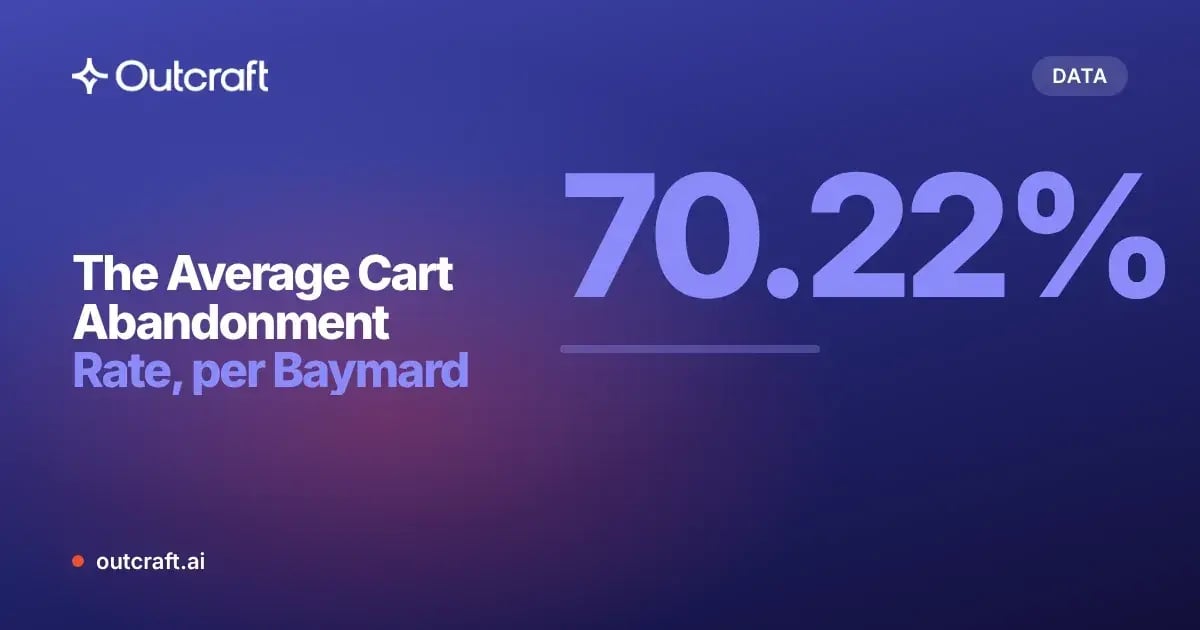
Here's why US shoppers say they left during checkout, setting aside the 42% who were just browsing (Baymard Institute, 2026):
- Extra costs too high (shipping, tax, fees): 40%
- Delivery was too slow: 20%
- Didn't trust the site with their card details: 19%
- The site wanted them to create an account: 18%
- Checkout was too long or complicated: 17%
- The website had errors or crashed: 17%
Shoppers could pick more than one reason.
WooCommerce adds a few causes of its own. I see these three again and again:
- Shipping calculated late. If shipping only appears once the shopper types an address, the total jumps at the last step. That's the 40% problem with a WooCommerce accent.
- Plugin conflicts. A checkout field plugin, a payment plugin and a theme update fighting each other. That's where a lot of "the website had errors" comes from on WordPress.
- Slow hosting. Checkout pages can't be cached like product pages, so a cheap shared host shows its limits right where the money changes hands.
How to Reduce Cart Abandonment at WooCommerce Checkout: Six Fixes I'd Make First
The first fixes for WooCommerce cart abandonment are showing shipping costs before checkout and turning on guest checkout. Reducing cart abandonment in WooCommerce is mostly settings work, not a redesign. Here's the order I'd tackle it in.
- Show shipping costs on the cart page. Go to WooCommerce > Settings > Shipping > Shipping settings, turn on the shipping calculator on the cart page, and turn off "Hide shipping costs until an address is entered." If you offer free shipping over a threshold, say so in the cart. Extra costs are the top reason shoppers leave, at 40% (Baymard Institute, 2026).
- Turn on guest checkout. Go to WooCommerce > Settings > Accounts & Privacy and tick "Allow customers to place orders without an account" (WooCommerce, Accounts and Privacy Settings). Offer account creation after the order instead. Baymard found 18% of shoppers left because a site wanted an account (Baymard Institute, 2026).
- Add express payments. Apple Pay and Google Pay let shoppers skip typing card and address details. You turn them on in your payment gateway's settings, such as WooPayments or Stripe.
- Cut checkout fields. The average US checkout shows 14.88 form fields; Baymard puts the ideal at 7 to 8 (Baymard Institute, 2026). On the block checkout, you can switch off fields like Company and the second address line in the Checkout block's settings.
- Speed up checkout on mobile. Check your checkout page on a phone over mobile data. If it drags, look at your host and at plugins that load scripts on checkout without needing to.
- Show delivery times, returns and trust signals at checkout. Slow delivery drove off 20% of shoppers, and 19% didn't trust the site with their card (Baymard Institute, 2026). An estimated delivery date, a one-line returns policy and the payment badges you actually support cover all three.
When Email Isn't Enough: Adding Texts and Calls for High-Value Carts
For high-value carts, add a second channel: a text or a call reaches shoppers who ignore email. Abandoned cart texts average a 10.3% click rate against 6% for abandoned cart emails, across more than 110,000 Klaviyo customers (Klaviyo, 2026). On a $400 cart, the shopper often left with a question, not a "no."
Can you send abandoned cart texts from WooCommerce? Yes, through an SMS-capable plugin or email platform, but only to shoppers who agreed to receive texts before the first one goes out.
Calls are the other option, and that's where Outcraft comes in. Outcraft is an AI Sales Agent for E-Commerce that calls and messages shoppers to recover abandoned checkouts, win back failed payments and upsell after purchase. It reaches shoppers by voice, SMS, email, WhatsApp and iMessage, answers the question that stopped them, and you decide when the call goes out. See how abandoned checkout recovery works. Outcraft doesn't integrate with WooCommerce today; it installs on Shopify.
So far, Outcraft has recovered $74M+ for 200+ brands (per outcraft.ai).
AI has its limits, though. For a complex custom order or a VIP with a long history, a briefed person on your team still wins.
This short clip sums up the gap: emails remind, but they can’t answer the question that stopped the order.
How to Measure WooCommerce Cart Recovery: Five Numbers Worth Checking Monthly
Measure WooCommerce cart recovery in orders and revenue. These are the numbers I'd check every month:
- Recovered orders: orders placed from a recovery message.
- Recovered revenue: the total value of those orders. This tells you whether the tool pays for itself.
- Capture rate: the share of abandoned checkouts that came with an email or phone number. If it's low, no amount of email copy will help.
- Abandonment rate trend: month over month, and after each checkout fix.
- Results by channel: recovered revenue from email versus texts or calls on high-value carts.
Don't lean on the 70.22% average too hard. Your trend matters more than the benchmark.
FAQ: Quick Answers on WooCommerce Abandoned Cart Recovery
Does WooCommerce have built-in abandoned cart recovery, or do I need a plugin?
No. WooCommerce core doesn't track abandoned carts or send reminder emails. The block checkout keeps temporary Draft orders, but WooCommerce deletes them daily and they aren't a recovery tool. You add a recovery plugin, a WooCommerce.com extension or an email platform with a WooCommerce integration.
Is there a free WooCommerce abandoned cart plugin that's any good?
Yes. Several recovery plugins have free versions on WordPress.org, and some email platforms have free plans that include abandoned cart emails. Free versions usually limit the number of emails, templates or reports.
Do abandoned cart plugins work with the WooCommerce block checkout, or only the classic one?
Many do, but not all. Some plugins were built for the classic checkout and miss carts on the block checkout. Check each plugin's compatibility notes, then run a test checkout as a guest before you rely on it.
Are WooCommerce abandoned cart emails GDPR compliant out of the box?
It depends on how you capture the email. If you sell to shoppers in the EU or UK, capturing an email before the order is placed and sending reminders needs a lawful basis, usually consent given at checkout. The plugin alone doesn't make you compliant; your consent wording and privacy policy do.
How soon should the first recovery email go out after a shopper leaves?
Within a few hours. Klaviyo's 2026 abandoned cart benchmarks put the first message 2 to 4 hours after the shopper leaves (Klaviyo, 2026). Test earlier and later sends against your own store's results.
Can I recover carts from shoppers who never entered an email at checkout?
Not directly. With no email or phone number, no recovery tool can contact them. Retargeting ads are your main way back to those shoppers, and capturing the email early in checkout is the way to have fewer of them. See our abandoned cart recovery guide for the full multi-channel plan.
Fix the Checkout First. Then Follow Up Like a Person Would.
Every fix above shrinks the leak. For the shoppers who still leave with a question, there's Outcraft, an AI Sales Agent for E-Commerce that calls and messages shoppers to recover abandoned checkouts, win back failed payments and upsell after purchase. Outcraft doesn't integrate with WooCommerce today, but you can hear what a recovery call sounds like.
WooCommerce gives you the store. A plugin gives you the email. Neither one answers the shopper's question at 9 p.m.
About the people behind this article

Will Nauseda, author
CEO and co-founder of Outcraft, the AI Sales Agent for Ecommerce Brands. Before Outcraft he was the first sales hire at Omnisend and chief commercial officer at Warmy.io.

Edvinas Rakickas, reviewer
Edvinas Rakickas is the Co-Founder and CRO of Outcraft, the AI Sales Agent for Ecommerce Brands. He co-founded the company at the end of 2025 with Will Nauseda and Rytis Dereskevicius and runs its revenue side.
Summarize with AI
Follow Outcraft on Google
Pick Outcraft as a preferred source, and our articles are more likely to show up for you in Google's Top Stories.
Add Outcraft as a preferred source